
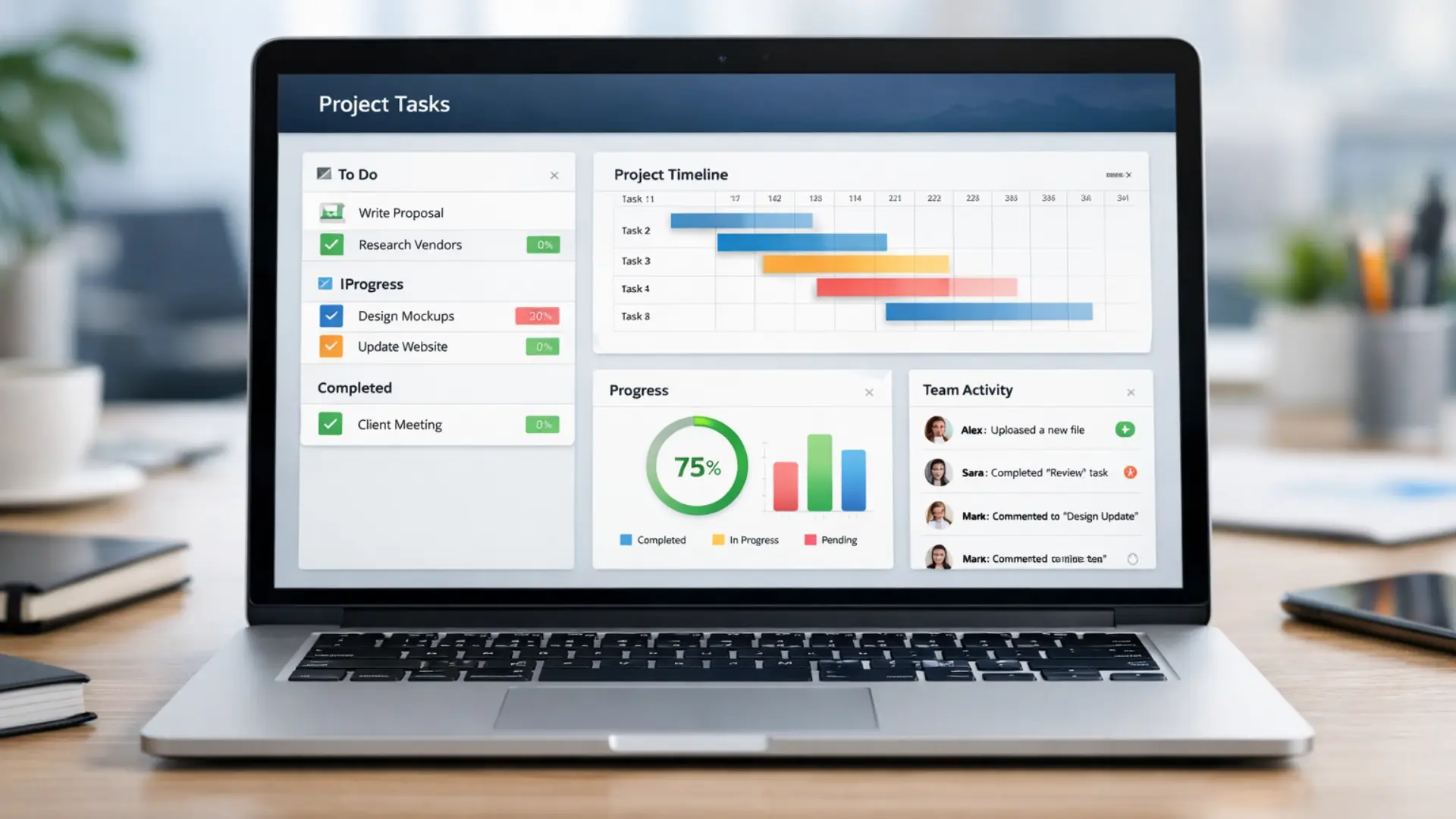
10 Best Project Management Software 2026 – Compare & Buy
Managing a project requires structure, visibility, and continuous coordination. Teams must track tasks, align priorities, and monitor deadlines without losing focus. This is where the best project management software becomes essential, providing a centralized system that improves clarity and control.
With the right workflow planning tools and task management system, teams can organize responsibilities, streamline communication, and reduce operational chaos. Strong team collaboration features help ensure everyone stays aligned, accountable, and productive.
Choosing an appropriate project management tool can reduce this burden and streamline workflow. However, selecting the right project tracking platform is tricky. Tools that are too basic leave gaps you must fill, while overly complex options require time to learn and teach, adding to your workload. Look for real-time progress dashboards that simplify reporting without steep learning curves.
To simplify this process, major project management tools were tested for usability, features, and cost-effectiveness. We evaluated how each tool supports remote team coordination and whether it offers integrated task automation to save time. While no tool will solve every challenge, careful selection lets you find one that aligns with your workflow and provides practical support for your projects.
Top 10 Best Project Management Software in 2026
This table lists the 10 top project management tools with their free plans, starting prices, and best use cases, helping teams and freelancers choose the right software quickly.
Software | Free Trial / Plan | Starting Price (Approx) | Best For | Get Started | Reviews |
Monday.com | Free plan available | $9/user/month | Team collaboration & workflow automation | Monday.com Review | |
Smartsheet | 30-day free trial | $9/user/month | Data-heavy projects & tracking | Smartsheet Review | |
Teamwork | Free plan available | $10/user/month | Client collaboration & task management | Teamwork Review | |
Zoho Projects | Free plan available | $5/user/month | Small teams & simple project tracking | Zoho Projects Review | |
Jira | Free plan available | $8/user/month | Agile & Scrum teams | Jira Review | |
ClickUp | Free plan available | $7/user/month | Customizable workspace for all teams | ClickUp Review | |
HubSpot | Free tools available | Paid plans vary | CRM + task management | HubSpot Review | |
Striven | Free trial available | $35/user/month | All-in-one business operations | Striven Review | |
TeamGantt | Free plan available | $19/user/month | Gantt chart planning & scheduling | TeamGantt Review | |
Bonsai | Free trial available | $17/month | Freelancers & contract management | Bonsai Review |
1. Monday.com – Flexible Project Tracking & Automation
Monday.com is a highly versatile project management platform that combines simplicity with robust functionality. Its intuitive dashboards provide a clear overview of all ongoing projects, making it easy to monitor progress at a glance. Users can leverage more than 200 ready-made workflow templates, reducing setup time for different industries or specialized business processes.
The platform also includes powerful automation tools that handle routine tasks, such as updating task statuses and sending deadline reminders. AI-powered features, like monday magic and monday sidekick, assist in creating boards and generating weekly reports, enhancing overall team productivity. Its user-friendly interface ensures that even beginners can quickly navigate and adopt the platform without steep learning curves.
For testing, monday.com offers a free project management plan supporting up to 2 users and 3 boards, but the 14-day Pro trial provides access to advanced functionalities such as time tracking and enhanced automations. This trial allows teams to explore the full range of collaboration software features before deciding on a paid subscription.
Monday.com Key Features
- User-Friendly Interface: Drag-and-drop tools make task management simple.
- 200+ Templates: Access a wide variety of ready-to-use templates for paid plans.
- AI & Automation: Smart automation and AI features simplify workflows.
2. Smartsheet – Best for Data-Heavy Projects
Smartsheet is ideal for managing data-heavy projects efficiently. Its spreadsheet-style interface lets you organize large amounts of project information while attaching files and adding comments directly to rows or cells. Forms can automatically feed data into your sheets, keeping all team data centralized.
All Smartsheet plans include workflow automation features, allowing you to streamline tasks like assignment notifications and approval requests. The platform also provides robust project reporting tools, enabling you to pull data from multiple sheets or create customized dashboards with widgets to monitor key project metrics.
While Smartsheet does not have a permanent free plan, it offers a 30-day free trial of the Business plan. This plan includes unlimited automations and 1 TB of attachment storage, making it especially suitable for projects that require large-scale data management.
Smartsheet Key Features
- Ideal for Large Projects: Designed to handle complex, data-heavy projects efficiently.
- 400+ Templates: Access hundreds of ready-to-use templates and template sets.
- Advanced Spreadsheet Functions: Powerful spreadsheet tools for detailed project tracking.
3. Teamwork – Client Collaboration & Task Management
Teamwork makes client project collaboration and online task management simple and efficient. You can give clients controlled project access for approvals and feedback, and unlimited collaborators are allowed, even on the free plan, making team communication software seamless and easy to manage.
Setting up projects is fast, with custom dashboards, Gantt chart templates, and time tracking tools ready in under 20 minutes. Teamwork AI also helps boost productivity by generating automated task lists and summarizing project content automatically.
The main drawback is the cost for smaller teams, as advanced features like live chat and project status reporting require a paid plan. Trying the 30-day free trial first is recommended, after which you can return to the free plan if needed, keeping your project management budget under control.
Teamwork Key Features
- Client Collaboration: Perfect for businesses that work closely with clients.
- Beginner-Friendly: Simple interface, easy for anyone to use.
- Built-In Document Editor: Edit and manage documents directly within the platform.
4. Zoho Projects – Ideal for Small Teams
Zoho Projects is a cost-effective the Best project management software for small businesses that combines simplicity with strong collaboration tools.
It allows teams to handle unlimited projects for a low monthly fee while offering useful automation features and AI-based insights. Built-in communication options like chat, forums, and comments help teams stay aligned and boost team productivity without relying on external messaging apps.
The platform stands out for its easy integration with other Zoho tools, creating a complete remote collaboration solution. By connecting with Zoho CRM and Zoho Meetings, users can manage client workflows, hold virtual sessions, and share updates efficiently.
Although learning advanced features requires some time, its affordable pricing and wide functionality make it an excellent choice for teams seeking all-in-one project tracking software that supports daily workflow optimization.
Zoho Projects Key Features
- Small Team Friendly: Designed for small-sized teams to manage projects efficiently.
- Task Dependencies: Four types of easy-to-use dependencies for better workflow planning.
- Advanced Time Tracking: Track multiple tasks at the same time with its unique time tracker.
5. Jira – Agile & Scrum Software Development Tool
Jira is the leading Agile the Best project management software designed for teams following Scrum development practices. It helps teams plan sprints, manage backlogs, and track tasks through visual workflows. By organizing work into smaller cycles, it supports continuous delivery and faster iteration, making it ideal for evolving IT or software development projects.
The tool offers flexible options to manage multiple workflows, separating projects to reduce distractions and improve focus during development. This approach aligns with collaborative software planning and ensures teams can prioritize bug fixes or new features effectively. Jira’s clear structure supports smooth team productivity tracking, helping teams stay agile and reduce bottlenecks.
Jira’s pricing model is designed to grow with teams of any size. Smaller teams benefit from the free Jira plan, which includes automation features and access to thousands of integrations. Larger organizations gain value from scalable paid tiers, with tools for enterprise project management and advanced user control, ensuring efficient collaboration across departments.
Jira Key Features
- Software Development Focused: Ideal for managing development projects and agile teams.
- Affordable Pricing: Per-user pricing with discounts for larger teams.
- Code Management: Built-in code view for pull requests and commits.
- Seamless Integration: Easily connects with other Jira tools for smooth workflows.
6. ClickUp – Most Customizable Workspace
ClickUp stands out for its deep level of customization and adaptability. It allows users to shape their workspace with flexible layouts, color themes, and automations that suit various project management workflows. This versatility makes it ideal for teams seeking a customizable productivity tool that adapts to their unique working style.
Teams can collaborate efficiently using built-in features like Whiteboards, chat, document control, and time tracking—all designed to keep operations seamless. With the ClickUp free plan, teams can manage tasks, share updates, and brainstorm in real time without switching between apps. This makes it a strong option for team collaboration software that supports creative and efficient work.
However, ClickUp’s range of features can feel complex for beginners exploring project tracking tools. With time and practice, users can unlock its full potential, turning it into a reliable hub for remote team management and streamlined workflows.
ClickUp Key Features
- Real-Time Collaboration: Work together with your team instantly.
- 1,500+ Templates: Huge library of templates for tasks, docs, and projects.
- Free Plan: Offers a robust free plan for individuals and small teams.
7. HubSpot – CRM + Task Management in One
HubSpot combines CRM software and task management tools in one workspace. It enables businesses to manage sales operations, marketing automation, and client relationships effectively. The platform’s AI-powered CRM features improve campaign performance and provide actionable insights to enhance customer satisfaction and revenue growth.
Its integrated task tracking system allows users to assign, categorize, and schedule work efficiently. With options to link tasks to contacts, tickets, or calendars, teams can streamline operations and maintain a steady workflow. This makes HubSpot task management especially useful for improving follow-ups and ensuring daily activity consistency.
While it lacks complex project management options like Gantt charts or timeline views, HubSpot’s automation and AI marketing tools make it a strong all-in-one solution. It’s ideal for small business CRMs or teams seeking streamlined tools that combine customer management with productivity software.
HubSpot Key Features
- CRM & Task Management: Combines project tasks with customer relationship management.
- Free Plan Available: Offers a good free plan for small teams and beginners.
- AI Tools: Integrates smart AI tools to improve workflow and productivity.
8. Striven – All-in-One Business Tool Management
Striven is a comprehensive business management software that connects different teams and departments in one unified platform. It provides essential tools for project planning and resource management, ensuring smooth operations without switching between multiple systems. This makes it especially useful for businesses wanting to centralize workflows and improve productivity across all functions.
The platform strengthens teamwork through real-time messaging, shared calendars, and discussion threads connected to tasks. Its internal communication tools help teams stay aligned and transparent throughout projects. A key feature, the Buzz feed, acts as a digital space for employee engagement and company updates, promoting collaboration and information sharing within the organization.
Despite its versatility, Striven can feel pricey for those who only need project tracking software. However, for businesses seeking a single hub to manage accounting, HR, and project operations, it’s a smart choice. As an all-in-one business solution, Striven simplifies management and helps organizations maintain consistent control over their daily operations.
Striven Key Features
- Task Management: Easily create, organize, and track tasks for your team.
- Central Content Hub: Store all company files, documents, and resources in one place.
- Team Communication: Built-in chat and collaboration tools to keep your team connected.
9. TeamGantt – Simplest Gantt Charts for Planning
TeamGantt is a simple yet powerful Gantt chart software made for quick project visualization. Its drag‑and‑drop interface makes scheduling tasks, setting milestones, and managing dependencies easy, even for beginners. This online project management tool helps teams plan workflows efficiently without technical complexity.
With over 30 ready‑made templates and a sleek layout, TeamGantt provides a visual project planning solution that saves time and ensures clarity. It’s ideal for freelancers or small businesses looking to organize timelines with ease. The platform’s clean design enhances productivity and improves team task tracking through an intuitive dashboard.
While it lacks advanced collaboration and detailed resource tracking tools, it still delivers excellent value for smaller teams. Those seeking simple project scheduling software will find TeamGantt effective for fast, visually appealing planning. Its focus on clarity and design makes it a standout option for straightforward timeline management.
TeamGantt Key Features
- Simple Gantt Charts: The easiest tool for creating Gantt charts.
- Drag-and-Drop Editing: Intuitive interface for adjusting tasks quickly.
- 33 Ready-to-Use Templates: Pre-made templates for fast project setup.
10. Bonsai – Freelance Project & Contract Management
Bonsai is a project management platform built for freelancers and small agencies who need reliable freelance contract management and streamlined invoice automation. It brings all key tasks—contracts, client details, and projects—under one roof, letting users handle work without switching between tools. With ready-to-use, legally approved templates, freelancers can draft contracts quickly and safely.
The platform shines for independent professionals seeking smooth freelance workflow automation and simplified client billing software. It automatically generates invoices for each project and allows one-click sending, saving hours of manual work. The clear and intuitive interface supports fast onboarding and helps users maintain focus on delivering creative work, not admin tasks.
Despite its benefits, Bonsai isn’t ideal for large teams or complex corporate setups. Its collaboration features are minimal compared to advanced team project management tools and enterprise productivity platforms. However, for solo freelancers or boutique agencies, it delivers an efficient, automation-driven workspace that helps maximize productivity with minimal effort.
Bonsai Key Features
- Freelancer-Friendly: Perfect for freelancers and small agencies.
- Contract Builder: Pre-written templates to create contracts quickly.
- Automated Invoicing & Expenses: Track payments and expenses automatically.
How We Compare the Top Project Management Software
We assess project management tools through detailed, unbiased research to identify the best mix of value and usability. Each software undergoes testing for workflow efficiency and team collaboration performance.
This approach ensures every recommendation comes from hands-on analysis, not marketing talk. By focusing on real-world results, we help users find task management software that improves productivity and planning accuracy.
Key Features of Each Tool
Each of the best project management software was selected for its ability to enhance team coordination and boost productivity across all stages of work. The evaluation focused on tools that simplify planning, streamline task management, and keep team members connected through effective collaboration and real-time progress tracking.
Only platforms capable of supporting data-driven reporting and performance insights were highlighted as top performers.
Leading options stood out for their AI-powered automation and built-in features that eliminate repetitive manual tasks. These solutions significantly improved workflow efficiency and helped businesses maintain consistent delivery. Tools like monday.com and Teamwork proved especially valuable for organizations aiming to scale operations while optimizing workflow automation and project visibility.
Integration flexibility and scalability were essential factors in the final ranking. Each platform was assessed for compatibility with common business productivity tools and its capacity for resource allocation and capacity planning. To address specific industry needs, the analysis also covered CRMs tailored for sales and marketing teams and project systems built for IT project management and agile organizations.
Ease of Use and Learning Curve
Ease of use matters most when choosing project management tools that support productivity. A user-friendly system ensures teams adopt the software easily without extra training. The best task tracking platforms allow smooth navigation and quick setup so every team member can start managing tasks confidently.
Well-designed tools come with clean layouts, workflow management features, and built-in help like tutorials, live chat, and AI assistance. Real project testing helped identify solutions that simplify daily operations while maintaining efficiency. These insights highlight tools that enhance collaboration and communication within teams.
Our final picks balance simplicity and depth, offering both beginner-friendly and advanced options. Businesses can rely on these productivity software solutions for scalable growth and reliable performance. Whether you’re managing small projects or enterprise operations, these project planning platforms keep workflows organized and teams aligned.
Collaboration and Team Communication
Strong collaboration defines the effectiveness of any project management platform. A dependable tool helps teams, clients, and departments communicate efficiently, keeping everyone aligned with shared goals. Smooth team coordination ensures updates, feedback, and progress are always visible to everyone involved.
The assessment emphasized features that foster seamless communication across projects. Each workflow management software was examined for quick commenting, real-time notifications, and secure file sharing. Compatibility with business tools like Google Workspace and Microsoft 365 proved essential for maintaining consistency in remote work collaboration and data accessibility.
Extra credit went to systems offering built-in live chat, video meetings, or digital whiteboards. Platforms like Teamwork and ClickUp led in this area, enhancing virtual team productivity and creativity. Others earned points for easy integration with communication apps like Slack or Google Meet, which support stronger cross-functional collaboration and continuous engagement.
Customer Support Quality
Good customer support can make a major difference in how smoothly users manage their projects. Reliable assistance ensures that even complex software setups or unexpected issues don’t interrupt workflow. It’s especially valuable for less experienced users who need quick, dependable help to stay on track.
To evaluate support quality, we focused on how easily users could reach help through different channels. Live chat, phone access, and in-app options earned higher marks for speed and convenience. Availability was another key factor — platforms offering weekend or extended-hour support ranked better than those limited to standard business times.
Each system was tested directly through calls, emails, and support tickets. We observed response times and measured the clarity and usefulness of each reply. This hands-on testing revealed which services truly provide responsive, user-friendly support and which fall short.
Pricing and Plans
The best project management software must be easy to test before purchase, so only platforms with free project management trials were considered. Some providers, like monday.com, also offered extended free trials, giving teams extra time to explore how the tools fit their workflows and team needs.
Pricing structure was crucial when comparing business productivity tools. The focus remained on clear, affordable, and transparent pricing, where entry-level project management plans provided essential features without forcing upgrades to costly tiers.
Small teams and startups benefited most from budget-friendly project management software that stayed functional and easy to scale. The best platforms supported business growth through scalable collaboration tools, adapting smoothly as the company expanded its projects and teams.
Full Comparison of the Top 10 Best Project Management Software
The table below compares the key features and pricing of the top 10 project management tools, showing which ones offer a free plan, how many views and templates they include, and what support and integrations they provide.
Tool | Free plan | Views (examples) | Templates | Time tracking | Reports | Collaboration tools | AI & automations | Integrations | Support channels | Starting price |
monday.com | Yes | 25+ (Kanban, Gantt, Calendar, Workload, Timeline) | 200+ | Yes | Yes | Yes | Yes | 200+ (incl. Zapier) | Live chat, email, guides, videos, courses, webinars | $9.00 |
Smartsheet | Trial only | Grid, Kanban, Gantt, Board, Calendar, Timeline, Card | 300+ | Yes | Yes | Yes | Yes | 100+ | Email, live chat, phone, community | $9.00 |
Teamwork | Yes | Kanban, Gantt, Calendar, List, Workload, Portfolio, Table | Up to 50 (plan‑based) | Yes | Yes | Yes | Yes | 2,000+ (incl. Zapier) | Live chat, email, webinars, help guides | $10.99 |
Zoho Projects | Yes | Kanban, Gantt, Calendar, List, custom views | Up to 30 (plan‑based) | Yes | Yes | Yes | Yes | 50+ (350+ with Zoho Flow & other Zoho apps) | Live chat, email, phone, knowledge base | $4.00 |
Jira | Yes | Kanban, Scrum Backlog, DevOps, Roadmap, Summary | 70+ | Yes | Yes | Yes | Yes | 3,000+ | Support tickets, community, and docs | $7.53 |
ClickUp | Yes | 15 (Kanban, Gantt, List, Mind Map, Workload) | 1,000+ | Yes | Yes | Real‑time chat, comments, file sharing, dashboards | Yes | 1,000+ native & 3rd‑party | Live chat (paid), chatbot, help center, webinars | $7.00 |
HubSpot | Yes | 9 (Kanban, Calendar, List, Campaign, Task) | 300+ | Yes (with integration) | Yes | Sidebar, shared inbox, comments, file sharing, dashboards | Yes | 1,000+ | Live chat, email, phone, community, guides | $20.00 |
Striven | Trial only | Kanban, Gantt, List, Calendar | 500+ (plan‑based) | Yes | Yes | Chat, file sharing, discussions, news, reports | Automations only | 10 (plus custom via API) | Live chat, email, phone, online meeting, knowledge base | $10.00 |
TeamGantt | Yes | Gantt, Kanban, Calendar, List | 36+ | Yes | Yes | Discussions, tagging, comments, file sharing | Automations only | 9 native (2,000+ via Zapier + API) | Phone, email, in‑app messaging (weekdays) | $19.00 |
Bonsai | Yes | Gantt, Kanban, List, Workload, Portfolio | 500+ (projects & other uses) | Yes | Yes | Messaging, file sharing, client portal | Workflow automations | 4 native (plus Zapier) | Live chat, email, quick‑start guides, tutorials | $24.00 |
Frequently Asked Questions
What is the Best Project Management Software?
The Best Project management software helps teams plan, track, and complete tasks efficiently. Monday.com stands out as a top choice for many businesses due to its flexibility and intuitive design. It also supports strong team collaboration and workflow automation.
Why Is the Best Project Management Software Important for Teams?
The best project management software streamlines workflows, tracks progress, and improves coordination. It helps teams stay organized, efficient, and deadline-focused.
What is the Most Popular Project Management Software in 2026?
No single tool dominates every industry. Popular choices include Monday.com, Asana, ClickUp, and Wrike, depending on team size and workflow needs.
Which Project Management Tool is Best for Small Teams?
Small teams benefit from simple and flexible tools. Trello is visual, Asana is structured, ClickUp is feature-rich, and Basecamp works well for client collaboration.
Which Software is Best for Agile Project Management?
For Agile workflows, Jira suits development teams, while Monday.com and ClickUp offer flexibility for mixed-use projects. Scrum vs. Kanban requirements matter most.
Is There Any Free Project Management Software?
Yes. Trello, Asana, and ClickUp provide free plans with core features suitable for individuals and small teams.
What Features Should I Look for in Project Management Software?
Pick project management software that offers full project visibility, automation, and team collaboration. It should simplify tasks, boost productivity, and deliver live performance insights.
Which Tool is Best for Client & Team Collaboration?
The right collaboration tool depends on how your team works and what clients need. Teamwork suits agencies; Monday.com offers visual flexibility, and Asana excels in organized project management.
How Does Project Management Software Improve Productivity?
It helps teams work faster and stay organized. The software keeps communication in one place, tracks progress instantly, and removes repetitive manual work. This leads to smoother teamwork and fewer delays.
Can Project Management Software Replace Spreadsheets?
Project management tools handle teamwork and large projects more effectively than spreadsheets. They automate updates, improve coordination, and keep data secure. Spreadsheets still work best for simple, individual tasks.
Related

Alex Bryant, founder of PvyEmpire.com, is passionate about WordPress and specializes in web hosting, performance optimization, and site management. With extensive experience testing top hosting providers, he created PvyEmpire.com to share honest, data-backed reviews, expert guides, and verified coupons & deals, helping website owners save money, boost performance, and grow their online presence with confidence.