Best Enterprise Hosting Services: Complete Guide
When your business starts growing, the hosting plan you signed up for years ago suddenly feels like a pair of shoes two sizes too small.
You’re dealing with slower load times, unexpected downtime, and a support team that puts you on hold for 40 minutes. It’s frustrating — because you know your website isn’t just a website anymore. It’s your revenue, your reputation, and your customers’ first impression.
In this guide, we’re breaking it all down for you — what enterprise hosting actually means, what separates a great platform from an overpriced one, and how to figure out what your business really needs.
Whether you’re scaling up for the first time or just tired of patching problems on an underpowered plan, you’ll walk away with clear answers and a solid direction. No jargon, no fluff — just the honest breakdown you were hoping to find.
What is Enterprise Hosting?
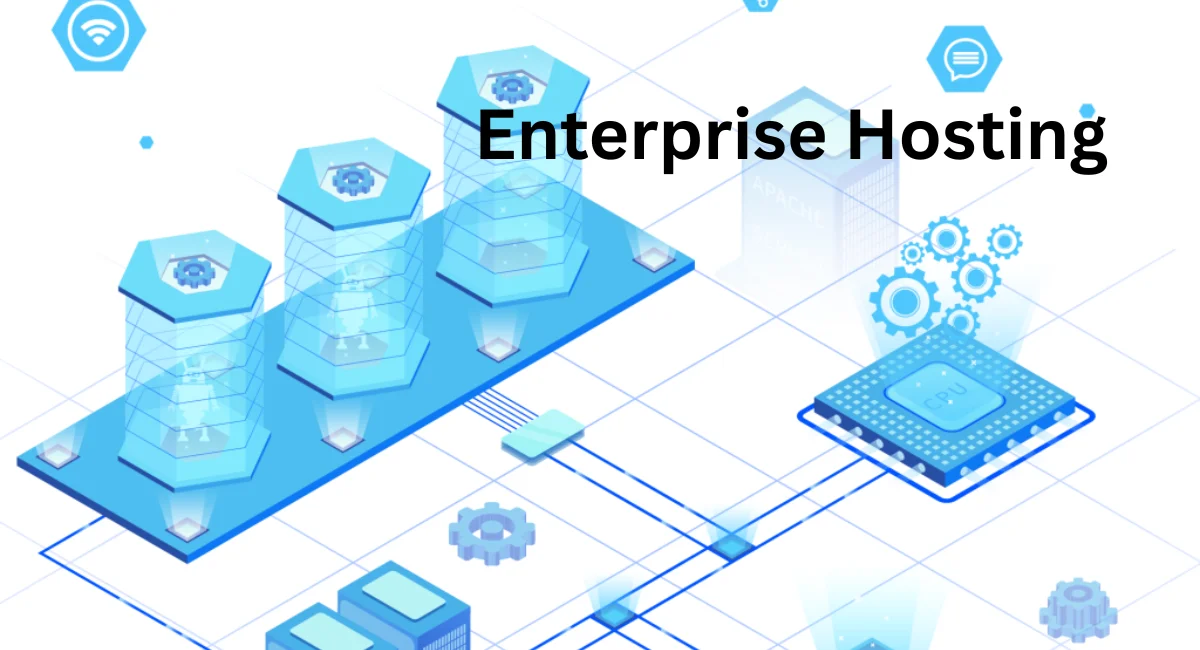
Enterprise hosting is a category of web hosting built specifically for large-scale businesses, high-traffic websites, and complex digital operations.
Unlike shared hosting — where your site shares server resources with hundreds of others — enterprise web hosting gives you dedicated infrastructure.
Advanced security controls, and the kind of uptime SLA that actually means something when millions of users are visiting your site. It’s designed to handle serious workloads without breaking a sweat.
Think of it this way: shared hosting is like renting a room in a shared apartment. Enterprise hosting is owning the entire building — and having a full maintenance crew on call. You get more control, more resources, and more reliability.
Platforms in this space typically offer managed hosting options, cloud compute, multi-region deployment, and hybrid cloud configurations so your infrastructure can grow as fast as your business does.
Explore Enterprise Hosting Options
Not all enterprise hosting looks the same. Some businesses need a global CDN with edge network capabilities to serve users across continents with low latency.
Others need containerised hosting, serverless functions, or static site generation pipelines for their modern frontend stack. The right platform depends entirely on your architecture, your team, and your traffic patterns.
What’s common across good enterprise hosting options is flexibility. You should be able to scale horizontally, deploy across multiple regions, and integrate with the tools your developers already use.
Whether you’re running a Jamstack frontend, a headless CMS setup, or a full-stack application on Kubernetes, the hosting layer should support your stack — not fight against it.
Hosting Products to Scale Your Business
Enterprise teams often need more than just a place to put their website. They need a full suite of infrastructure products that work together. Here’s a look at the core building blocks most enterprise hosting providers offer.
Modern platforms typically bundle these products so your DevOps team isn’t stitching together five different services just to get a deployment pipeline running smoothly.
Virtual Machines
Virtual machines (VMs) give your team dedicated compute resources in a fully isolated environment. You control the OS, the configuration, and the software stack. For applications that can’t run in containers or need specific system-level access, VMs are still the go-to choice for enterprise teams.
Managed Kubernetes
Kubernetes is powerful but notoriously complex to manage. Managed Kubernetes takes the heavy lifting off your team — the provider handles cluster provisioning, upgrades, and monitoring.
You focus on deploying your applications while the platform keeps the infrastructure healthy and auto-scaling when traffic spikes.
Object Storage
Object storage is ideal for storing large volumes of unstructured data — think media files, backups, logs, and static assets. It’s highly durable, cost-efficient at scale, and integrates naturally with CDN layers for fast content delivery.
Most enterprise platforms connect object storage directly to their edge network for faster global distribution.
Managed Databases
Running your own database server is a full-time job. Managed databases, hand that job off to the platform — automated backups, failover, scaling, and patching are all handled for you.
Whether you need PostgreSQL, MySQL, or a NoSQL option, managed databases reduce operational overhead so your team can focus on building, not babysitting infrastructure.
8 Best Enterprise Web Hosting Platforms
Choosing the right platform is one of the most important infrastructure decisions your team will make.
Below is a detailed breakdown of the top enterprise hosting platforms available in 2026 — covering features, use cases, pros, cons, and how each one benefits enterprise teams.
1. Vercel
Vercel is the go-to platform for frontend-focused enterprise teams, especially those building with Next.js, React, or Astro.
It’s built around the idea that shipping fast, globally distributed web experiences shouldn’t require a complex DevOps setup. For enterprises that prioritize developer experience and page speed, Vercel is hard to beat.
Key Features
- Native Next.js support with zero-config deployment
- Global edge network with 100+ PoP locations
- Preview deployments for every Git branch
- Edge functions and serverless functions
- Built-in CI/CD pipeline with instant rollback
- Role-based access control and SSO
- SOC 2 Type II compliance
- Advanced analytics and Core Web Vitals monitoring
Enterprise Use Case
Vercel suits enterprises running modern frontend architectures — especially teams using a headless CMS like Contentful or Sanity paired with a Next.js frontend.
It’s particularly strong for marketing teams that need fast deployment cycles, preview environments for stakeholder review, and high-performance delivery globally.
Pros
- Best-in-class Next.js and React support
- Incredibly fast global CDN with edge caching
- Preview deployments make collaboration seamless
- Zero-config deployment saves developer time
- Strong security with SOC 2 and zero-trust access
- Excellent Core Web Vitals and LCP performance out of the box
Cons
- Pricing scales quickly for high-traffic sites
- Not ideal for backend-heavy or monolithic applications
- Build minutes can get expensive at scale
- Limited native database or storage products
How It Benefits Enterprises
Vercel gives enterprise marketing and engineering teams the speed to ship faster without sacrificing quality.
Preview deployments eliminate long QA cycles, and instant rollback means a bad deploy doesn’t turn into a two-hour incident. For teams building the best enterprise web hosting platform for Next.js, Vercel is the natural first choice.
2. Netlify
Netlify pioneered the Jamstack hosting movement and remains one of the strongest enterprise platforms for teams building API-driven, composable architectures. It balances developer-friendly tooling with the governance and security controls that enterprise teams actually need.
Key Features
- Git-based deployment with automatic builds
- Deploy previews and staging environments
- Serverless functions with edge function support
- Split testing and A/B deploy capabilities
- Role-based access control and audit logs
- GDPR compliance tools and data residency options
- SOC 2 Type II certified
- Netlify Connect for unified data layer
Enterprise Use Case
Netlify is a strong fit for enterprise marketing teams that want content publishing autonomy without involving developers for every change. Its composable architecture support makes it ideal for headless CMS integrations with platforms like Contentful, Sanity, or DatoCMS.
Pros
- Excellent Jamstack hosting for enterprise marketing teams
- Deploy previews to streamline stakeholder approval
- Strong compliance posture — SOC 2 and GDPR ready
- Netlify Connect simplifies multi-source data management
- Easy Git-based deployment workflow
- Solid serverless and edge function capabilities
Cons
- The build minutes limit can catch teams off guard
- Less powerful than AWS or GCP for backend workloads
- Advanced features are locked behind the enterprise pricing tier
- Occasional build performance inconsistencies at scale
How It Benefits Enterprises
Netlify accelerates marketing velocity by letting content teams publish without waiting on engineering.
The platform’s governance tools and environment management features give IT teams the oversight they need while keeping cross-functional teams moving fast. It’s one of the best choices for enterprise hosting for marketing teams with Git workflows.
3. AWS (Amazon Web Services)
AWS is the undisputed giant of enterprise cloud hosting. With over 200 fully featured services spanning compute, storage, networking, AI, and security, it’s the platform that powers a huge portion of the internet. If you need raw power, global scale, and complete infrastructure control, AWS delivers all of it.
Key Features
- EC2 virtual machines with dozens of instance types
- Lambda serverless functions
- S3 object storage and CloudFront CDN
- Elastic Kubernetes Service (EKS)
- Auto-scaling and load balancing
- AWS WAF and DDoS protection via Shield
- IAM with granular role-based access control
- SOC 2, HIPAA, GDPR, and ISO 27001 compliance
- Extensive DevOps integration (CodePipeline, CodeDeploy)
Enterprise Use Case
AWS suits enterprises with complex, multi-service architectures — think large e-commerce platforms, SaaS products, or financial services applications that need complete control over their stack.
It’s the default choice for teams that need HIPAA-compliant infrastructure or multi-region redundancy at a global scale.
Pros
- Unmatched breadth of services and infrastructure options
- Industry-leading compliance — HIPAA, SOC 2, ISO 27001
- Powerful auto-scaling and elastic infrastructure
- Best-in-class IAM and security tooling
- Massive global edge network with CloudFront
- Strong enterprise support tiers and SLAs
Cons
- Steep learning curve — not beginner-friendly
- Costs can spiral without careful monitoring
- A complex pricing model is hard to predict
- Requires dedicated DevOps expertise to manage well
How It Benefits Enterprises
For enterprises that need complete infrastructure ownership and regulatory compliance, AWS is the gold standard. Its combination of CloudFront CDN, Lambda, and EKS gives teams a fully composable infrastructure stack.
It’s particularly powerful for AWS vs Azure for enterprise web application hosting comparisons — AWS consistently wins on service breadth and ecosystem maturity.
4. Google Cloud Platform (GCP)
Google Cloud is a serious enterprise hosting contender, especially for data-heavy and AI-driven applications. It runs on the same infrastructure that powers Google Search and YouTube — so performance and reliability are built into its DNA.
GCP is particularly strong for enterprises that need advanced analytics, machine learning, or global network performance.
Key Features
- Compute Engine VMs and Cloud Run containers
- App Engine for fully managed application hosting
- Cloud CDN and global load balancing
- BigQuery for enterprise data analytics
- Firebase for real-time application hosting
- Google Kubernetes Engine (GKE)
- Cloud Armor for DDoS protection and WAF
- SOC 2, HIPAA, GDPR compliance
- Identity and access management (IAM)
Enterprise Use Case
GCP is ideal for data-intensive enterprises — companies that need to combine web hosting with real-time analytics, AI model serving, or large-scale data pipelines.
Media companies, research organizations, and SaaS platforms with big data needs tend to gravitate toward GCP.
Pros
- Exceptional network performance and low latency globally
- Best-in-class data and AI tooling (BigQuery, Vertex AI)
- Strong Kubernetes support with GKE
- Competitive pricing with sustained use discounts
- Solid compliance certifications
- Tight integration with Google Workspace
Cons
- Smaller service catalog compared to AWS
- Steeper learning curve for teams new to GCP
- Enterprise support can feel less mature than AWS
- Some services lack the depth of AWS equivalents
How It Benefits Enterprises
GCP gives enterprises a high-performance hosting backbone with world-class networking built in. Its global distribution and edge caching make it a strong choice for enterprises serving international audiences.
Teams that already use Google Workspace or rely heavily on data analytics will feel right at home here.
5. Microsoft Azure
Azure is the enterprise hosting platform of choice for organizations already embedded in the Microsoft ecosystem. It integrates deeply with Active Directory, Office 365, and a wide range of enterprise software.
For large corporations with Windows-based infrastructure or .NET development teams, Azure is often the natural fit.
Key Features
- Azure App Service for managed web hosting
- Azure Kubernetes Service (AKS)
- Azure CDN and Front Door for global content delivery
- Azure Functions for serverless compute
- Azure Active Directory and IAM
- DDoS Protection and Azure Firewall
- SOC 2, HIPAA, GDPR, ISO 27001 compliance
- Azure DevOps for CI/CD pipeline management
- Hybrid cloud support with Azure Arc
Enterprise Use Case
Azure works best for enterprises with existing Microsoft infrastructure — think large banks, government agencies, or healthcare organizations running Windows Server environments.
Its hybrid cloud capabilities via Azure Arc make it the strongest option for businesses that can’t move everything to the cloud immediately.
Pros
- Seamless integration with Microsoft 365 and Active Directory
- Strong hybrid cloud support with Azure Arc
- Excellent compliance coverage, including government standards
- Mature enterprise support and SLA options
- Powerful CI/CD with Azure DevOps
- Broad global region coverage
Cons
- Interface and tooling can feel overly complex
- Pricing is difficult to predict at scale
- Some services lag behind AWS in maturity
- The learning curve is steep for non-Microsoft teams
How It Benefits Enterprises
Azure removes friction for Microsoft-heavy organizations. Your existing identity management, compliance workflows, and developer tooling slot right in.
For enterprises running hybrid cloud environments or navigating strict government compliance requirements, Azure delivers a level of integration that AWS and GCP simply can’t match out of the box.
6. Cloudflare Pages
Cloudflare Pages has quickly grown from a static site host into a serious enterprise hosting platform.
Backed by one of the world’s largest edge networks, it delivers exceptional performance through edge computing, Cloudflare Workers, and a developer-friendly deployment model.
It’s fast, secure, and surprisingly powerful for frontend-focused teams.
Key Features
- Global edge network with 300+ PoP locations
- Cloudflare Workers for edge functions
- Git-based deployment with preview environments
- Built-in DDoS protection and WAF
- Zero trust access via Cloudflare Access
- Unlimited bandwidth on all plans
- Automatic SSL management
- Integration with R2 object storage and D1 database
Enterprise Use Case
Cloudflare Pages is ideal for enterprises that need blazing-fast global delivery with built-in security baked in at the edge.
It’s a strong choice for marketing sites, documentation hubs, and frontend applications where performance and DDoS protection are non-negotiable.
Pros
- Largest edge network of any platform on this list
- Unlimited bandwidth — no surprise overage charges
- Best-in-class DDoS protection and zero trust security
- Cloudflare Workers enable powerful edge logic
- Fast, simple Git-based deployment
- Competitive pricing for high-traffic sites
Cons
- Less mature ecosystem compared to Vercel or Netlify
- Build tooling is less polished for complex workflows
- Limited native support for full-stack frameworks
- Enterprise features are still maturing compared to incumbents
How It Benefits Enterprises
Cloudflare Pages gives enterprise teams unmatched edge performance and security in a single platform.
The combination of edge functions, WAF, and DDoS protection means your security stack is built into your hosting layer — not bolted on afterward.
In a Cloudflare Pages vs Vercel for enterprise performance comparison, Cloudflare wins on raw global speed and security depth.
7. Pantheon
Pantheon is purpose-built for WordPress and Drupal hosting at enterprise scale. It’s not trying to be everything — and that focus is actually its biggest strength.
If your enterprise runs large CMS-driven websites and needs WebOps tooling, multidev environments, and a workflow built for cross-functional teams, Pantheon is genuinely excellent.
Key Features
- Managed WordPress hosting and Drupal hosting
- Multidev environments for parallel development
- Automated backups and one-click restore
- Global CDN with edge caching
- Built-in CI/CD pipeline for CMS deployments
- Role-based access control and audit logs
- GDPR and SOC 2 compliance
- Autopilot for automated updates
- Integrated performance monitoring
Enterprise Use Case
Pantheon is the natural choice for large enterprises managing multiple WordPress or Drupal websites — think media companies, universities, or government agencies with dozens of CMS-driven properties.
Its multidev feature lets developers work on separate environments simultaneously without stepping on each other’s changes.
Pros
- Built specifically for WordPress and Drupal at scale
- Multidev environments accelerate team collaboration
- Autopilot automates plugin/module updates safely
- Strong WebOps tooling for cross-functional teams
- Reliable uptime SLA and performance monitoring
- SOC 2 and GDPR compliance built in
Cons
- Limited to WordPress and Drupal — no other stacks
- Pricing is high compared to generic cloud platforms
- Some developers find the platform opinionated and restrictive
- Storage limits can be a pain point for media-heavy sites
How It Benefits Enterprises
Pantheon gives WordPress and Drupal teams a hosting environment designed specifically for how they work. Multidev environments eliminate the bottleneck of a single staging server, and Autopilot keeps sites updated without manual effort.
In a Pantheon vs WP Engine for enterprise Drupal and WordPress comparison, Pantheon tends to win on developer workflow depth.
8. WP Engine
WP Engine is one of the most recognized names in managed WordPress hosting for enterprises. It’s polished, reliable, and packed with features designed to keep large WordPress sites fast, secure, and easy to manage.
For marketing-driven organizations running WordPress at scale, it’s a compelling option.
Key Features
- Managed WordPress hosting with the Atlas headless platform
- Headless WordPress support via Atlas (Next.js, Gatsby, React)
- Global CDN via Cloudflare integration
- Automated daily backups and one-click restore
- SSH, SFTP, and WP-CLI access
- Role-based access control and multi-site management
- 24/7 enterprise support with dedicated account management
- SOC 2 Type II and GDPR compliance
- Staging environments and version control
Enterprise Use Case
WP Engine suits marketing-heavy enterprises that rely on WordPress as their CMS but want the flexibility of a headless frontend.
Its Atlas platform connects WordPress as a content backend to any frontend framework — making it a strong choice for enterprises exploring composable architecture without abandoning their existing WordPress investment.
Pros
- Industry-leading managed WordPress hosting
- Atlas enables headless WordPress at enterprise scale
- 24/7 dedicated enterprise support
- Strong security with SOC 2, automatic updates, and backups
- Easy staging and version control workflows
- Cloudflare CDN integration for fast global delivery
Cons
- WordPress-only — no support for other CMS platforms
- Premium pricing, especially at higher traffic tiers
- Plugin restrictions can frustrate developers
- Atlas headless setup has a steeper learning curve
How It Benefits Enterprises
WP Engine removes the operational burden of running WordPress at scale. Automatic updates, daily backups, and enterprise-grade support mean your team focuses on content and campaigns — not server maintenance.
For enterprises exploring the best platform for headless WordPress at scale, WP Engine’s Atlas is one of the most production-ready options available.
How to Choose the Right Enterprise Hosting Platform
Picking an enterprise hosting platform isn’t just a technical decision — it’s a business one. The wrong choice can slow your team down, create compliance headaches, or quietly drain your budget. Here’s a practical framework to help you choose wisely.
There’s no single “best” platform for every enterprise. The right answer depends on your stack, your team structure, your compliance requirements, and how fast you need to move. Use these six criteria as your evaluation checklist.
1. Compatibility with Your Tech Stack
Start here. If you’re building with Next.js, Vercel, or Netlify will feel natural. If you’re running WordPress or Drupal, Pantheon or WP Engine are purpose-built for you.
If you need full infrastructure control for a complex backend, AWS, GCP, or Azure gives you that flexibility. Don’t fight your platform — pick one that supports how you already work.
2. Performance at Global Scale
Look for a platform with a wide edge network, strong CDN coverage, and a track record of fast load times under traffic spikes.
Check their uptime SLA carefully — 99.9% sounds great until you do the math and realize it allows over eight hours of downtime per year. Prioritize platforms that offer automatic scaling, failover, and disaster recovery as standard features.
3. Developer and Marketing Workflows
The best enterprise hosting platforms serve both your engineering team and your marketing team well. Developers need Git-based deployment, preview deployments, CI/CD pipeline integration, and instant rollback.
Marketing teams need content publishing autonomy, staging environments, and fast deployment cycles. If a platform only works well for one group, it’ll create friction for the other.
4. Enterprise Security and Compliance
Non-negotiable. Your platform needs to support the compliance standards your industry requires — SOC 2, HIPAA, GDPR, or ISO 27001, depending on your sector.
Beyond certifications, look for DDoS protection, zero trust access, SSL management, encryption at rest, role-based access control, and detailed audit logs. Security should be baked in — not an optional add-on.
5. Support and SLAs
Enterprise teams can’t afford to wait 48 hours for a response when their site is down. Look for platforms offering dedicated account management, priority support queues, and clearly defined SLAs with financial penalties for breaches.
Test the support before you commit — open a pre-sales ticket and see how fast and helpfully they respond.
6. Pricing and Scalability
Enterprise hosting pricing varies wildly. Some platforms charge by bandwidth, others by build minutes, team seats, or traffic volume. Understand exactly what you’re paying for and model out your costs at 2x and 5x your current traffic.
The cheapest platform today can become the most expensive one in 12 months if its pricing model doesn’t scale gracefully with your growth.
Make a Scalable and Strategic Choice
At the end of the day, the best enterprise hosting platform is the one that fits your team, your stack, and your growth trajectory — not just the one with the most impressive feature list.
Take the time to evaluate each option against the criteria above and involve both your developers and your marketing stakeholders in the decision. The platforms that win in the long term are the ones that reduce friction on both sides.
If you’re still unsure where to start, here’s a simple shortcut: if you’re running WordPress or Drupal, look at Pantheon or WP Engine first. If you’re building modern frontend apps, start with Vercel or Netlify.
If you need full cloud infrastructure control or strict compliance, AWS or Azure is likely your answer. And if raw global speed with built-in security is your priority, Cloudflare Pages deserves a serious look.
The right enterprise hosting decision today can save you months of painful migration work tomorrow.
Conclusion
Choosing the right enterprise hosting platform is one of those decisions that quietly shapes everything else — your site’s speed, your team’s productivity, your compliance posture, and your ability to scale without scrambling.
The good news is that the options available are genuinely excellent across the board.
Whether you go with the developer-first experience of Vercel, the raw power of AWS, the CMS-focused reliability of WP Engine, or the security-first approach of Cloudflare, you’re choosing from a strong field.
The key is matching the platform to your actual needs — not chasing the most popular name or the longest feature list.
Use this guide as your starting point, involve the right stakeholders in the decision, and don’t be afraid to run a proof-of-concept before committing. The best enterprise hosting choice is the one your whole team can grow with confidently.
FAQs
What is enterprise hosting and how is it different from shared hosting?
Enterprise hosting provides dedicated infrastructure, advanced security, and high-availability guarantees tailored for large organizations. Shared hosting puts multiple sites on the same server with shared resources — enterprise hosting gives you isolated, scalable infrastructure designed for serious traffic and compliance requirements.
Which enterprise hosting platform is best for Next.js projects?
Vercel is the top choice for Next.js — it’s built by the same team and offers zero-config deployment, native optimization, and edge functions designed specifically for the framework. Netlify is a strong alternative if you prefer a platform-agnostic approach.
Is Vercel good for enterprise use?
Yes, Vercel is well-suited for enterprise teams focused on frontend performance. It offers SOC 2 compliance, role-based access control, SSO, and dedicated enterprise support. It’s particularly strong for teams using Next.js, React, or Astro with a headless CMS backend.
What security standards should enterprise hosting support?
At minimum, look for SOC 2 Type II, GDPR compliance, DDoS protection, SSL management, and role-based access control. Depending on your industry, you may also need HIPAA (healthcare), ISO 27001 (information security), or zero trust access controls.
How does Jamstack hosting benefit enterprise marketing teams?
Jamstack hosting decouples the frontend from the backend, which means marketing teams can publish content through a headless CMS without touching the codebase. It also delivers faster page speeds, better security, and easier global distribution — all of which directly improve campaign performance.
What’s the difference between managed and unmanaged enterprise hosting?
Managed hosting means the provider handles server maintenance, updates, backups, and monitoring on your behalf. Unmanaged hosting gives you raw infrastructure — your team is responsible for everything. Most enterprises prefer managed hosting to reduce operational overhead unless they have a large, dedicated DevOps team.
How do I choose between Pantheon and WP Engine for WordPress?
Both are excellent managed WordPress hosting platforms. Pantheon is stronger for development-heavy teams that need multidev environments and a robust WebOps workflow. WP Engine is better for marketing-driven organizations that want polished support, easy staging, and headless WordPress capabilities via its Atlas platform.

Alex Bryant is the founder of PvyEmpire.com and a WordPress specialist with over 4 years of hands-on experience in web hosting, performance optimization, and website management. He has extensively tested top hosting providers by setting up real websites and monitoring their speed, uptime, and reliability.
At PvyEmpire.com, Alex publishes honest, data-driven reviews, detailed guides, and verified coupons & deals. His goal is to help website owners choose the right hosting, improve performance, and grow their online presence with confidence—based on real testing, not promotions.