WooCommerce Hosting: Features, Benefits & How It Works
Running an online store with WordPress can feel exciting at first, but things quickly get frustrating when your site starts slowing down, crashing during traffic spikes, or struggling with checkout issues.
Many store owners searching for WooCommerce Hosting are usually trying to fix these exact problems and make their shop run smoothly without constant technical headaches.
In this post, we’ll break down what WooCommerce Hosting really is and why it matters for your online store’s speed, security, and overall performance. You’ll also learn how the right hosting setup can improve user experience, boost sales, and help your store grow without unnecessary stress.
Key highlights
WooCommerce stores often start small but quickly become complex as traffic grows. Slow loading pages, failed checkouts, and limited server resources can easily frustrate store owners. That’s why choosing the right foundation matters more than most people realize when building an online shop.
WooCommerce Hosting is designed specifically to solve these performance and scalability issues for WordPress-based stores. It gives you optimized speed, stronger security, and tools built for ecommerce growth so your store can handle real customers without breaking under pressure.
What is WooCommerce hosting?
WooCommerce hosting is a specialized type of hosting built to support WordPress + WooCommerce stores. Unlike generic hosting, it is optimized for product-heavy websites, secure transactions, and high traffic loads.
In simple terms, it’s hosting designed to make your online store faster, safer, and more stable. It often includes features like caching, optimized databases, and ecommerce-focused server configurations that improve overall store performance.
WooCommerce hosting vs regular web hosting
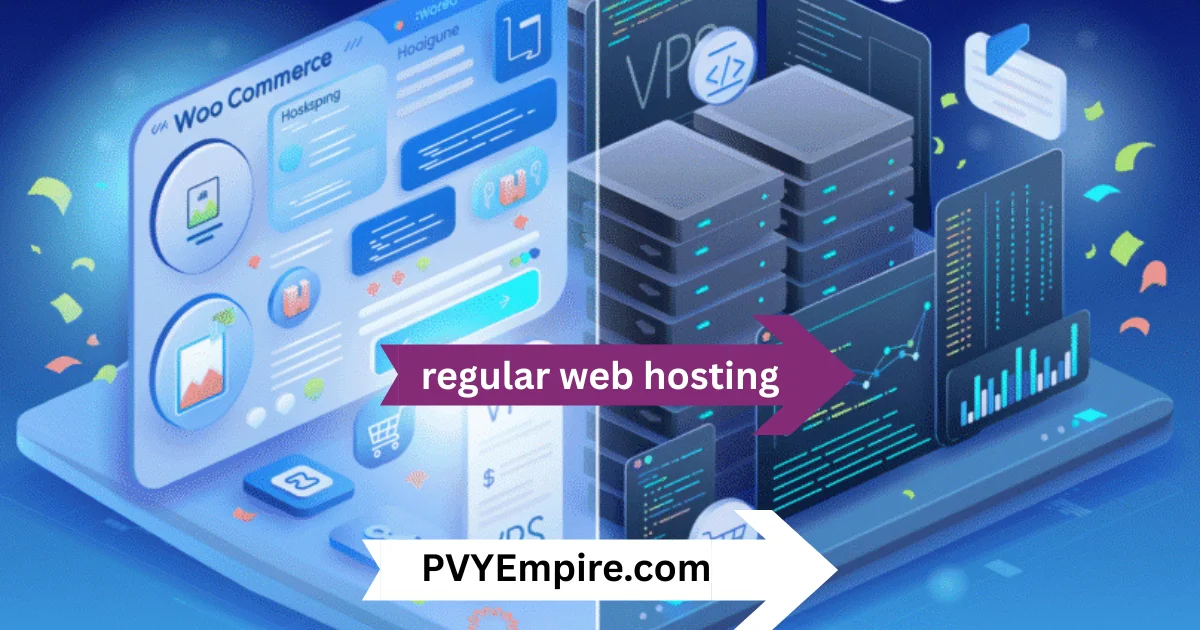
Regular web hosting is built for general websites like blogs or business pages. It may work for small stores, but it is not optimized for ecommerce workloads.
WooCommerce hosting, on the other hand, is tailored for online shops. It handles dynamic product pages, cart sessions, and checkout processes much more efficiently. This leads to better speed, fewer crashes, and smoother user experiences during peak traffic.
Key WooCommerce Features

WooCommerce hosting comes packed with tools that improve performance, security, and store management.
- Optimized server environment for WordPress and WooCommerce
- SSD storage for faster data access
- Built-in caching system for speed improvement
- CDN integration for global content delivery
- Automatic WordPress and plugin updates
- Enhanced database optimization for product queries
- Scalable resources for traffic spikes
- Free SSL certificate for secure transactions
- PCI-compliant infrastructure for payment security
- Daily automated backups for data protection
- One-click WooCommerce installation
- Staging environment for testing changes safely
- Advanced firewall protection against attacks
- DDoS protection for traffic security
- Email hosting included with store setup
- Integrated caching for product and cart pages
- PHP 8+ and MySQL optimization support
- Redis object cache for faster performance
- Developer-friendly tools for customization
- 24/7 monitoring for uptime stability
Order and Inventory Management
WooCommerce hosting ensures your store can handle real-time order updates without lag. It keeps inventory synced so customers always see accurate stock levels.
This reduces overselling issues and improves trust in your store operations.
Product and Catalog Management
Managing large product catalogs becomes smoother with optimized hosting environments. Pages load faster even when you have hundreds or thousands of products.
It helps improve browsing experience and keeps users engaged longer in your store.
Payments
Secure payment processing is a core part of ecommerce success. WooCommerce hosting supports encrypted transactions and PCI-compliant systems.
This ensures customer payment data stays protected at all times.
Checkout
Checkout speed directly impacts sales. Optimized hosting reduces cart abandonment by making checkout pages load quickly and smoothly.
Even during peak traffic, the checkout process remains stable and responsive.
Shipping
Shipping calculations and integrations run more efficiently on optimized servers. Real-time shipping rates and tracking updates load without delay.
This helps create a smoother post-purchase experience for customers.
What are the benefits of WooCommerce hosting?
WooCommerce hosting improves performance, security, and scalability for online stores. It removes technical stress so you can focus on selling instead of fixing server issues.
It also ensures your store stays stable even during traffic spikes, which is crucial for ecommerce success.
1. Pre-installed themes and templates
Many hosting providers offer ready-to-use WooCommerce themes. This makes store setup faster and easier for beginners.
You can launch a professional-looking store without deep design skills.
2. Enhanced security
Security is a top priority for online stores handling customer data. WooCommerce hosting includes malware scanning and firewall protection.
This keeps your store safe from attacks and vulnerabilities.
3. Dedicated servers
Some plans include dedicated resources for better performance. This ensures your store doesn’t slow down due to shared server traffic.
It’s ideal for growing businesses with increasing customers.
4. 24/7 access to a technical support team
Round-the-clock support helps resolve issues quickly. Whether it’s downtime or plugin errors, expert help is always available.
This reduces stress and keeps your store running smoothly.
Hosting recommendations by growth stage
Every online store has different needs depending on its size and traffic.
Tier 1: The starter store
New stores need affordable and simple hosting. Shared or entry-level WooCommerce hosting is enough to get started.
Focus is on low cost and easy setup.
Tier 2: The growing store
Growing stores need better speed and scalability. Managed WooCommerce hosting is ideal for handling more traffic and products.
It provides better caching and performance optimization.
Tier 3: The big store
Large ecommerce stores require powerful infrastructure. Cloud or dedicated WooCommerce hosting is best for high traffic and heavy product catalogs.
It ensures stability even during sales or peak seasons.
Why Is WooCommerce So Popular?
WooCommerce is popular because it is flexible, free, and integrates seamlessly with WordPress. It allows anyone to build a full ecommerce store without expensive software.
It also supports thousands of plugins, making customization almost unlimited.
Is WooCommerce Only for eCommerce?
WooCommerce is mainly built for online stores, but it can also be adapted for subscriptions, bookings, and memberships.
Its flexibility makes it useful for many types of digital businesses.
How Much Does WooCommerce Hosting Cost?
Pricing depends on performance level, features, and hosting type. Basic plans are affordable, while managed or cloud hosting costs more.
On average, entry-level plans are budget-friendly, while advanced setups are designed for scaling businesses.
Getting Started With WooCommerce
Starting a WooCommerce store is simple if you follow the right steps.
1. Hosting and Domain Name
First, choose a reliable hosting provider and register your domain name. This is the foundation of your online store.
2. Install WordPress
Most hosting providers offer one-click WordPress installation. This saves time and simplifies setup.
3. Install WooCommerce
Next, install the WooCommerce plugin and configure your store settings.
4. Install a WooCommerce Theme (Astra)
Choose a lightweight theme like Astra for better performance and design flexibility.
5. How To Add and Manage Products
You can add products with images, descriptions, and pricing directly from your dashboard.
6. How To Import and Export Products
Bulk product management helps you save time when handling large inventories.
7. How To Set Up Payment Gateways in WooCommerce
Integrate payment methods like PayPal or Stripe to start accepting payments.
8. How To Manage Your Checkout Page
Customize checkout fields to reduce friction and improve conversions.
9. Go live and grow
Once everything is ready, launch your store and start driving traffic.
Conclusion.
Choosing the right hosting can completely change how your online store performs. A slow or unstable setup can hurt sales, while optimized infrastructure helps you grow faster and serve customers better.
With the right WooCommerce setup, you get speed, security, and scalability in one place. Whether you’re starting small or scaling a large store, investing in the right hosting is one of the smartest decisions you can make for long-term success.
FAQs
What is WooCommerce hosting?
It is hosting optimized specifically for WordPress WooCommerce stores to improve speed and performance.
Is WooCommerce hosting necessary?
No, but it significantly improves store stability, speed, and security.
Can I upgrade WooCommerce hosting later?
Yes, most providers allow easy scaling as your store grows.
Does WooCommerce hosting include SSL?
Yes, most plans include free SSL for secure transactions.
What is the difference between shared and WooCommerce hosting?
Shared hosting is general-purpose, while WooCommerce hosting is optimized for ecommerce performance.
Is WooCommerce hosting good for beginners?
Yes, managed plans are beginner-friendly and easy to set up.
Does WooCommerce hosting affect SEO?
Yes, faster loading speed and uptime can improve search rankings.

Alex Bryant is the founder of PvyEmpire.com and a WordPress specialist with over 4 years of hands-on experience in web hosting, performance optimization, and website management. He has extensively tested top hosting providers by setting up real websites and monitoring their speed, uptime, and reliability.
At PvyEmpire.com, Alex publishes honest, data-driven reviews, detailed guides, and verified coupons & deals. His goal is to help website owners choose the right hosting, improve performance, and grow their online presence with confidence—based on real testing, not promotions.