What is Colocation Hosting? Complete Guide to How It Works
You keep hearing the term colocation hosting thrown around, but nobody seems to explain it in plain English. Is it like cloud hosting? Do you still own your servers? Is it just for big enterprises with massive IT budgets? It’s one of those topics where the more you search, the more confused you get.
Don’t worry — we’ve got you covered. This guide will walk you through exactly what colocation hosting is, how it works in the real world, and how to figure out whether it’s the right fit for your business, even if you’re just starting to explore your options.
Key Takeaways
- Colocation hosting lets you place your own servers inside a professional data center while keeping full ownership and control
- The provider supplies power, cooling, physical security, and high-speed network connectivity — you supply the hardware
- It’s more cost-effective than cloud hosting for stable, predictable workloads over a 3–5 year period
- Types include retail, wholesale, managed, and cage colocation — each suited to different business sizes and needs
- Colocation supports compliance with HIPAA, GDPR, PCI-DSS, and ISO 27001 requirements
- It works well for fintech, healthcare, iGaming, AI/ML, SaaS, and e-commerce businesses
- Pricing typically starts around $100–$300/month for a 1U setup and scales with rack size, power draw, and bandwidth
What is Colocation Hosting?
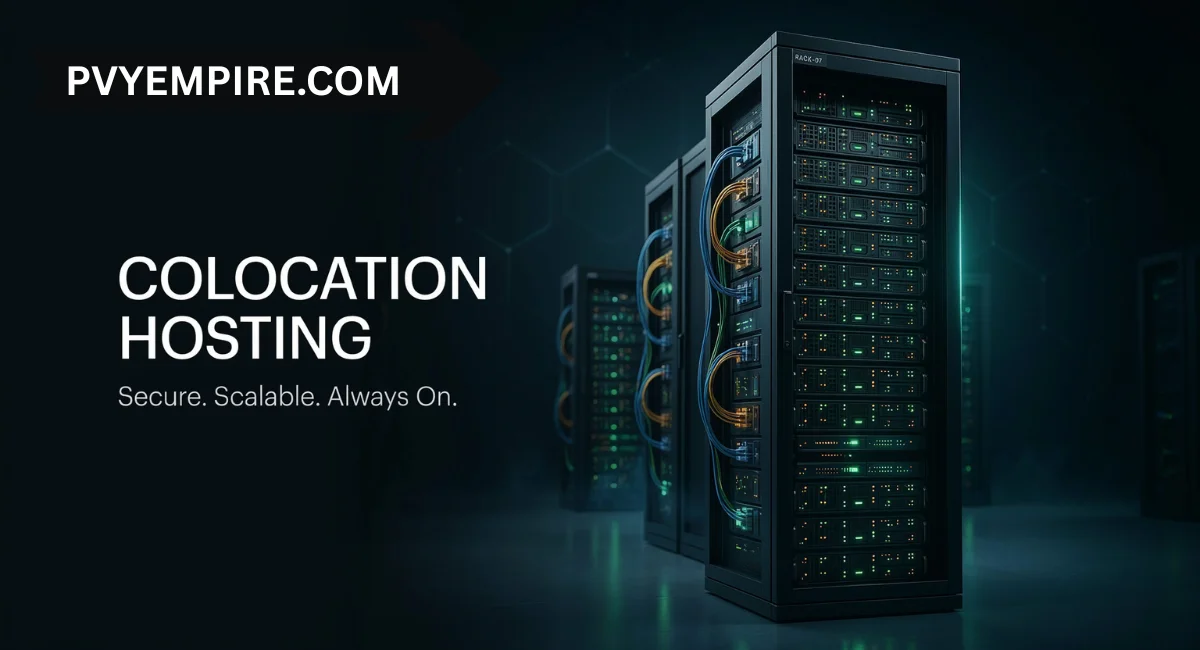
Colocation hosting is a service where you rent physical space inside a professional data center to house your own servers and networking equipment. You own the hardware.
You control the software, operating system, and security settings. The data center provides everything around it — the building, power infrastructure, cooling systems, high-speed internet, and physical security.
Think of it like renting a berth at a marina. Your boat is yours. You maintain it and sail it whenever you want. But the marina keeps it safe, powered, and connected to everything it needs.
This model sits in a sweet spot between running servers in your own office and handing everything over to a cloud provider. You get enterprise-grade infrastructure without the enormous cost of building your own data center. For businesses that need control, reliability, and compliance, that’s a very attractive deal.
Types of Colocation Hosting
Not every business needs the same setup. Colocation comes in several formats, each designed for different scales and security requirements. The right choice depends on how much space you need, how much power your equipment draws, and how sensitive your data is.
Here’s a quick look at the four main types before we dig into each one.
Retail Colocation
Retail colocation is the most common entry point. You rent a small amount of rack space — measured in rack units, or “U” — inside a shared cabinet. A single 1U server fits in one rack unit, roughly 1.75 inches of vertical space.
It’s a practical and affordable option for small and medium-sized businesses that don’t need a large footprint. You get all the benefits of a professional data center without paying for more than you actually use.
Wholesale Colocation
Wholesale colocation means leasing much larger spaces — multiple racks, private suites, or even entire floors. Enterprises with high power demands and large server fleets tend to go this route.
The cost per rack drops significantly at this scale, and you get more customisation options. A large payment processing company, for example, might lease a private suite to handle thousands of transactions per second with full infrastructure isolation.
Managed Colocation Hosting
Managed colocation hosting adds a layer of hands-on support on top of the standard space rental. The provider’s technicians help with hardware monitoring, troubleshooting, reboots, and component replacement.
This is especially useful if your IT team is small or remote. Instead of flying someone out to fix a failed drive at 2 am, you call the data center, and they handle it.
Cage or Secure Colocation
Cage colocation gives you a locked, private enclosure inside the data center. Only authorised personnel can enter. It’s the go-to option for organisations with strict compliance or security requirements.
Healthcare providers handling sensitive patient records, for instance, often choose caged environments to meet HIPAA data residency requirements.
How Colocation Hosting Works and What it Provides to Clients
The process is straightforward. You purchase your own physical servers — either brand new or existing hardware you already own. You ship them to the colocation facility, where technicians rack and cable the equipment for you.
Once it’s live, you manage everything remotely through secure access tools. You control the operating system, software, patches, and data policies. The data center handles everything physical.
Here’s what a colocation provider typically supplies:
- Redundant power — multiple power feeds, uninterruptible power supply (UPS) systems, and backup generators keep your servers running even during a grid failure
- Precision cooling — hot and cold aisle layouts and purpose-built air conditioning maintain stable operating temperatures
- Physical security — biometric access control, 24/7 CCTV surveillance, security personnel, and strict visitor logs
- High-speed connectivity — connections to multiple internet carriers for low latency and high availability
- Fire suppression systems — advanced detection and suppression technology built into the facility
- Remote hands service — on-site technicians who perform physical tasks on your behalf when you can’t be there
Pricing is broken into a few clear components: rack space (by U, half rack, or full rack), power draw (metered or committed per kW), bandwidth (metered or unmetered), and any optional managed services.
A basic 1U setup typically starts at around $100–$300 per month, depending on the provider and location.
Types of Colocation Services
Beyond the physical setup, colocation providers offer a range of services that go well past just “a shelf for your server.” Connectivity options vary significantly between providers.
A carrier-neutral facility gives you the freedom to choose from multiple network providers, which means better pricing, stronger redundancy, and no single point of failure on the network side.
Bandwidth plans come in two main forms. Metered bandwidth charges you for what you actually use, which suits variable or unpredictable traffic.
Unmetered plans give you a fixed port speed for a flat monthly fee, which works better for high-traffic environments where predictability matters. Many providers also offer cross-connects — direct physical links between your hardware and another provider within the same facility.
This is how financial firms achieve ultra-low latency connections to exchanges, and how SaaS companies connect privately to AWS or Azure without routing through the public internet.
Who Should Use Colocation?
Colocation hosting isn’t the right fit for everyone. It works best for businesses that already own servers or plan to invest in hardware, and that need stable, long-term infrastructure rather than flexible, on-demand resources.
If your workload is predictable and consistent, colocation almost always beats cloud pricing over a three-to-five-year hardware lifecycle. The Total Cost of Ownership is simply lower once your upfront hardware investment is made.
It’s also a strong choice for organisations with compliance obligations. Industries like healthcare, finance, and legal services often need physical control over where their data lives.
Colocation lets you tick those boxes while still benefiting from enterprise-grade infrastructure. Startups that have moved past the experimental phase and want to stop paying the “cloud tax” on mature, stable applications also find it makes strong financial sense.
Negatives of Colocation Hosting
Colocation isn’t without its downsides. The biggest one is the upfront cost. You have to buy your own hardware before the monthly fees even begin. That’s a significant capital expenditure, and it requires a clear long-term plan.
Unlike cloud hosting, you can’t spin up new resources in seconds — adding capacity means physically purchasing, shipping, and installing new equipment.
Geographic distance is another real challenge. If your servers are three hours away and something needs a physical fix, you’re either sending someone out or relying on remote hands support.
Contract structures can also be less flexible than cloud pricing. Many providers lock in power and bandwidth costs for six to twelve months at a time. If market rates drop during that period, you’re still paying the original price.
It’s worth reading the SLA carefully — particularly the clauses around uptime guarantees, compensation for downtime, and notice periods before you commit.
See Additional Guides on Key Hybrid Cloud Topics
Cloud Migration
Planning to move workloads from on-premise infrastructure to the cloud? Understanding how colocation fits into a hybrid strategy is a smart first step before committing to a full migration.
Nutanix
Nutanix hyperconverged infrastructure pairs well with colocation environments. If you’re running Nutanix clusters, housing them in a professional data center unlocks better redundancy and connectivity.
VMware Storage
VMware-based storage environments benefit significantly from the stable power and cooling that colocation facilities provide — especially for production workloads requiring consistent IOPS.
Read More About Colocation Hosting
Explore provider comparisons, pricing breakdowns, and region-specific guides to find the colocation setup that fits your business.
Award-Winning Hosting Solutions & Services
Professional colocation providers combine decades of data center experience with modern infrastructure to deliver hosting solutions that match enterprise-level demands at a fraction of the cost of building your own facility.
Share Your Vision With Us
See how we are different and how we help our customers win.
Every business has unique infrastructure needs. Whether you’re moving two servers or an entire server room, the right colocation partner works with you to build a setup that fits your budget, compliance requirements, and growth plans.
Key Technical Concepts: Remote Hands, Cross Connects, and Tiers
If you’re new to colocation, a few technical terms come up constantly. Understanding them helps you ask the right questions when comparing providers and reading through service agreements.
These three concepts — Tier ratings, remote hands, and cross-connects — are especially worth knowing before you sign anything.
Here’s what each one actually means in practice.
What is a Tier III Data Center?
Data centers are ranked by Tier levels from I to IV. A Tier III data center is the industry benchmark for enterprise reliability. It uses N+1 redundancy, meaning every critical system has at least one backup component.
This architecture delivers 99.93% uptime, which translates to less than 1.6 hours of downtime per year. Most serious colocation providers operate at Tier III or above.
What is Remote Hands?
Remote hands is exactly what it sounds like. It’s a service where on-site data center technicians perform physical tasks on your servers when you can’t be there.
That might mean rebooting a hung server, swapping a failed hard drive, connecting a cable, or checking status lights. It’s one of the most practical features colocation offers, especially for businesses with small IT teams or servers housed far from their main office.
What is a Cross Connect?
A cross-connect is a direct, physical cable link between two separate tenants or providers within the same data center. Instead of traffic travelling across the public internet, it takes the shortest possible path — from your rack to another rack or to a network provider’s equipment in the same building.
This is how businesses achieve ultra-low latency for time-sensitive applications. Financial trading platforms use cross-connects to shave microseconds off execution times.
How Secure is Colocation?
Physical security at a professional data center goes well beyond what most offices can offer. Facilities use layered security protocols: perimeter fencing, 24/7 CCTV, biometric access control, and mantrap entry systems that allow only one person through at a time.
Access logs document every entry and exit. On the network side, modern providers integrate hardware-level DDoS protection and AI-driven traffic monitoring to detect anomalous patterns before they become a problem.
Certifications like ISO 27001, SOC 2, and PCI-DSS give you a third-party-verified standard to point to when your auditors come asking.
Colocation vs. Other Hosting Solutions
Choosing the right hosting model comes down to three things: how much control you need, what your budget looks like, and how predictable your workload is. Colocation sits at the high-control, high-stability end of the spectrum. Here’s how it stacks up against the alternatives:
| Feature | Shared Hosting | VPS Hosting | Cloud Hosting | Dedicated Server | Colocation Hosting |
| Hardware ownership | Provider | Provider | Provider | Provider | You |
| Control level | None | OS-level | API/virtual | Full software | Full physical + software |
| Scalability | Very limited | Easy | Instant | Manual upgrade | Manual (add hardware) |
| Performance | Variable | Variable | Can fluctuate | Stable | Consistent, predictable |
| Cost model | Cheap fixed fee | Low fixed fee | Pay-as-you-go | Monthly rental | CAPEX + monthly colo fee |
| Best for | Blogs, small sites | Growing apps | Scalable tech | High-traffic sites | Enterprise, regulated industries |
The key difference between colocation and dedicated hosting is ownership. With dedicated hosting, you rent the server — the provider owns it. With colocation, you own the hardware outright. That matters for compliance, customisation, and long-term cost.
Benefits of Colocation
The case for colocation gets stronger the more stable and predictable your infrastructure needs are. Here are the main advantages:
- Lower long-term costs — once your hardware is paid off, monthly colocation fees are significantly cheaper than equivalent cloud resources. Over a three-to-five-year lifecycle, the TCO is hard to beat.
- Reliable power infrastructure — redundant power feeds, UPS systems, and backup generators mean your servers stay online even when the grid doesn’t
- Advanced cooling — purpose-built cooling keeps equipment running at optimal temperatures, extending hardware life and maintaining consistent performance
- High-speed, redundant connectivity — multiple carrier connections deliver low latency and high availability without dependence on a single network route
- Physical security — multi-layer access controls, surveillance, and compliance certifications protect your hardware better than any office environment can
- Full hardware control — you choose the server specs, storage type, operating system, and security configuration. No shared resources, no noisy neighbours.
- Compliance support — colocation in a certified facility makes it much easier to meet HIPAA, GDPR, PCI-DSS, and other regulatory requirements
- Disaster recovery — placing backup servers in a separate colocation facility gives you a reliable second site without doubling your infrastructure budget
Industry-Specific Colocation Use Cases
Colocation isn’t a one-size-fits-all solution — but it does fit a lot of industries particularly well. Here’s how different sectors use it in practice.
Colocation Hosting in FinTech & Trading: Speed & Regulatory Precision
Financial firms use colocation to place their servers physically close to exchange matching engines. By using low-latency cross-connects, they eliminate the jitter of the public internet and cut execution times down to microseconds.
Beyond speed, the 2N redundancy and Tier III infrastructure ensure that a local grid failure never causes a trading blackout. Physical audit trails also satisfy SEC, MiFID II, and GDPR compliance requirements without extra effort.
Colocation Hosting in SaaS & Cloud Providers: The Hybrid Backbone
SaaS companies use colocation as the private anchor in a hybrid cloud strategy. Core databases and resource-heavy workloads run on owned hardware — avoiding the steep IOPS pricing of public cloud providers.
Direct cloud on-ramps like AWS Direct Connect or Azure ExpressRoute, available inside colocation facilities, let these businesses keep sensitive data on-premise while scaling front-end infrastructure in the cloud during traffic spikes.
Colocation Hosting in AI & Machine Learning: High-Density Powerhouse
AI workloads generate enormous amounts of heat and consume massive amounts of power. Standard office server rooms simply can’t handle GPU clusters like the NVIDIA H200 or B200.
Colocation facilities now offer high-density racks delivering 30kW to 50kW or more per rack, with direct-to-chip liquid cooling designed specifically for these workloads. This gives AI firms the infrastructure they need without the multi-million dollar cost of building a private AI-ready facility.
Colocation Hosting in Healthcare & Life Sciences: Security & Data Sovereignty
Healthcare providers face strict data residency requirements under HIPAA and local health data regulations.
Colocation gives them physical, air-gapped control over patient records and genomic datasets — hosted on hardware they own, locked in private cages, inside certified facilities.
It also allows rapid, secure transfer of large imaging files like MRIs and CT scans over private local networks rather than congested public lines.
Colocation Hosting in iGaming & Entertainment: Zero-Lag Reliability
For real-time betting and multiplayer gaming platforms, even 500 milliseconds of lag is unacceptable. iGaming operators use colocation to house certified Random Number Generator hardware and gaming engines in secure, audited environments — often a legal requirement in many jurisdictions.
The combination of integrated DDoS protection, carrier-neutral connectivity, and ultra-low latency keeps thousands of concurrent users connected and happy during peak global events.
Colocation Hosting in E-commerce & Retail: Peak-Load Resilience
During Black Friday or major sales events, a one-second page load delay can cut conversions by 7%. Retailers use edge colocation to distribute product catalogs and payment gateways closer to their customers.
This reduces load on the central origin server and uses the data center’s massive bandwidth backbone to absorb sudden traffic spikes — 10x or even 100x normal volume — without a second of downtime.
Potential Challenges of Colocation
The biggest hurdle is the upfront capital commitment. You need to buy hardware before you can colocate it. For businesses used to the pay-as-you-go model of cloud hosting, this shift in thinking can feel uncomfortable.
However, for stable workloads, that initial investment pays off quickly. The key is making sure your infrastructure plan is solid before you sign a contract — because colocation agreements often lock in power and bandwidth rates for extended periods.
Migration is another consideration that doesn’t always get enough attention. Moving servers from your office to a colocation facility takes planning. You need to schedule downtime, arrange shipping, coordinate with the data center for rack installation, and test everything before going fully live.
It’s not a lift-and-shift in five minutes — but a well-executed migration is absolutely manageable with the right provider. Ask your potential provider about their onboarding process, support during installation, and what remote hands coverage looks like day-to-day once you’re live.
Future Trends in Colocation (2026)
The colocation market is growing fast. It was valued at around $69 billion in 2024 and is on track to exceed $200 billion by 2030. Several forces are driving that growth — and they’re reshaping what colocation looks like on the ground. Sustainability has moved from a talking point to a hard requirement.
Facilities are now targeting Power Usage Effectiveness (PUE) ratios as low as 1.05, using liquid cooling and heat-reuse systems to warm nearby buildings with server exhaust. Renewable energy sourcing is becoming standard, not optional.
The AI boom is also pushing colocation into new territory. The standard 5kW rack is increasingly obsolete. High-density zones now offer 30kW to 140kW per rack to support GPU clusters and large language model training.
Edge colocation is expanding too — smaller, often unmanned micro-facilities are being deployed in urban centres to keep latency under 5 milliseconds for AR, VR, and autonomous IoT applications.
And AI-driven data center management is reducing unplanned downtime by over 30% through predictive maintenance that catches power and cooling issues before they become failures.
Why Choose Colocation Hosting
There are a lot of hosting options out there. So why do thousands of businesses specifically choose colocation hosting over cloud, dedicated servers, or running their own server rooms? The honest answer is control.
With colocation, you own the hardware, you choose the configuration, and you set the rules. Nobody else shares your physical resources. That level of ownership matters enormously if your business handles sensitive data, runs custom applications, or has compliance obligations that cloud environments struggle to satisfy cleanly.
Cost efficiency over time is the other major driver. Cloud hosting is brilliant for flexibility and fast scaling — but it’s expensive for workloads that don’t change much.
If you know roughly what your infrastructure needs look like for the next three years, colocation typically wins on total cost of ownership. You pay a higher bill upfront for hardware and then far less every month than you would for equivalent cloud resources. For mature, stable applications, that maths is hard to argue with.
Who Chooses Colocation Hosting
A wide range of businesses use colocation — it’s not just for large enterprises with massive budgets. Small and medium businesses choose retail colocation because it gives them access to data center-quality infrastructure for the cost of a single rack unit.
Startups that have grown past the testing phase and want to stop overpaying for cloud resources are increasingly making the switch. Mid-sized companies that have outgrown their office server room but don’t want to build their own facility find colocation to be the obvious next step.
Regulated industries rely on it heavily. Healthcare organisations, financial services firms, legal practices, and government contractors all need physical control over their data.
They need certified facilities, documented access logs, and compliance frameworks that hold up under audit. Colocation delivers all of that. In short, if you own servers, need reliable infrastructure, and care about control, compliance, or long-term cost efficiency, colocation is worth a serious look.
Conclusion
Colocation hosting remains one of the most practical and cost-effective infrastructure choices for businesses that value ownership, compliance, and long-term stability.
It removes the burden of managing a physical facility while keeping you in full control of your hardware, your data, and your configuration.
Whether you’re a growing SMB that’s outgrown a back-room server setup, a healthcare provider with strict data residency needs, or a SaaS company looking to reduce cloud spend on stable workloads, colocation offers a proven path forward.
The technology is evolving quickly, too. With liquid cooling, AI-managed infrastructure, and edge deployments expanding across every major market, colocation isn’t standing still.
It’s becoming smarter, greener, and more capable. If you haven’t seriously evaluated it for your business yet, now is a good time to start.
FAQs
What is colocation hosting and how does it work?
Colocation hosting is when you place your own servers inside a professional data center and rent space, power, cooling, and connectivity. You own and manage the hardware while the provider maintains the physical infrastructure around it.
Is colocation hosting cheaper than cloud hosting?
For stable, predictable workloads, yes. Cloud is more cost-effective for variable or short-term needs. But over a three-to-five year hardware lifecycle, colocation’s total cost of ownership is typically lower than running equivalent cloud resources.
Do I need to own my own server for colocation?
Yes. Colocation is specifically for businesses that own their hardware. The provider supplies the facility and infrastructure — you supply the servers. If you don’t own hardware, dedicated hosting or cloud hosting may be a better fit.
Can small businesses use colocation hosting?
Absolutely. Retail colocation lets small businesses rent as little as a single 1U rack unit. You don’t need a full rack or a large budget to get started — just a server and a clear idea of your bandwidth and power requirements.
What is remote hands support?
Remote hands is a service where on-site data center staff perform physical tasks on your servers on your behalf. Common examples include rebooting servers, replacing hard drives, connecting cables, and checking hardware status.
Is colocation hosting HIPAA compliant?
It can be. Many colocation facilities meet HIPAA requirements through physical security controls, access logging, and compliance certifications. Always confirm that your chosen provider has documented HIPAA-ready processes and is willing to sign a Business Associate Agreement.
How much does colocation hosting cost per month?
Basic 1U colocation typically starts at $100–$300 per month depending on the provider and location. Costs scale with rack size, power draw (per kW), bandwidth usage, and any managed services you add. A full rack with high power density can run $1,000–$3,000+ per month.

Alex Bryant is the founder of PvyEmpire.com and a WordPress specialist with over 4 years of hands-on experience in web hosting, performance optimization, and website management. He has extensively tested top hosting providers by setting up real websites and monitoring their speed, uptime, and reliability.
At PvyEmpire.com, Alex publishes honest, data-driven reviews, detailed guides, and verified coupons & deals. His goal is to help website owners choose the right hosting, improve performance, and grow their online presence with confidence—based on real testing, not promotions.