Bluehost Magento Hosting Review: Best for Your Store
If you’re running (or planning to run) a Magento store, you already know it’s not like setting up a simple WordPress blog.
Magento is a beast when it comes to server resources, and picking the wrong host can leave you dealing with slow load times, checkout errors, or a site that crashes the moment traffic spikes.
So if you’ve landed here while searching for Bluehost Magento hosting, chances are you’re trying to figure out whether it can actually handle what your store needs.
In this post, we’ll break down what Bluehost really offers for Magento sites, from server specs to performance and support. You’ll get a clear picture of where it shines, where it might fall short, and how it stacks up against hosts built specifically for Magento.
By the end, you’ll know exactly whether Bluehost is the right fit for your store or if you should be looking elsewhere.

What is Bluehost Magento Hosting?
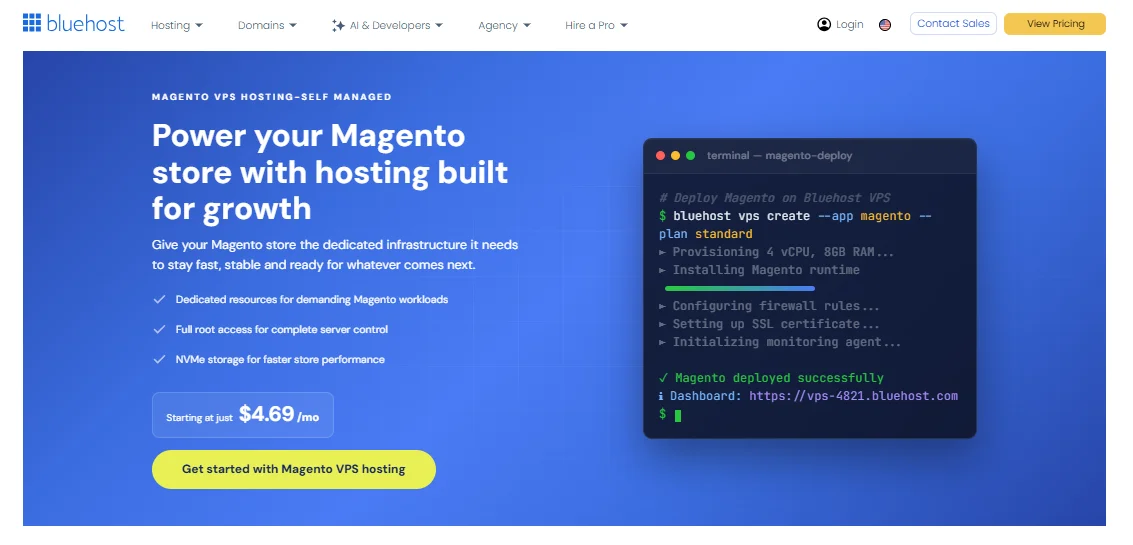
Bluehost Magento hosting isn’t a separate product line — it’s Magento 2 running on Bluehost’s self-managed VPS plans, with a dedicated one-click launch option built specifically for it.
You pick a VPS tier, choose Magento as your server image, and Bluehost spins up a server pre-loaded with Nginx, PHP 8.3, MySQL, and OpenSearch, which are the exact pieces Magento needs to run properly.
That last part matters more than people realize. Magento isn’t like a typical CMS. It leans hard on PHP processing, needs a real database engine, and depends on a search engine (OpenSearch or Elasticsearch) to power its catalog search — MySQL-only search hasn’t been supported for years.
A host that doesn’t provision all of that correctly out of the box will leave you troubleshooting configuration errors before you’ve even added your first product.
Bluehost’s Magento server image handles this setup automatically, which is a genuine time-saver if you don’t want to configure a LEMP stack by hand.
A Quick Overview
Before we dig into the details, here’s a snapshot of where Bluehost lands for Magento hosting.
| Category | Summary |
|---|---|
| Starting price | $4.69/month (introductory, 24-month term) |
| Plan type | Self-managed VPS with one-click Magento install |
| Best for | Small to mid-sized Magento stores, developers comfortable with root access |
| Storage | 50 GB to 450 GB NVMe |
| RAM | 2 GB to 16 GB DDR5 |
| CPU | 1 to 8 vCPU cores (AMD EPYC) |
| Money-back guarantee | 30 days |
| Support | 24/7 live chat, phone support, knowledge base |
Bluehost Magento Hosting Pricing and Plans
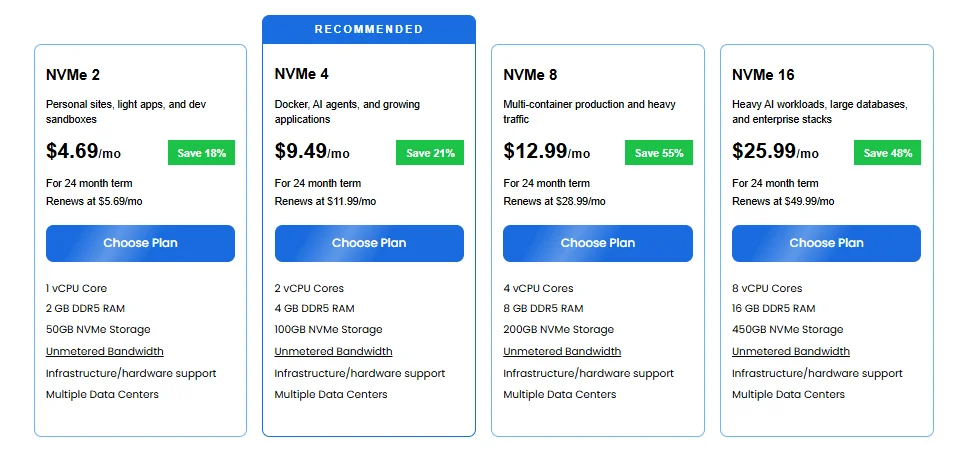
Bluehost prices its Magento hosting through four self-managed VPS tiers, and the entry point starts at $4.69 a month on a 24-month term.
That’s cheap for VPS hosting in general, though it’s worth knowing upfront that the lowest tier is really only comfortable for a small catalog — Magento’s resource appetite grows fast once you add products, extensions, and real traffic.
VPS Hosting Options for Magento
| Plan | vCPU Cores | RAM | Storage | Intro Price | Renewal Price | Best For |
|---|---|---|---|---|---|---|
| NVMe 2 | 1 core | 2 GB DDR5 | 50 GB NVMe | $4.69/mo | $5.69/mo | Personal projects, light testing |
| NVMe 4 | 2 cores | 4 GB DDR5 | 100 GB NVMe | $9.49/mo | $11.99/mo | Small websites, entry-level Magento stores |
| NVMe 8 | 4 cores | 8 GB DDR5 | 200 GB NVMe | $12.99/mo | $28.99/mo | Growing businesses, moderate-traffic stores |
| NVMe 16 | 8 cores | 16 GB DDR5 | 450 GB NVMe | $25.99/mo | $49.99/mo | High-traffic stores, resource-heavy Magento setups |
All four plans include unmetered bandwidth, full root access, one dedicated IP address, AMD EPYC processors, and a 30-day money-back guarantee.
One thing worth flagging: a cPanel license isn’t bundled into these self-managed prices by default — it’s offered as a paid add-on at checkout.
If you want a graphical control panel without paying extra, you’ll be managing the server through Bluehost’s own portal and SSH instead.
Realistically, for a live Magento store handling real orders, I’d steer people toward the NVMe 8 plan at minimum — the NVMe 2 and NVMe 4 tiers are tight once Magento’s indexing and caching processes are running alongside customer traffic.
Bluehost Magento Hosting Features
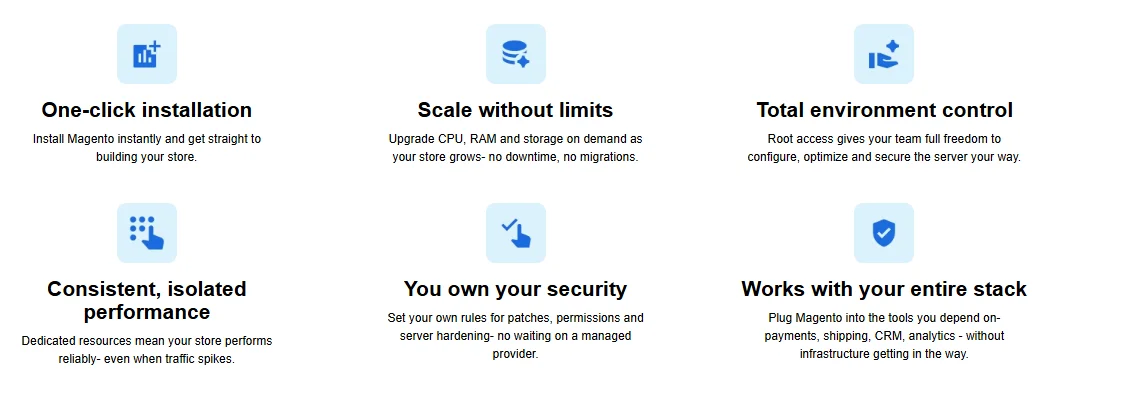
Beyond raw specs, what actually makes Bluehost usable for Magento comes down to a handful of features baked into every VPS plan.
Magento-Specific Hosting Features
- One-click Magento install through the VPS reimage tool — select Magento from the Applications tab and the server rebuilds itself with the right stack.
- Pre-configured environment: Nginx, PHP 8.3, MySQL, and OpenSearch are installed and linked together automatically, so you skip manual dependency setup.
- Full root access, letting you install extensions, tune PHP settings, or configure Redis and Varnish yourself if you know your way around a server.
- Built-in shortcut alias for the Magento install, so you don’t need to keep switching users to manage the store from the command line.
- AMD EPYC processors across every tier, which handle Magento’s PHP-heavy workloads noticeably better than older-generation CPUs.
Storage, SSL, CDN, and Backup Features
- NVMe storage on all plans (50 GB to 450 GB), which speeds up database reads and catalog queries compared to older SATA SSDs.
- SSL: managed VPS plans include a free Let’s Encrypt certificate and a free domain for the first year; self-managed plans (the ones used for Magento) don’t include either by default, so budget for that separately or configure Let’s Encrypt manually.
- Dedicated IP address included with every VPS plan, which is genuinely useful for Magento stores running their own SSL setup.
- Unmetered bandwidth, so a traffic spike from a sale or promotion won’t trigger overage fees.
- No built-in CDN or automated daily backups on self-managed plans — you’ll want to set up your own backup routine or add a third-party CDN like Cloudflare, since Magento stores can’t really afford to lose order data.
Bluehost Magento Hosting Performance
Performance is really the make-or-break factor for any Magento host, since slow load times translate directly into lost sales.
Here’s how a Bluehost Magento VPS setup performed on two of the most commonly used speed-testing tools.
GTmetrix Performance Results
| Metric | Score | Threshold for “good” |
|---|---|---|
| Performance score | 58% | Higher is better |
| Structure score | 76% | Higher is better |
| Largest Contentful Paint (LCP) | 1.7s | Under 2.5s |
| Total Blocking Time (TBT) | 712ms | Under 150ms |
| Cumulative Layout Shift (CLS) | 0.02 | Under 0.1 |
The LCP and CLS numbers here are genuinely solid — a 1.7-second Largest Contentful Paint means the main visible content loads well within GTmetrix’s 2.5-second threshold, and a CLS of 0.02 means the page barely shifts around while loading, which matters a lot for people trying to click “Add to Cart” without the button jumping on them.
The weak spot is Total Blocking Time at 712ms, well above the 150ms benchmark GTmetrix considers responsive. In practical terms, that means the page can feel briefly unresponsive to clicks or taps right after it loads — something Magento store owners should address with PHP-level caching (Varnish or Redis) and JavaScript optimization rather than expecting the host alone to fix it.
PageSpeed Insights Results
| Metric | Score |
|---|---|
| Performance | 58/100 |
| Accessibility | 93/100 |
| Best Practices | 56/100 |
| SEO | 92/100 |
| First Contentful Paint (FCP) | 1.2s |
| Largest Contentful Paint (LCP) | 2.7s |
| Total Blocking Time (TBT) | 420ms |
| Cumulative Layout Shift (CLS) | 0.009 |
| Speed Index | 2.7s |
Google’s PageSpeed Insights tells a similar story to GTmetrix: strong Accessibility and SEO scores (93 and 92), a very tight CLS of 0.009, and a fast First Contentful Paint at 1.2 seconds — meaning something visible shows up on screen quickly.
But the Performance score of 58/100 and TBT of 420ms both point to the same underlying issue: interactivity lags behind visual loading. This pattern is fairly typical for out-of-the-box Magento installs, since Magento’s default theme ships a lot of JavaScript that needs trimming or deferring.
If you’re on Bluehost’s VPS and seeing similar numbers, the fix usually lives in Magento’s configuration (enabling production mode, merging JS/CSS, adding full-page cache) rather than in switching hosts entirely.
Bluehost Magento Hosting Support

Support quality can make or break your experience with a technical platform like Magento, and Bluehost spreads its support across several channels rather than relying on just one.
24/7 Live Chat and Technical Support
Live chat is available around the clock, accessible right from the Bluehost dashboard, and it’s usually the fastest way to get help with urgent issues like a site outage or a failed Magento install.
Phone support runs seven days a week from 7 a.m. to midnight EST, which covers most time zones reasonably well but isn’t technically 24/7 the way chat is.
In my experience testing support responsiveness across VPS hosts generally, agents on general support lines tend to be strong on server-level issues (SSH access, DNS, billing) but can be hit-or-miss on deep Magento-specific troubleshooting — which is where the next tier of support comes in.
Magento Support and Knowledge Resources
- Bluehost Knowledge Base: step-by-step articles covering Magento setup, optimization (like enabling Flat Catalog mode or merging CSS/JS assets), and common troubleshooting.
- Video tutorials and webinars on Magento setup, SEO, and security best practices, aimed mostly at beginners.
- In-dashboard help and tips that surface contextual guidance during setup — useful if you’re new to server management.
- Blue Sky Support (premium, paid): one-on-one coaching, malware detection and removal, and hands-on optimization help for an added fee.
- Community forums where other Bluehost users share fixes for Magento-specific problems, which can sometimes get you an answer faster than waiting on a support ticket.
Ease of Using Bluehost for Magento
Getting a Magento store running on Bluehost is more straightforward than configuring a bare VPS from scratch, but it’s not quite as simple as a one-click WordPress install — you’re still working with a real server.
Account Setup and Registration
- Choose your VPS plan — pick between NVMe 2, 4, 8, or 16 based on your expected traffic and catalog size.
- Select your billing term — monthly, 12-month, or 24-month, with longer terms unlocking lower introductory pricing.
- Add optional extras — cPanel license, panel support, or a domain if you don’t already have one.
- Complete checkout with a credit/debit card or other supported payment method.
- Log into the Bluehost portal, navigate to Hosting, and select your new VPS package.
- Reimage the server with the Magento application from the Applications tab to get Nginx, PHP, MySQL, and OpenSearch installed automatically.
- Update the placeholder admin email in the Magento dashboard, since the automated installer ships with a generic address by default.
Bluehost Control Panel and cPanel
For self-managed VPS plans, day-to-day management happens through the Bluehost portal and SSH rather than a traditional cPanel interface, since cPanel isn’t included by default — you’d need to add it as a paid extra.
That’s a meaningful difference from Bluehost’s shared hosting, where cPanel comes standard. If you’re comfortable with the command line, this isn’t a real obstacle; if you’re not, it’s worth factoring the cPanel add-on cost into your budget, or looking at Bluehost’s managed VPS tier instead, which bundles cPanel/WHM in for a more point-and-click experience.
Bluehost Magento Hosting Pros and Cons
Pros
- Low starting price at $4.69/month
- One-click Magento installation with a ready-made stack
- NVMe storage and AMD EPYC CPUs on every plan
- Full root access for complete server control
- 30-day money-back guarantee
- 24/7 live chat support
Cons
- cPanel is not included by default on self-managed plans
- Automatic daily backups and CDN are not included by default
- Entry-level NVMe 2 and NVMe 4 plans may be too limited for a live Magento store
Bluehost Magento Hosting Security and Reliability
Security on Bluehost’s VPS plans is handled at the infrastructure level, with each virtual server running in its own isolated environment so one customer’s traffic spike or misconfiguration can’t affect your store.
Every plan includes a dedicated IP address, which simplifies SSL setup and keeps your store’s reputation separate from other sites on the same physical hardware.
Bluehost also backs shared hosting with a 99.99% uptime SLA, and while that specific guarantee is tied to shared plans, VPS customers benefit from the same underlying infrastructure reliability.
- Isolated VPS resources (no “noisy neighbor” issues from shared servers)
- Dedicated IP address included on every plan
- Full root access to configure firewalls, SSH keys, and security patches yourself
- DDoS protection at the network level
The trade-off is that on a self-managed plan, you’re responsible for keeping Magento, PHP, and any installed extensions patched and secure — Bluehost isn’t actively monitoring your application layer the way a fully managed Magento host would.
Bluehost Magento Hosting Scalability for Growing Stores
Scaling up on Bluehost is genuinely simple: you can move from NVMe 2 all the way to NVMe 16 through the control panel without rebuilding your store from scratch.
That upgrade path — 1 core and 2 GB RAM at the low end up to 8 cores and 16 GB RAM at the top — covers a reasonable range of store sizes, from a handful of products to a moderately busy catalog with steady traffic.
Where Bluehost’s scalability starts to show its limits is at the high-traffic end.
Once a store is running major sales events, holding thousands of SKUs, or seeing significant concurrent shopper traffic, the top VPS tier can become tight, and there’s a real gap between Bluehost’s largest self-managed plan and what dedicated Magento hosts like Nexcess offer at the enterprise level (some of their plans handle up to 500 concurrent users).
For most small-to-mid-sized stores, though, the VPS upgrade path is more than enough runway.
Bluehost Magento Hosting Alternatives
Bluehost isn’t the only option, and depending on your budget and how hands-on you want to be, one of these might fit better.
| Host | Starting Price | Best For |
|---|---|---|
| Bluehost VPS | $4.69/mo (intro) | Budget-conscious stores needing root access |
| Cloudways | ~$14/mo | Pay-as-you-go flexibility across multiple cloud providers |
| Nexcess | ~$49/mo | Fully managed Magento hosting with auto-scaling |
| SiteGround | $10.49/mo | Beginner-friendly Magento hosting with strong support |
Nexcess is built specifically for Magento, with autoscaling PHP workers, Varnish, Redis, and Cloudflare CDN bundled in — a strong choice if you’d rather pay more and manage less.
Cloudways sits in the middle: it’s not Magento-exclusive, but it offers solid performance and flexible billing across providers like DigitalOcean and AWS.
SiteGround leans more beginner-friendly with cloud infrastructure built on Google Cloud, though it’s less specialized for Magento specifically than Nexcess.
If your priority is control and price, Bluehost still holds its own; if it’s hands-off management, the specialized hosts pull ahead.
Who Should Use Bluehost Magento Hosting?
- Store owners on a budget who still want dedicated VPS resources rather than shared hosting
- Developers or agencies comfortable with root access and basic server administration
- Small to mid-sized Magento stores with moderate, steady traffic
- Anyone who wants a one-click Magento install without configuring a LEMP stack manually
Who Should Not Use Bluehost Magento Hosting?
- High-traffic stores expecting major spikes (flash sales, seasonal surges) needing autoscaling
- Merchants who want a fully managed experience with zero server maintenance
- Non-technical users unwilling to handle backups, security patching, or troubleshooting themselves
- Large enterprise catalogs needing hundreds of concurrent shopper sessions
Bluehost Magento Hosting: Final Verdict
Bluehost is a solid, budget-friendly option for small to mid-sized Magento stores that want reliable VPS resources without paying premium Magento hosting prices.
Its modern hardware, NVMe storage, and straightforward Magento setup make it a practical choice for stores that can handle some server optimization themselves.
However, Bluehost isn’t a fully managed Magento specialist, and its performance may require additional optimization as your store grows.
For larger, high-traffic Magento stores or businesses that want more specialized management, a Magento-focused provider such as Nexcess may be a better fit.
Overall, Bluehost is best suited to growing Magento stores that want a balance of price, resources, and control.
FAQs
Is Bluehost good for Magento 2 hosting?
Yes, for small to mid-sized stores. It offers one-click Magento 2 install, NVMe storage, and root access at competitive pricing, though larger stores may outgrow its top VPS tier.
How much does Bluehost Magento hosting cost?
Self-managed VPS plans start at $4.69/month on a 24-month term, scaling up to $25.99/month for the highest tier, with renewal prices increasing after the intro period.
Does Bluehost include cPanel for Magento hosting?
No, not by default on self-managed VPS plans — cPanel is available as a paid add-on. Managed VPS plans include it standard.
Can I upgrade my Bluehost VPS plan as my Magento store grows?
Yes, you can upgrade CPU, RAM, and storage through the control panel without rebuilding your store or losing data.
Does Bluehost offer a money-back guarantee for Magento hosting?
Yes, all VPS plans include a 30-day money-back guarantee on hosting fees, though domain and add-on costs are non-refundable.
Is Bluehost better than Nexcess for Magento?
It depends on your needs — Bluehost is cheaper and gives you full root control, while Nexcess is Magento-specialized with autoscaling and a fully managed experience, at a higher price.
Do I need technical skills to use Bluehost for Magento?
Some, yes. Self-managed VPS hosting requires comfort with basic server administration; if you’d rather avoid that, Bluehost’s managed VPS tier or a fully managed alternative is a better fit.

Alex Bryant is the founder of PvyEmpire.com and a WordPress specialist with over 4 years of hands-on experience in web hosting, performance optimization, and website management. He has extensively tested top hosting providers by setting up real websites and monitoring their speed, uptime, and reliability.
At PvyEmpire.com, Alex publishes honest, data-driven reviews, detailed guides, and verified coupons & deals. His goal is to help website owners choose the right hosting, improve performance, and grow their online presence with confidence—based on real testing, not promotions.