Bluehost vs Namecheap: Which Should You Choose?
Bluehost vs Namecheap comes down to what matters most to you: pick Namecheap if you care most about long-term price and don’t need much hand-holding, and pick Bluehost if you want stronger built-in WordPress tools and don’t mind paying more after year one. Both are solid, established hosts, but they’re built for slightly different priorities.
I’ll walk through pricing, performance, features, security, and support in detail below, so you can match the right host to your actual project instead of just going with whichever one has the flashier homepage discount.
Bluehost vs Namecheap: Key Differences at a Glance
Bluehost leans toward beginners who want an all-in-one WordPress experience with more built-in tools, while Namecheap wins on raw affordability and domain management.
The Bluehost vs Namecheap decision really comes down to whether you’d rather pay a bit more for convenience or save money and do a little more setup yourself.
| Category | Bluehost | Namecheap |
|---|---|---|
| Starting price | $3.99/mo on a 36-month term, renewing at $9.99/mo | From $1.88/mo on shared hosting |
| Uptime guarantee | 99.99% Uptime SLA | 100% uptime guarantee on Shared, Business, and Dedicated plans |
| Free domain | Included for the first year with 12- or 36-month terms | Included on annual plans |
| Best for | WordPress sites, small businesses wanting built-in tools | Budget sites, domain-first buyers, EU/Asia-based audiences |
| Control panel | cPanel | cPanel |
| Money-back guarantee | 30 days | 30 days (first-time customers) |
Key Similarities Between Bluehost and Namecheap
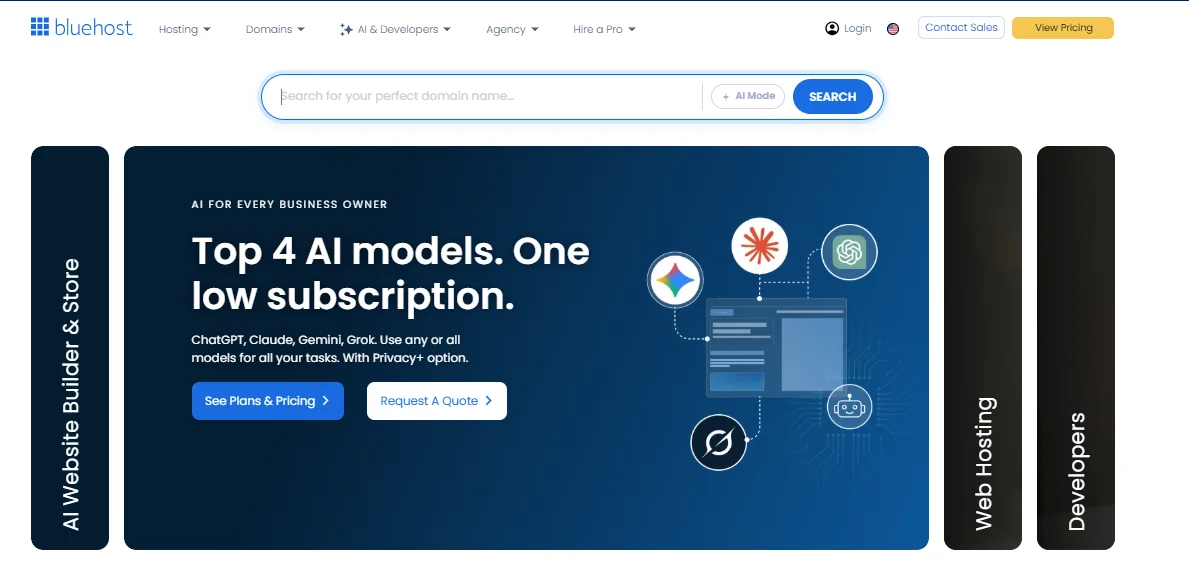
Despite their different pricing philosophies, the two hosts overlap more than most comparison charts let on. Both give you:
- Free SSL certificates on every plan
- A 30-day money-back guarantee for new hosting customers
- A free domain bundled with annual plans
- cPanel-based site management
- One-click WordPress installation
- Built-in AI website-building tools
That overlap is exactly why the decision usually comes down to price, performance, and how much support you expect to need — not whether one host “has” a feature the other lacks entirely.
Hosting Plans and Pricing Compared
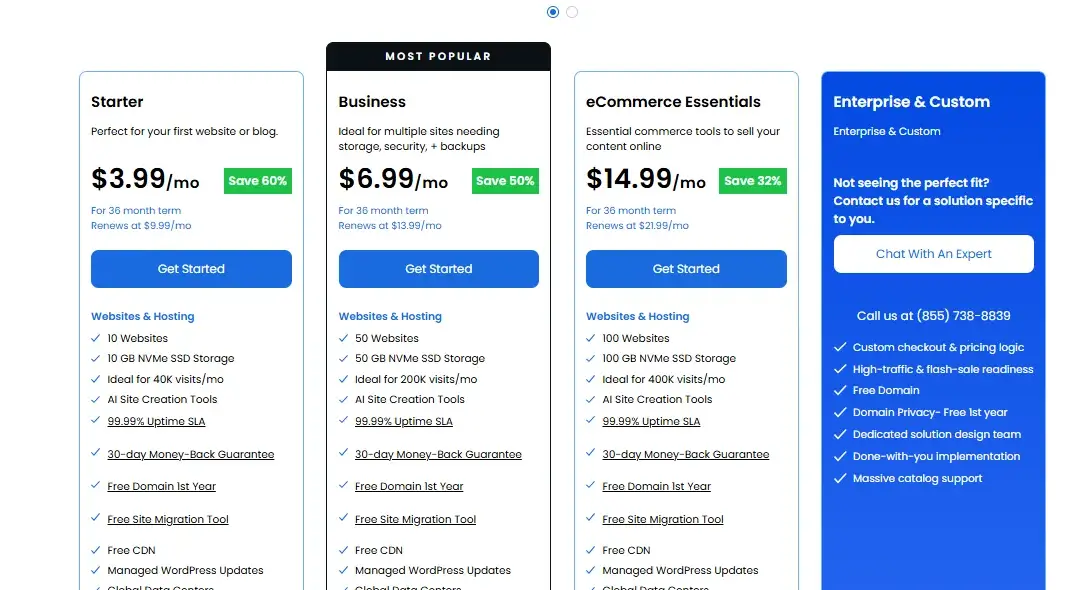
Namecheap is cheaper on paper in almost every scenario, but Bluehost’s higher price buys you more built-in capacity per plan. Neither number tells the whole story until you look at the actual tiers side by side.
Shared Hosting Plan Comparison
Here’s how the entry-level shared hosting plans stack up as:
| Plan | Price (intro) | Renewal | Websites | Storage |
|---|---|---|---|---|
| Bluehost Starter | $3.99/mo | $9.99/mo | 10 websites | 10GB NVMe |
| Bluehost Business | $6.99/mo | $13.99/mo | 50 websites | 50GB NVMe |
| Namecheap Stellar | ~$1.98–2.28/mo | Around $3.88/mo | 3 websites | 20GB SSD |
| Namecheap Stellar Plus | ~$2.48–2.99/mo | Around $6.88/mo | Unlimited | Unmetered SSD |
A quick note on the numbers: both companies run frequent promotions, and rates shift by term length (12 vs. 36 months) and region.
Treat these as representative rather than fixed — always check the checkout screen before you commit, since the advertised banner price isn’t always the price you’ll actually be billed.
WordPress Hosting Comparison
Bluehost is the officially recommended host on WordPress.org, and it shows in how deeply WordPress tools are baked into the dashboard — staging environments, seamless updates, and multi-site management come standard on most plans.
Namecheap takes a different route with its EasyWP product line, a separate managed WordPress service that’s simpler but leaner on advanced tooling.
If you’re running a content-heavy WordPress site with plugins, custom themes, and traffic spikes, Bluehost’s tighter WordPress integration generally saves you setup time.
If you just want WordPress running with minimal fuss on a tight budget, EasyWP gets the job done.
Which Is Cheaper, Bluehost or Namecheap?
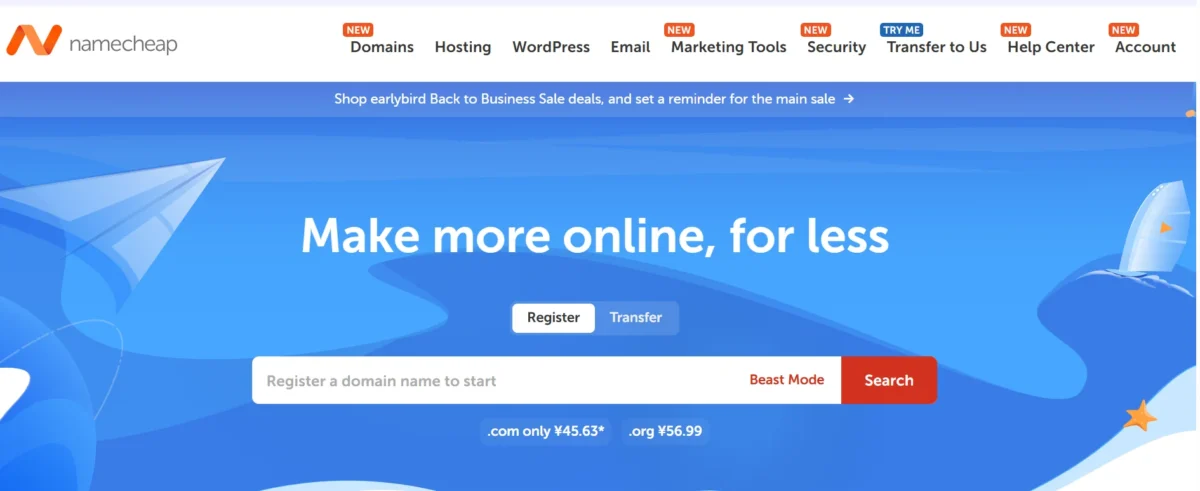
Namecheap is cheaper, both at signup and at renewal, on nearly every comparable tier. Its Stellar plan starts around $1.58 to $1.98 per month, undercutting Bluehost’s cheapest shared plan by roughly half.
The gap narrows a little at renewal — Bluehost’s Starter plan renews at a relatively modest $9.99/mo compared to some competitors — but Namecheap still comes out ahead on total three-year cost in most independent breakdowns.
Where this changes is total value per dollar. Bluehost’s plans include more websites, more storage, and more built-in features at each tier, so the “cheaper” option isn’t always the better value if you actually need those extras.
Promotional vs Renewal Pricing
Both hosts use the same industry-standard playbook: a steep introductory discount that jumps significantly at renewal. Bluehost’s Starter plan more than doubles from $3.99/mo to $9.99/mo at renewal on a 36-month term.
Namecheap’s Stellar plan follows a similar pattern, roughly doubling from its promotional rate to around $3.88/mo. Neither host hides this in fine print exactly, but it’s easy to miss if you’re only looking at the big number on the homepage.
My honest advice: budget for the renewal price from day one, not the promo price — that’s the number that actually reflects what you’ll pay long-term.
Features and Hosting Resources
Bluehost generally packs more into each plan tier, while Namecheap keeps things leaner but still covers the essentials most small sites need.
The right pick depends on whether you value headroom (more storage, more sites) or a lower baseline cost.
Storage, Websites, and Free Features
Both hosts bundle a similar set of freebies, but the ceilings differ:
- Free SSL certificate (both)
- Free domain for the first year (both, on annual/multi-year plans)
- Free CDN — Bluehost uses Cloudflare integration; Namecheap runs its own Supersonic CDN
- Automatic weekly backups (both, though depth of retention varies by plan)
- Domain privacy protection (included free on Namecheap; often a paid or time-limited add-on with Bluehost)
Hosting Types and Upgrade Options
Both providers scale well beyond shared hosting if your site outgrows its starting plan.
Bluehost offers a path through shared hosting, WordPress hosting, WooCommerce hosting, VPS, and dedicated servers, plus newer managed VPS options built for hosting AI tools and automation workflows.
Namecheap covers a similar range — shared, EasyWP managed WordPress, VPS, dedicated servers, and reseller hosting — making it a reasonable option even for developers managing multiple client sites.
Upgrading with either host typically means a plan change inside your existing account rather than a full migration, which keeps the process fairly painless.
Ease of Use and Control Panels
Both hosts are approachable for beginners, and both build on cPanel, so if you’ve used one hosting provider before, you won’t be starting from scratch with either.
Bluehost adds a more guided setup wizard and a custom WordPress admin dashboard layered on top of cPanel, which tends to feel a bit more polished for first-time site owners.
Performance and Reliability
Independent testing paints a mixed picture, and that’s worth being upfront about: different reviewers, testing at different times and locations, have reached different conclusions about which host is faster.
What’s consistent is that both hosts perform acceptably for typical small-to-medium traffic sites, with Bluehost showing a slight edge in several recent stress tests.
Website Speed and Response Time
One stress test comparing both hosts alongside Hostinger found Namecheap posting the fastest raw page-speed numbers, with a 0.480-second Time to First Byte and a 0.977-second Speed Index, but a lower uptime score of 99.29% during testing.
A separate three-way comparison against GoDaddy found the opposite pattern: Bluehost delivered acceptable everyday load speeds while Namecheap came in slowest across every metric measured.
Yet another head-to-head found Bluehost posting a notably faster average response time of 139 milliseconds compared to Namecheap’s 777 milliseconds, though both stayed within Google’s recommended thresholds for a good user experience.
The honest takeaway: server location matters more than the brand name. Namecheap runs data centers in four locations while Bluehost operates in eight, so results shift depending on where your visitors actually are and which regional server your account lands on.
Uptime and Load Testing
Both hosts advertise strong uptime guarantees, but real-world monitoring tells a slightly different story than the marketing page.
In one two-week Grafana-based monitoring test, Namecheap experienced some outages that brought its measured uptime down to 99.29%, a noticeable gap from its own 100% uptime guarantee.
Other testers found the two hosts running neck and neck: both Namecheap and Bluehost exceeded their advertised uptime guarantees during testing, each hitting roughly 100%.
A separate review measured Namecheap’s real-world uptime averaging 99.82%, slightly behind Bluehost’s performance in that particular test window.
My read on all this conflicting data: treat any single test as a snapshot, not gospel. If uptime is mission-critical for your business, monitor your own site with a free tool like UptimeRobot for the first few months rather than relying purely on a provider’s SLA number.
Security and Backups
Both hosts cover the security basics well, and neither will leave your site exposed by default.
Where they differ is depth — Bluehost layers in more automated protection at lower tiers, while Namecheap keeps its core security tight but pushes advanced tools into add-ons.
Security Features and SSL Protection
Here’s what’s included, and what usually costs extra:
- Free SSL certificate via Let’s Encrypt — included on every plan with both hosts
- DDoS protection — included with both, though Namecheap markets this more explicitly on VPS and dedicated tiers
- Domain privacy protection — free with Namecheap; often a limited-time freebie or paid add-on with Bluehost
- Malware scanning — included on Bluehost’s Business and eCommerce Essentials plans; Namecheap relies more on third-party add-ons like SiteLock
- Two-factor authentication for account login — available with both
Backup and Restore Options
Automated backups are where the two hosts diverge most in practice. Bluehost includes weekly website backups across its plans, giving you a built-in safety net without paying extra.
Namecheap doesn’t guarantee automated backups on every shared hosting tier by default — it’s worth double-checking your specific plan and adding a paid backup service like CodeGuard if you’re running anything you can’t afford to lose.
If backup frequency matters to your workflow (say, you’re publishing content daily), this is one area worth confirming before you buy rather than after something goes wrong.
Customer Support and Website Migration
Both hosts offer 24/7 live chat, and both provide free migration tools if you’re moving an existing site over.
Bluehost adds 24/7 phone support on its Business and higher tiers, something Namecheap doesn’t offer at all — support there is chat and ticket-based only.
In hands-on reviews, opinions split: some testers found Bluehost’s support more readily available with better-trained agents, while others found Namecheap’s support team responding faster to technical issues during their testing window.
If phone support specifically matters to you — for example, you’re not comfortable troubleshooting over chat — that alone might tip the decision toward Bluehost.
Domain Registration and Pricing
Namecheap is, at its core, a domain registrar first and a hosting company second, and that shows in how competitively it prices domains and how cleanly domain management integrates with its hosting dashboard.
Bluehost also sells domains and bundles a free one with annual hosting plans, but it’s less competitive if you’re registering domains independently of a hosting purchase.
Domain Pricing and Management
Namecheap built its reputation on cheap, transparent domain pricing, and that reputation still holds — it’s frequently cited as one of the better values for standalone domain registration, particularly for renewals.
Bluehost’s domain pricing is less aggressive on renewal, and if you cancel a free domain within the first year, you’ll be charged a fee to retain it — worth knowing before you register anything you plan to keep long-term.
Domain and Hosting Integration
You’re not locked into buying domain and hosting from the same company with either provider.
It’s entirely common to register a domain at Namecheap for its lower renewal pricing, then point the DNS to Bluehost (or any other host) for the actual website.
If you go this route, budget a little extra time for DNS propagation — usually a few hours, occasionally up to 48 — and double-check your MX records if you’re also routing email through a different provider than your host.
Scalability and Resource Limits
Both hosts support genuine growth paths beyond shared hosting, so neither one boxes you into a corner if your site takes off. Bluehost’s VPS and dedicated server tiers offer more granular CPU and RAM configurations, which suits developers who want precise control over resources as traffic scales.
Namecheap’s VPS plans are competitively priced and include root access, making them a reasonable stepping stone for a growing site that’s outgrown shared hosting but doesn’t yet need a dedicated server.
If you’re planning for serious scale from the outset — say, an e-commerce store expecting rapid growth — it’s worth pricing out both hosts’ VPS tiers before you even sign up for shared hosting, since migrating between plans within the same provider is usually smoother than migrating across providers later.
Which Host Should You Choose?
There’s no universally “better” host here — the right choice depends on what you’re optimizing for: lowest cost, built-in convenience, or specific technical needs.
Choose Bluehost If…
- You’re building a WordPress site and want deep, built-in WordPress tooling
- You want 24/7 phone support as an option, not just chat
- You don’t mind paying more starting in year two for a more guided experience
- You’re a small business that wants more storage and site allowances per plan
Choose Namecheap If…
- Long-term cost is your top priority
- You’re also registering a domain and want tight domain-hosting integration
- Your audience is concentrated outside the US and you want to test regional server performance
- You’re comfortable managing more of the setup yourself
Conclusion
Both Bluehost and Namecheap are reliable, well-established hosts capable of running a small business site, blog, or portfolio without major issues. The decision isn’t about finding the “best” host in the abstract — it’s about matching the host to your priorities.
Choose Bluehost if you want more built-in WordPress features and don’t mind the renewal price jump.
Choose Namecheap if you want the lowest realistic long-term cost and don’t need much hand-holding. Whichever you pick, check the current renewal pricing before you buy, since promotional rates change often and the number on the homepage rarely tells the full story.
FAQs
Is Namecheap cheaper than Bluehost?
Yes, in nearly every comparable tier. Namecheap’s shared hosting starts lower and typically stays cheaper at renewal, though Bluehost includes more storage and website allowances per plan.
Which is better for WordPress?
Bluehost, for most users. It’s the official WordPress.org-recommended host and includes deeper built-in WordPress tools, though Namecheap’s EasyWP plans work fine for simple, low-maintenance WordPress sites.
Which offers better performance?
It varies by test and server location. Some benchmarks favor Bluehost’s response times, others favor Namecheap’s raw page-speed scores — neither host is a clear, consistent winner across every metric.
Does Bluehost offer domain registration?
Yes. Bluehost includes a free domain for the first year on annual hosting plans and sells domains independently, though Namecheap is generally considered the stronger option for standalone domain registration and renewal pricing.
Does Namecheap offer a money-back guarantee?
Yes, a 30-day money-back guarantee applies to first-time Shared Hosting and VPS customers, though it excludes domain fees and doesn’t apply to repeat or previously canceled accounts.
Is Namecheap good for VPS hosting?
Yes. Namecheap’s VPS plans are competitively priced with root access included, making them a solid stepping stone once a site outgrows shared hosting.
Which host is more beginner-friendly?
Both are approachable, but Bluehost’s guided setup wizard and more polished custom dashboard give it a slight edge for someone building their very first website.

Alex Bryant is the founder of PvyEmpire.com and a WordPress specialist with over 4 years of hands-on experience in web hosting, performance optimization, and website management. He has extensively tested top hosting providers by setting up real websites and monitoring their speed, uptime, and reliability.
At PvyEmpire.com, Alex publishes honest, data-driven reviews, detailed guides, and verified coupons & deals. His goal is to help website owners choose the right hosting, improve performance, and grow their online presence with confidence—based on real testing, not promotions.