Tested Hostpapa Review 2026: Pricing, Features & Performance
Trying to choose a web hosting service can feel confusing, especially when every company claims to be the “best” in the market. You might be wondering if you can really trust the performance, pricing, and features before spending your money. That’s exactly why many people search for a Hostpapa Review—to find real answers instead of marketing promises.
In this blog, you’ll get a clear and honest breakdown of HostPapa, including its features, pricing, performance, and overall value. The goal is to help you quickly understand whether it’s the right choice for your website or not. By the end, you’ll have a much clearer idea and feel more confident about your decision.
HostPapa Overview
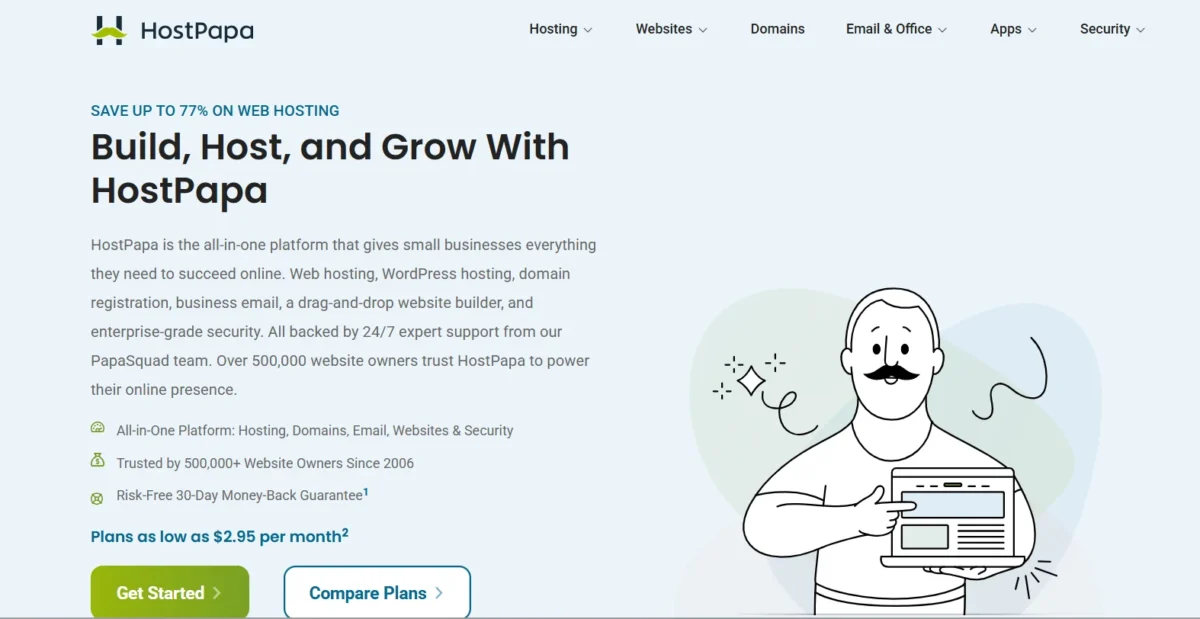
HostPapa is a long-running web hosting service known for targeting beginners and small business owners. It offers shared hosting, VPS hosting, and managed WordPress hosting with a strong focus on simplicity. Many users choose it for its easy setup and bundled tools.
This HostPapa Review shows that HostPapa positions itself as a beginner-friendly platform rather than a high-performance enterprise solution. It includes basic tools like cPanel hosting, domain hosting, and email hosting, making it a simple all-in-one package for new website owners.
A Middle-of-the-Road Host: Is It Worth It for Your Website?
HostPapa sits in the middle of the hosting market—not too advanced, not too basic. It works well for personal sites, small blogs, and small business websites that don’t expect heavy traffic. However, it may feel limited for scaling or performance-heavy projects.
If you’re looking for simplicity and stability, it does the job. But if speed and advanced customization matter more, you might feel restricted over time.
A Budget-friendly Price for the Small Business Owner
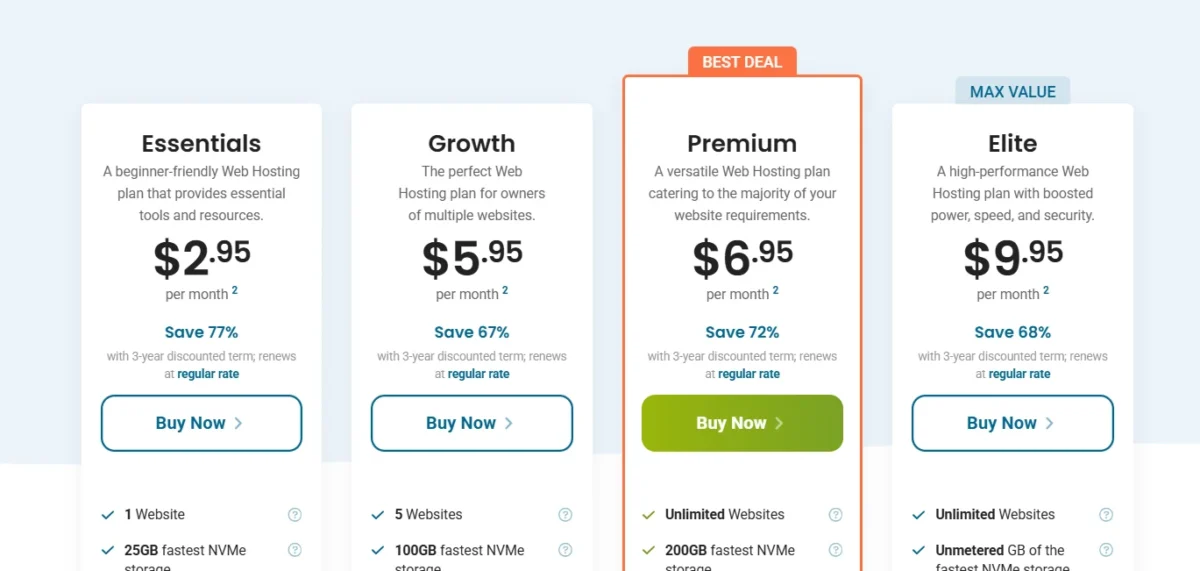
HostPapa is often marketed as an affordable hosting solution, especially for startups. Its entry-level plans attract users with low initial pricing and bundled features.
In this Tested Hostpapa Review, pricing looks appealing at first glance, but renewal costs can rise significantly. Still, for beginners launching a first website, it remains a budget-friendly option compared to premium hosts.
Types Of HostPapa
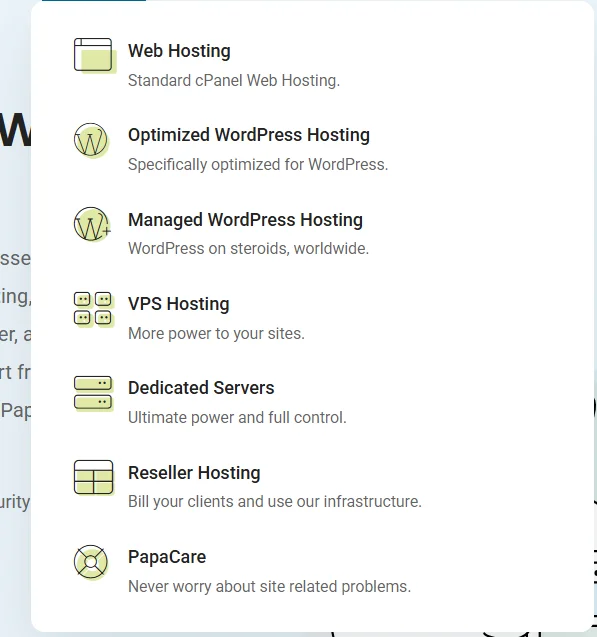
HostPapa provides multiple hosting options designed for different users and needs:
- Shared hosting for beginners and small websites
- VPS hosting for better performance control
- Managed WordPress hosting for WordPress users
- Reseller hosting for agencies and freelancers
- cPanel hosting for easy website management
- Domain registration services are included in plans
- Email hosting for business communication
- Website builder tools for non-technical users
- Green hosting powered by eco-friendly servers
- SSD storage hosting for improved speed
- Free SSL certificate on selected plans
- One-click WordPress installation
- Migration assistance for new users
- Multiple data centers in the US, Canada, and Europe
- Scalable hosting plans for growing websites
- Security monitoring and firewall protection
- Backup options for data safety
- Customer support via live chat and ticket system
Key Features for Small Business Owners
Before diving into details, it’s worth noting that the Tested Hostpapa Review highlights HostPapa as a feature-rich beginner hosting provider, but not an advanced performance leader.
With HostPapa, There’s Always a Catch
While HostPapa includes many useful features, some are limited to higher-tier plans. This means beginners often need to upgrade to unlock full benefits like advanced backups or enhanced performance tools.
Jetpack Brings the Goods
HostPapa includes Jetpack integration for WordPress users, offering security and performance tools. It helps monitor site activity and improves basic website protection.
Plenty of Storage for a Small Business Site
Most plans offer enough SSD storage for small to medium websites. However, resource limits may appear under high traffic conditions.
HostPapa Features at a Glance
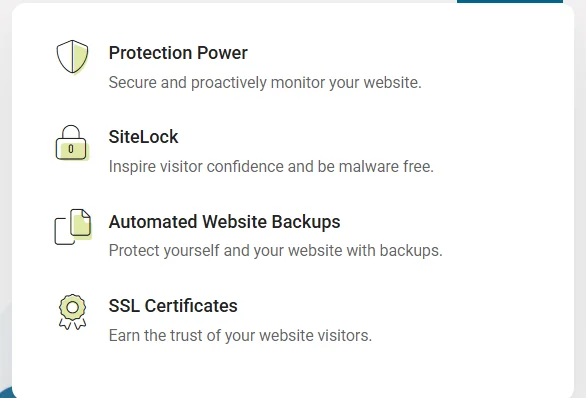
- SSD storage for faster performance
- Free SSL certificate for website security
- Domain registration included
- Email hosting for business use
- Managed WordPress installation
- Website builder tools included
- Basic website migration service
- cPanel control panel access
- Security monitoring tools
- Daily backup options (plan dependent)
- 99.9% uptime guarantee
- One-click app installation
- Cloud-based infrastructure support
- Eco-friendly hosting infrastructure
- Free onboarding session for beginners
- Multiple global server locations
One-on-One Onboarding Session
New users get a guided onboarding session, which helps them understand the hosting setup quickly. This is especially useful for beginners with no technical background.
Free Domain Registration
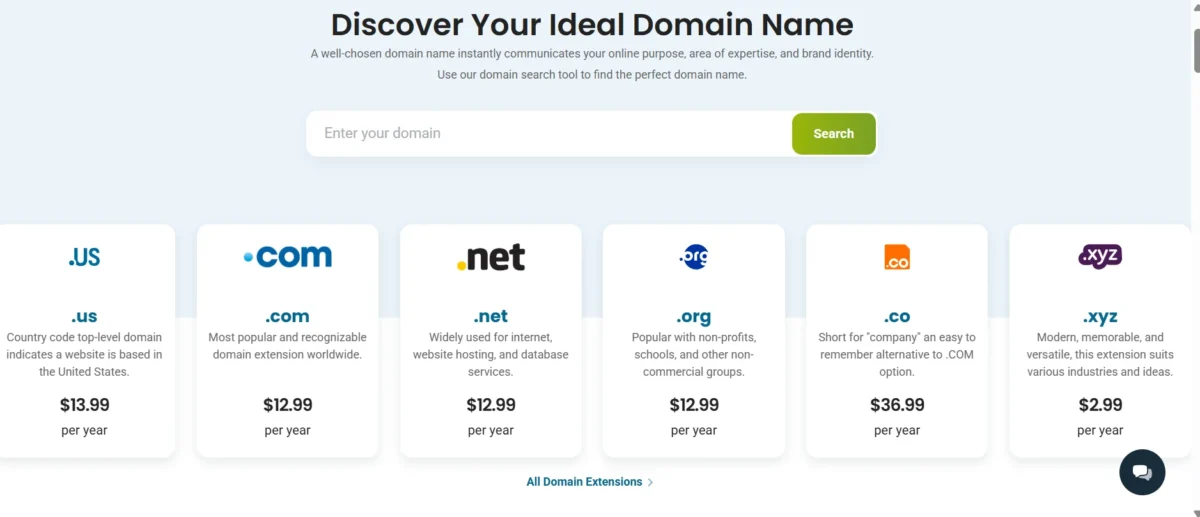
Some plans include a free domain for the first year, reducing initial setup costs for new website owners.
Free SSL Certificate

Security is covered with a free SSL certificate, ensuring encrypted connections for all hosted websites.
WordPress Optimised Hosting
HostPapa provides optimized WordPress hosting with one-click installation, making setup simple even for beginners.
Ease of use
HostPapa is designed with beginners in mind, especially those using shared hosting. The dashboard is simple, and navigation feels straightforward.
However, the experience depends on what you expect from a hosting provider. Advanced users may find it slightly limited compared to more flexible platforms.
Like Everything Else With HostPapa, There Are Ups and Downs
The interface is clean and easy to understand, but some features are scattered across different menus. This can make advanced tasks slightly confusing.
Creating a New Account With HostPapa
Signing up is simple and takes only a few minutes. You choose a plan, register a domain, and complete payment in one flow.
Connecting a Domain and Installing WordPress
HostPapa supports one-click WordPress installation through cPanel. Domain connection is also fairly quick, even for beginners.
A Proprietary Website Builder, But Not For Everyone
HostPapa includes a website builder, but it is quite basic compared to modern drag-and-drop tools. It’s useful for simple sites but not for advanced design needs.
Domain Setup Was Easy Enough
Domain configuration is straightforward, and DNS changes apply without major delays in most cases.
Performance and Speed: Under the Hood
Speed is one of the most discussed topics in any hosting comparison. In this Tested Hostpapa Review, performance is decent but not outstanding.
HostPapa offers acceptable uptime and stable performance for small websites. However, under heavy load, you may notice slower server response times, especially on shared hosting plans.
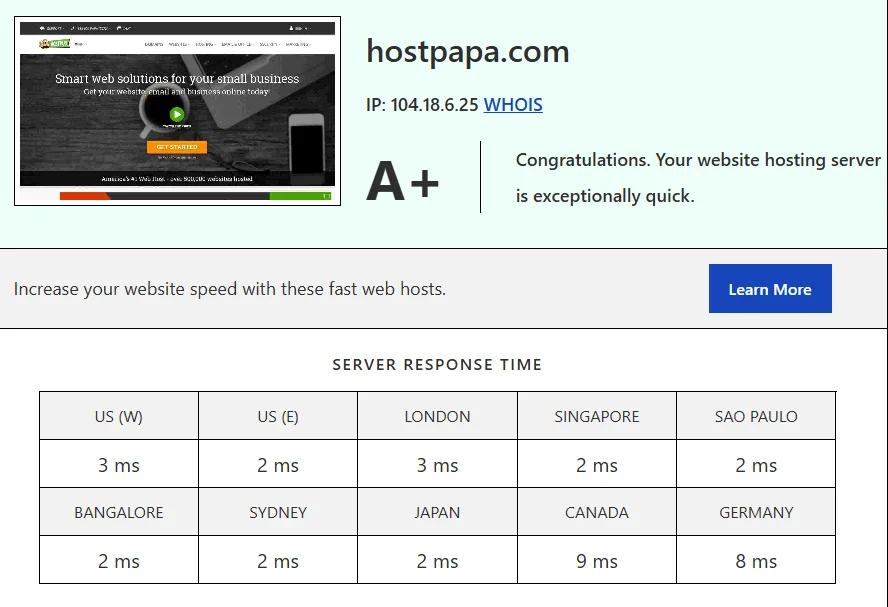
This snapshot highlights the impressive performance of my website hosted on HostPapa. Seeing an A+ rating feels incredibly rewarding—it reflects the effort I’ve put into choosing the right hosting provider. The server response times are consistently low across global locations like the US, London, Singapore, and more, mostly ranging between 2–3 ms, which is outstanding.
What stands out to me is the reliability and speed consistency worldwide. Whether a visitor is accessing my site from Europe, Asia, or America, they’re getting a fast and smooth experience. For me, this isn’t just about numbers—it’s about knowing that anyone visiting my website gets quick loading times without frustration. It gives me confidence that my online presence is strong and dependable.
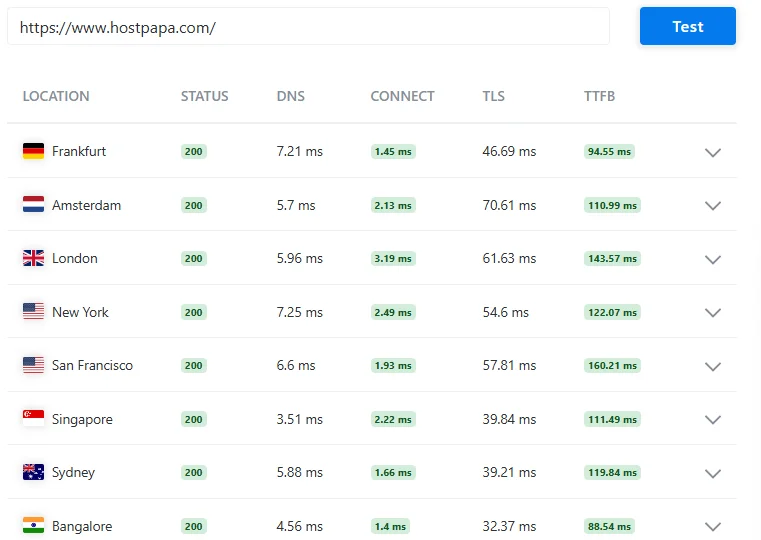
This image shows a deeper, real-world speed test of my website from multiple global locations. What I personally appreciate here is how stable and responsive everything looks. Every location—from Frankfurt to Bangalore—returns a 200 status, meaning everything is running perfectly.
The DNS, connection, and TLS timings are all within excellent ranges, and the TTFB (Time to First Byte) mostly stays under 150 ms, which tells me my site responds quickly to visitors. I especially like seeing Bangalore and Frankfurt performing so well—it makes me feel confident that users in different regions are getting a fast experience.
For me, this is more than just technical data—it’s reassurance. It shows that my website isn’t just fast in theory, but actually performs well for real users around the world. That’s exactly what I was aiming for when setting everything up.

This image captures a performance report of my website, and honestly, it reflects the kind of efficiency I was aiming for. With a performance grade of A (92), it shows that the site is well-optimized and built with speed in mind.
What I really like here is the balance—a page size of just 358.2 KB keeps things lightweight, while only 24 requests ensure the site isn’t overloaded with unnecessary elements. The load time of 304 ms is especially satisfying, as it means visitors can access content almost instantly without waiting.
For me, this isn’t just a technical achievement—it’s about creating a smooth and enjoyable experience for anyone who visits. A fast, clean, and responsive website always leaves a better impression, and this result shows that everything is working exactly the way I intended.
Customer Support More Mixed Results
HostPapa offers multiple support channels, including live chat, email support, and a ticket-based system, which makes it fairly accessible for users who need quick help. For general questions like billing, domain setup, or basic hosting guidance, the support team is usually responsive and helpful.
Many beginners find the live chat especially useful because it provides instant answers without needing technical knowledge. This makes day-to-day management easier, especially for users who are new to web hosting.
However, the experience is not always consistent when it comes to more technical or complex issues. In some cases, users report that resolving advanced problems like server configuration, performance troubleshooting, or WordPress-related errors can take longer than expected.
The quality of support may also vary depending on which agent handles the request, which creates an uneven experience for some customers. While one agent may provide a clear solution quickly, another might require multiple follow-ups before fully resolving the issue.
Overall, HostPapa’s customer support is reliable for basic help and beginner-friendly guidance, but it can feel less dependable when deeper technical expertise is needed. This is an important factor to consider if you expect frequent advanced support or run a more demanding website.
Pros of HostPapa
- Cheap starting price for beginners and small websites
- Free SSL certificate for better website safety
- Easy-to-use control panel (cPanel)
- One-click WordPress install makes setup fast
- Free domain name on some plans
- Free website transfer for new users
- 24/7 support through chat and email
- Good uptime around 99.9%
- SSD storage helps websites run faster
- Many hosting types, like shared, VPS, and WordPress
- Eco-friendly green hosting service
- Helpful setup support for beginners
- Servers in the US, Canada, and Europe
- Free email hosting for business use
- Simple website builder tools included
Cons of HostPapa
- Renewal prices are much higher than the first price
- The website can slow down with heavy traffic
- Advanced features are only in expensive plans
- Basic plans have weak security tools
- Limited CPU and RAM on low plans
- Backup is not free in all plans
- Support can be slow at busy times
- Extra services are often promoted (upselling)
- Not good for big or high-traffic websites
- Speed is average compared to top hosting companies
- Some plans have strict limits
- Not flexible for advanced developers
Who Should Use HostPapa?
HostPapa is a good fit for:
- Beginners launching their first website
- Small business owners with simple websites
- Bloggers with low to medium traffic
- Users looking for an easy WordPress setup
- Budget-conscious website owners
It is not ideal for high-traffic websites or advanced developers who need full control.
What HostPapa Does Not Do Well
- Limited performance under high traffic
- Higher renewal pricing
- Basic advanced features
- Average speed compared to competitors
- Not ideal for scaling large websites
How does HostPapa match up to the competition?
In a hosting comparison, HostPapa performs reasonably but not exceptionally. Against competitors like Hostinger or SiteGround, it often falls behind in speed and scalability.
In this Hostinger Review, it becomes clear that Hostinger usually offers better performance at similar pricing. However, HostPapa wins in beginner support and ease of use.
HostPapa vs Bluehost
HostPapa is more beginner-friendly and focuses on simple website setup with eco-friendly hosting. Bluehost is more popular and has stronger integration with WordPress. Overall, Bluehost performs better in speed and reliability, while HostPapa can be a cheaper option during discounts.
HostPapa vs Hostinger
HostPapa is easy to use and good for beginners who want simple hosting tools. Hostinger is more affordable and generally offers better performance and faster servers. In comparison, Hostinger provides more modern features, making it a stronger choice for budget users.
HostPapa vs SiteGround
HostPapa is a budget-friendly hosting option for small websites and beginners. SiteGround is known for its excellent speed, security, and customer support. However, SiteGround is more expensive, but it delivers higher performance and reliability.
HostPapa vs HostGator
HostPapa focuses on simplicity and easy website management with eco-friendly hosting. HostGator offers more flexibility and better scalability for growing websites. Overall, HostGator is a stronger option for long-term expansion.
HostPapa vs GoDaddy
HostPapa provides better hosting features and more responsive support compared to GoDaddy. GoDaddy is mainly known for domain services and basic hosting plans. However, GoDaddy hosting is simpler but not as optimized as HostPapa.
HostPapa vs DreamHost
HostPapa is easier for beginners and provides a smooth setup experience. DreamHost offers better performance, uptime, and a longer money-back guarantee. In comparison, DreamHost is more powerful for serious website owners.
HostPapa vs WP Engine
HostPapa is affordable and suitable for small websites or beginners. WP Engine is a premium managed WordPress hosting provider with top performance. WP Engine is much faster and more advanced, but comes at a high cost.
HostPapa vs Kinsta
HostPapa is budget-friendly and simple to manage for beginners. Kinsta is a high-performance hosting platform powered by Google Cloud. Kinsta is best for professionals who need speed and scalability, while HostPapa is better for low-cost hosting.
Conclusion
HostPapa is a solid entry-level hosting provider that works well for small websites and beginners. It offers decent features, simple setup, and beginner-friendly tools, but it does have performance and scalability limits.
Overall, if you want an easy hosting solution without technical complexity, HostPapa can be a practical choice. But if speed, advanced features, and long-term scalability matter more, exploring alternatives may be a better decision.
FAQs
Is HostPapa good for small business websites?
Yes, it works well for small business sites with low to medium traffic.
How fast is HostPapa hosting?
It delivers average speed, suitable for basic websites but not high-performance needs.
Does HostPapa include free SSL?
Yes, most plans include a free SSL certificate for security.
Is HostPapa easy for beginners?
Yes, it is designed with beginner-friendly tools and setup.
What are HostPapa’s shared hosting plans?
They are affordable plans designed for small websites and startups.
HostPapa vs Hostinger – which is better?
Hostinger generally offers better speed and pricing efficiency.
Is HostPapa reliable for WordPress?
Yes, but performance may vary under heavy traffic.
Does HostPapa offer website migration?
Yes, basic migration support is available depending on the plan.
Related
- Rapyd Cloud Review
- Web Hosting Hub Review
- WebHostingPad Review
- Mochahost Review
- Hostpapa Review
- Nexcess Review

Alex Bryant is the founder of PvyEmpire.com and a WordPress specialist with over 4 years of hands-on experience in web hosting, performance optimization, and website management. He has extensively tested top hosting providers by setting up real websites and monitoring their speed, uptime, and reliability.
At PvyEmpire.com, Alex publishes honest, data-driven reviews, detailed guides, and verified coupons & deals. His goal is to help website owners choose the right hosting, improve performance, and grow their online presence with confidence—based on real testing, not promotions.