Single Domain SSL Bluehost: Easy Installation & Price
You’re checking out on Bluehost, hosting plan already in your cart, and then this SSL add-on pops up asking for a few extra dollars a month. Wait — isn’t SSL supposed to be free these days?
That mix-up is exactly why so many people look up Single Domain SSL Bluehost before clicking “purchase” — they just want to know if it’s something worth paying for or another checkout-page upsell.
This guide breaks down what the add-on actually covers, how its price stacks up against the free certificate already bundled with your hosting, and where it genuinely earns its keep.
You’ll also get a step-by-step look at installing it and a couple of alternatives worth weighing first. By the end, you’ll know whether it belongs in your cart — or whether you can safely skip it.
This post may contain affiliate links. If you purchase through one of these links, we may earn a commission at no additional cost to you. This doesn’t affect our editorial opinions or the accuracy of the information provided.
What Is Single Domain SSL on Bluehost?
Single Domain SSL is Bluehost’s paid, premium SSL certificate add-on, separate from the free certificate that ships with every hosting plan.
Third-party reviews of the product describe it as a Domain Validation (DV) certificate issued through Sectigo’s PositiveSSL line, sold as a “package extra” during checkout or from inside your Bluehost account.
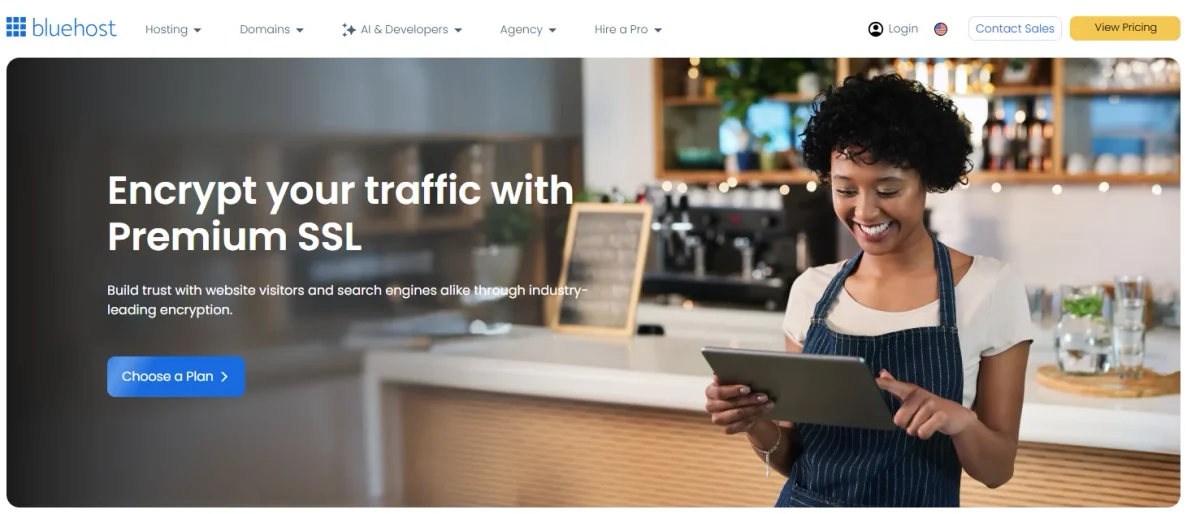
Functionally, it does the same core job as any SSL certificate: it encrypts the data moving between your visitor’s browser and your server, and it triggers the padlock icon and https:// prefix in the address bar.
What sets it apart from the free option isn’t the encryption itself — both use 256-bit encryption — but a few extras layered on top, which we’ll get into below.
Bluehost Single Domain SSL Cost
The certificate has two different price points: what you pay when you first add it, and what you pay when it renews a year later.
The gap between the two is worth knowing before you commit, since it’s a common source of billing surprises.
Initial Price and Renewal Cost
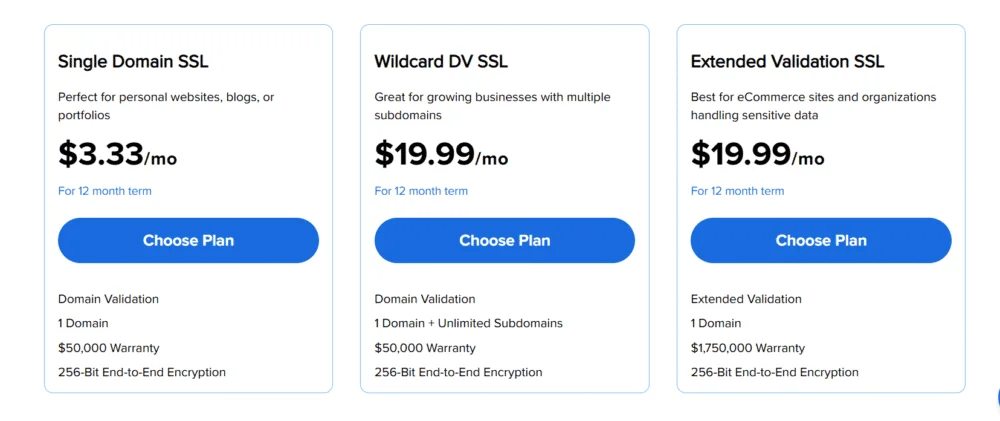
Billing period | Price | Notes |
First term | $3.33/month, billed annually as $39.96 | Promotional first-year rate, confirmed consistently across multiple sources |
Renewal | Reported between $49.99/year and $80.04/year (roughly $6.67/month) | Figures vary by source and possibly by account/promotion — confirm your exact renewal rate in your Bluehost control panel before it renews |
The initial price is well documented and consistent everywhere it’s reported. The renewal price is less consistent — some reviewers cite a flat $49.99 annual renewal, others cite $6.67/month ($80.04/year).
scoure: bluehost free ssl vs paid ssl
Bluehost doesn’t publish a fixed renewal figure on its public pricing page, so the safest move is to check your own account under Marketplace > Featured Products > SSL Certificate a month or two before your renewal date, rather than relying on either number blindly.
SSL Certificate Validity Period
Single Domain SSL is valid for one year at a time and renews annually, not automatically at a fixed rate like some hosting plans.
Because the renewal cost is meaningfully higher than the introductory price, it’s worth setting a calendar reminder so the charge doesn’t catch you off guard.
Bluehost Free SSL vs Single Domain SSL
Bluehost includes a free SSL certificate, powered by Let’s Encrypt, with every hosting plan.
So the real question isn’t whether you have SSL — you already do — it’s whether the paid version adds enough to justify the cost.
Security and Domain Coverage
Feature | Free SSL (Let’s Encrypt) | Single Domain SSL (paid) |
Certificate authority | Let’s Encrypt | Sectigo (PositiveSSL) |
Validation type | Domain Validation (DV) | Domain Validation (DV) |
Encryption strength | 256-bit | 256-bit |
Domain coverage | Shared across accounts on the same server/IP | Dedicated to your single domain |
Cost | $0 | $3.33–$6.67/month depending on term |
Both certificates use the same DV validation level and the same encryption strength — Bluehost’s free option isn’t a “weaker” certificate in terms of the math protecting your data.
The practical difference is that the free certificate is shared with other sites hosted on the same server, while the paid one is issued specifically to your domain.
Warranty and Dedicated IP
The paid certificate’s main selling points are a warranty (commonly reported at $10,000) that provides limited financial protection if the certificate authority fails to catch a fraudulent certificate, and the option to pair it with a dedicated IP address rather than sharing one with other Bluehost customers.
Let’s Encrypt certificates don’t come with this kind of warranty, since it’s a nonprofit certificate authority focused purely on free, automated encryption rather than commercial guarantees.
For most personal blogs and small brochure sites, this warranty is unlikely to ever come into play.
For sites that process payments or store customer data directly (rather than through a third-party checkout), it’s a more relevant consideration — though it’s worth noting that a warranty against certificate failure is not the same as fraud insurance or a cybersecurity guarantee for your whole site.
How to Install Single Domain SSL on Bluehost
If you purchase Single Domain SSL directly through Bluehost’s Marketplace, Bluehost typically handles installation on its end.
If you’re generating and installing a certificate manually — say, one purchased from a third-party certificate authority — you’ll go through cPanel’s SSL/TLS tools instead.
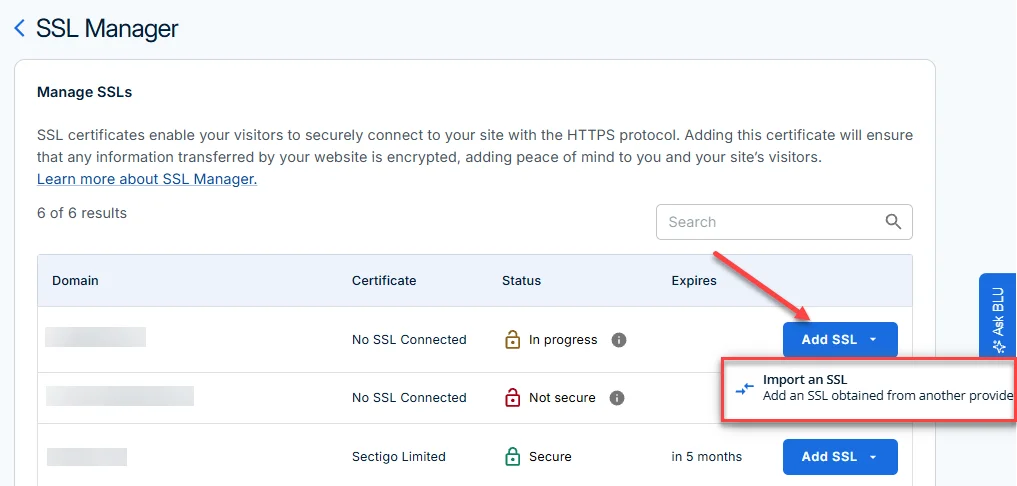
Menu labels can shift slightly as Bluehost updates its control panel, so treat the steps below as the general process and cross-check the exact wording against your current dashboard.
Generate a CSR for Your Domain
- Log in to your Bluehost account and open cPanel.
- Find the SSL/TLS section and select Generate a Certificate Signing Request (CSR).
- Choose the domain the certificate is for, fill in your organization details, and generate the CSR.
- Save the CSR text — you’ll need to submit it to your certificate authority to complete validation.
Install the SSL Certificate on Bluehost
- Once your certificate authority issues the certificate, return to cPanel > SSL/TLS.
- Select Manage SSL Sites or Install an SSL Certificate.
- Paste in the certificate, and the CA bundle if one was provided, then match it to the correct domain.
- Save the changes and allow a few minutes for the certificate to propagate.
Verify That SSL Is Working
- Visit your site using
https://and check for the padlock icon in the browser’s address bar. - Watch for a mixed content warning, which shows up when some page elements (images, scripts) still load over unencrypted
http://— a common issue right after installing a new certificate. - Run your domain through an independent checker like Qualys SSL Labs to confirm the certificate chain and configuration are set up correctly.
Do You Need Bluehost Single Domain SSL? Is It Worth It?
For the average blog, portfolio site, or small business site that isn’t processing payments directly, the free Let’s Encrypt certificate covers the core job — encrypting data and satisfying browser and SEO requirements for HTTPS — without an added recurring cost.
Since both certificates use the same encryption strength and validation level, you’re not trading away security by sticking with the free option.
Where the paid add-on starts to make more sense is for sites that want a dedicated IP address for reasons unrelated to SSL itself (some email deliverability or compliance setups call for one), or for site owners who specifically want the warranty attached to a paid certificate for peace of mind.
If neither of those applies to you, the free certificate is generally the more cost-effective route, and you can always upgrade later if your needs change.
Alternatives to Bluehost Single Domain SSL
If Single Domain SSL doesn’t feel like the right fit, you have a couple of other paths depending on what you’re trying to solve.
Let’s Encrypt Free SSL
This is simply the free certificate already included with your Bluehost plan. It’s automated, widely trusted by every major browser, and sufficient for the vast majority of sites.
The main trade-off is that it doesn’t come bundled with a dedicated IP or a paid warranty.
Multi-Domain SSL Certificates
If you manage several domains or subdomains, a multi-domain (SAN) certificate from a provider like Sectigo or Namecheap can cover them all under one certificate rather than paying for a separate single-domain certificate for each site.
Exact pricing varies by provider and by how many domains you need covered, so it’s worth getting a live quote from the certificate authority rather than assuming a flat rate.
The Bottom Line
Single Domain SSL isn’t a security necessity for most Bluehost users — the free Let’s Encrypt certificate already included with your plan uses the same encryption strength and validation level.
related: Bluehost Hosting Review
The paid add-on mainly buys you a dedicated IP option and a certificate-failure warranty, which matter more if you’re running an e-commerce site or have a specific technical reason to want a non-shared IP. For everyone else, it’s a reasonable one to skip.
FAQs: Single Domain SSL Bluehost
How much should I pay for an SSL certificate?
It depends on your needs: $0 for a standard DV certificate like Let’s Encrypt, roughly $40–$80/year for a single-domain paid certificate, and more for multi-domain or business-validation certificates.
How do I generate my own SSL certificate?
Through cPanel’s SSL/TLS tools, generate a CSR, submit it to a certificate authority for validation, then install the issued certificate back in cPanel — or use a free automated option like Let’s Encrypt, which skips the manual CSR step entirely.
What are the three types of SSL certificates?
Domain Validation (DV), Organization Validation (OV), and Extended Validation (EV), which differ in how thoroughly the certificate authority verifies who owns and operates the site.
Which is stronger, TLS or SSL?
TLS is the more secure, modern protocol — SSL 3.0 was formally deprecated by the IETF in 2015 after the POODLE vulnerability, and current “SSL certificates” actually run on TLS under the hood.
Is TLS replacing SSL?
It already has. TLS 1.2 and TLS 1.3 are the versions in active use today; “SSL” has stuck around mainly as a familiar marketing term for the same underlying certificates.
Can I upgrade from free SSL to Single Domain SSL later?
Yes — you can add the paid certificate to your account at any time through the Bluehost Marketplace; you don’t need to purchase it during initial checkout.
Does Single Domain SSL cover both www and non-www versions of my domain?
Standard single-domain DV certificates, including Bluehost’s, are generally issued to cover both the www and non-www versions of one domain, though it’s worth confirming this detail with Bluehost support for your specific certificate before purchase.

Alex Bryant is the founder of PvyEmpire.com and a WordPress specialist with over 4 years of hands-on experience in web hosting, performance optimization, and website management. He has extensively tested top hosting providers by setting up real websites and monitoring their speed, uptime, and reliability.
At PvyEmpire.com, Alex publishes honest, data-driven reviews, detailed guides, and verified coupons & deals. His goal is to help website owners choose the right hosting, improve performance, and grow their online presence with confidence—based on real testing, not promotions.