Web Hosting Guide: Everything You Need to Know
You typed “web hosting” into Google at midnight, staring at a dozen open tabs, and none of them made sense. Every provider swears they’re the fastest, the cheapest, the most reliable.
So which one do you actually trust? That gap between promises and plain answers is exactly why you need a real web hosting guide, not another sales pitch dressed up as advice.
Here’s the good news: this post cuts through the noise. You’ll get a straightforward guide that explains the differences between shared, VPS, and cloud hosting without the jargon overload.
We’ll walk through what actually matters for your site, whether it’s a blog, a portfolio, or an online store. By the end, you’ll know exactly what to pick and why.

Key Takeaways: Web Hosting Guide
- Web hosting stores your website files on a server so people can access your site online.
- A domain name and hosting are two different things, but you need both to launch a website.
- Shared hosting suits beginners, while VPS and cloud hosting fit growing or high-traffic sites.
- Good hosts offer SSL certificates, backups, decent uptime, and real customer support.
- Pricing often looks cheap upfront but jumps at renewal, so always check the fine print.
What Is Web Hosting?
So, what is web hosting, exactly? Picture a giant filing cabinet that never sleeps. That cabinet, called a server, stores every image, page, and line of code that makes up your site.
A web hosting guide worth reading will tell you this plainly: hosting is rented space on that server, and it’s what keeps your website accessible to anyone with an internet connection.
Without a hosting provider, your website files would just sit on your laptop, invisible to the world. The hosting company keeps its servers running around the clock in a data center, handling the technical heavy lifting so you don’t have to.
Think of it as the landlord of the internet. You pay rent, and in exchange, your site stays open for business.
Why Do You Need Web Hosting?
Is web hosting necessary for a website? Yes, full stop. You can’t skip it, no matter how simple your site is. Even a single-page portfolio needs somewhere to live online, and that somewhere is a hosting server. Without one, visitors would hit a dead end instead of your homepage.
Beyond just going live, hosting affects things you’ll care about later: website speed, uptime, and security. A sluggish host frustrates visitors and hurts your search rankings.
A reliable one keeps your site available, protects your data, and gives you room to grow as your traffic increases. It’s less of a luxury and more of a foundation.
How Does Web Hosting Work?
Here’s what web hosting is and how it works, in plain terms. When someone types your domain name into their browser, that request travels through the Domain Name System, or DNS, which acts like the internet’s phone book.
DNS looks up the IP address tied to your domain and points the visitor’s browser toward your hosting server.
Once that connection happens, the server pulls up your website files and sends them back to the visitor’s screen. This entire exchange takes milliseconds, though server performance and location can slow things down.
Faster servers, especially ones using SSD or NVMe storage, deliver your pages quicker, and quicker pages keep visitors from bouncing.
Web Hosting vs Domain Name vs Website
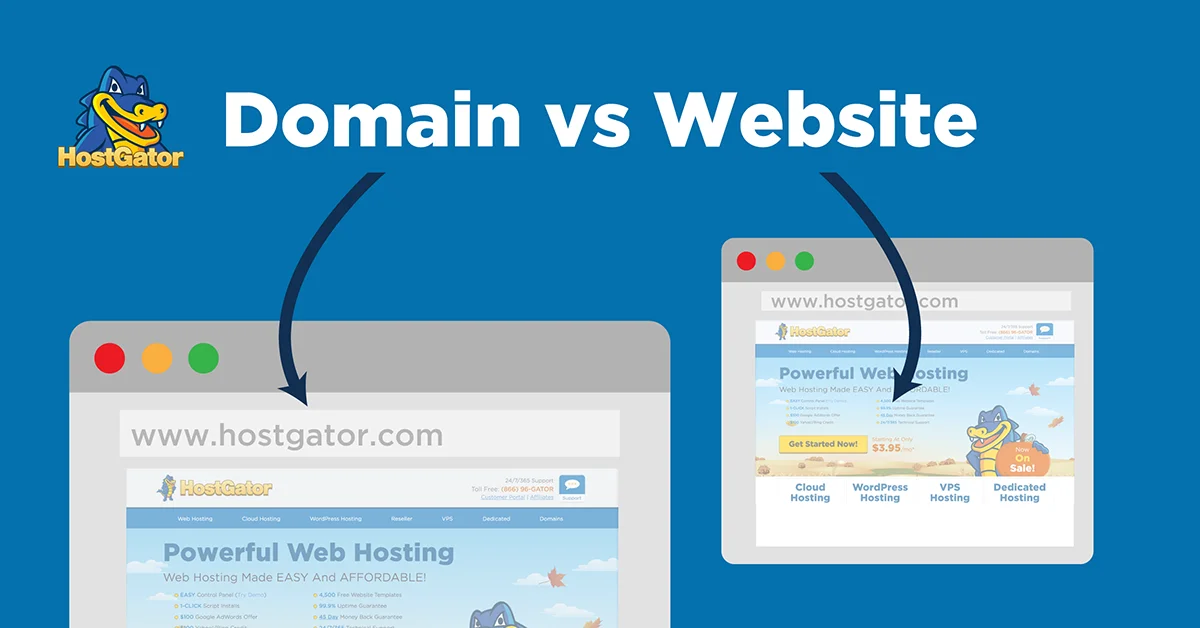
People mix these three up constantly, and honestly, it’s an easy mistake. Your website domain is the address, like a street name, people type to find you. Your website itself is the actual house:
the pages, images, and content visitors see once they arrive. Hosting is the land the house sits on, the physical (or virtual) space that keeps everything standing.
You need all three working together, but they’re bought separately and often from different companies. Some providers, like web hosting GoDaddy plans, bundle domain registration and hosting into one purchase for convenience.
Others let you buy a domain from a registrar and host it elsewhere. Neither approach is wrong, so pick whatever’s simplest for you.
How to Buy a Domain and Web Hosting
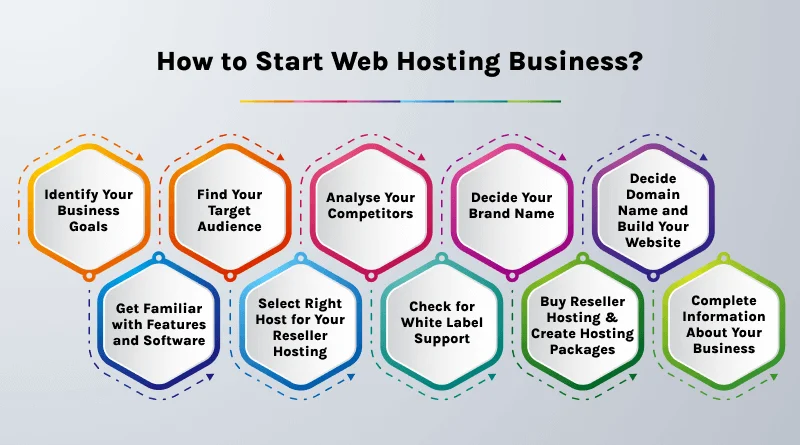
Buying both doesn’t have to be complicated. Start by choosing a domain registrar, search for your desired domain name, and check whether it’s available. Prices for domains usually range from $10 to $20 a year, though premium or short names cost more.
Next, pick a hosting plan that matches your site’s needs, then connect your domain through the nameserver settings your host provides. Most companies walk you through this with a simple dashboard.
If you bought both from the same provider, they’re often linked automatically. Otherwise, expect a short DNS propagation delay, sometimes up to 48 hours, before everything syncs up.
What Are the Different Types of Web Hosting?
Not all hosting works the same way, and picking the wrong type can cost you later. Some plans put your site on a shared server with hundreds of others. Others give you dedicated resources, more control, and steeper prices. The right choice depends on your traffic, budget, and how much technical management you want to handle yourself.
Let’s break down the main hosting types so you can match one to your actual situation instead of guessing. Each option below trades off cost, performance, and flexibility differently, and understanding those trade-offs now saves you from a painful migration down the road.
Shared Hosting: Best for Beginners and Small Websites
Shared hosting puts your site on a server alongside dozens, sometimes hundreds, of other websites. It’s the cheapest entry point, often just a few dollars monthly, which makes it a favorite for beginner web hosting setups. The catch? You share server resources, so a traffic spike on someone else’s site can slow yours down.
Still, for a new blog or small business page, shared hosting works just fine. It’s simple, affordable, and usually comes with a control panel like cPanel for easy management.
VPS Hosting: Best for Growing Websites
VPS hosting, short for virtual private server, divides one physical server into isolated virtual sections. You get your own slice of resources, so your site’s performance doesn’t depend on your neighbors’ traffic. It costs more than shared hosting but delivers noticeably better speed and reliability.
This option suits websites that have outgrown shared plans but aren’t quite ready for a dedicated server. You’ll get more control over configurations too, which developers tend to appreciate.
Cloud Hosting: Best for High Traffic and Scalability
Cloud hosting spreads your website across multiple connected servers instead of relying on just one. If traffic suddenly spikes, say your post goes viral, the system pulls resources from other servers to handle the load. That built-in scalability makes cloud hosting a smart pick for unpredictable or fast-growing sites.
Pricing often follows a pay-as-you-go model, so costs rise and fall with actual usage. It’s flexible, though it can get pricier than fixed plans if you’re not watching usage closely.
Dedicated Hosting: Best for Large Businesses
Dedicated hosting hands you an entire physical server, all to yourself. No sharing, no competing for resources, just full control over configurations, security settings, and performance tuning. Naturally, this comes at a premium price, often hundreds of dollars monthly.
Large businesses with heavy traffic or strict compliance needs usually choose this route. If you need maximum power and don’t mind managing (or paying someone to manage) the technical side, dedicated hosting delivers.
Managed WordPress Hosting: Best for WordPress Websites
Running WordPress? Managed WordPress hosting handles updates, backups, and security patches automatically, so you’re not stuck troubleshooting plugin conflicts at 2 a.m.
These plans often include one-click WordPress installation, built-in caching, and specialized support teams who actually know WordPress inside and out.
It costs more than standard shared hosting, but the time saved on maintenance often makes up the difference, especially for busy site owners without technical backgrounds.
Reseller Hosting: Best for Agencies and Freelancers
Reseller hosting lets you buy hosting resources in bulk, then resell smaller packages to your own clients under your own branding. Web designers, developers, and agencies use this model to offer hosting as part of their services without building server infrastructure from scratch.
You’ll need some technical know-how to manage multiple accounts, but the profit margins can be worthwhile if you’re already managing client websites anyway.
How to Choose the Right Web Hosting
With so many options, choosing web hosting can feel overwhelming fast. However, breaking the decision into smaller questions makes it manageable. What does your site actually need? How much traffic are you expecting? What’s your realistic budget, including renewal costs down the line?
Once you’ve answered those, narrow your list to two or three providers and compare them directly. Don’t just chase the lowest price. A cheap plan with poor uptime or nonexistent support will cost you more in lost visitors and headaches than you’d save upfront.
Know Your Website’s Needs
Before comparing providers, get honest about what you’re building. A personal blog needs far less power than an online store processing daily transactions. Estimate your expected traffic, storage needs, and whether you’ll need e-commerce features or just basic pages.
This groundwork prevents overpaying for resources you’ll never use, or worse, underbuying and hitting limits within your first few months.
Choose the Right Hosting Type
Match your needs to the hosting types covered earlier. Small sites usually do fine with shared hosting, while growing businesses lean toward VPS or cloud hosting. WordPress users should strongly consider managed WordPress hosting for the convenience it offers.
Don’t overbuy just because a dedicated server sounds impressive. Most websites never need that level of power, and you’ll just be paying for headroom you won’t use.
Check Performance and Uptime
Look for hosts guaranteeing at least 99.9% uptime. Anything lower means your site could go offline more often than you’d like, which directly hurts visitor trust and search visibility. Read independent reviews rather than relying solely on the provider’s own claims.
Also, ask about server locations. A data center closer to your target audience generally means faster load times and a smoother experience for visitors.
Compare Pricing and Renewal Costs
Here’s where a lot of shoppers get burned. Many hosts advertise a low introductory rate, then triple or quadruple the renewal price after year one. Always check the actual renewal cost before committing, not just the flashy homepage discount.
Factor in what’s included too. Free SSL, backups, and migration assistance add real value, even if the base price looks slightly higher than a stripped-down competitor.
Read Customer Reviews
Marketing pages tell you what a company wants you to hear. Reviews tell you what actually happens. Check independent platforms for patterns in complaints, particularly around downtime, billing surprises, or slow customer support response times.
One or two bad reviews mean little. A consistent pattern across dozens of reviews? That’s worth paying attention to before you commit your money.
What Features Should a Good Web Host Offer?
Beyond just uptime and price, certain features separate a solid host from a mediocre one. These aren’t nice extras; they’re practical tools that protect your site and keep it running smoothly day to day. Skipping them to save a few dollars usually backfires eventually.
Below are the features worth checking before you sign up with any provider, regardless of which hosting type you choose.
SSD or NVMe Storage
SSD and NVMe storage read and write data far faster than older hard drives. That speed translates directly into quicker page loads, which visitors and search engines both notice. NVMe, in particular, outperforms standard SSDs for demanding sites.
If a host still relies on traditional hard drives, consider that a red flag in this year.
Bandwidth
Bandwidth determines how much data your site can transfer to visitors each month. Low bandwidth caps can throttle your site during traffic spikes, right when you need reliability most. Many modern hosts offer unmetered or generous bandwidth allowances.
Check the fine print anyway, since “unlimited” sometimes comes with hidden fair-use restrictions.
Free SSL Certificate
An SSL certificate encrypts data between your site and its visitors, enabling HTTPS instead of plain HTTP. Browsers flag non-HTTPS sites as “not secure,” which scares visitors away fast. Reputable hosts include free SSL, often through Let’s Encrypt, as a standard feature.
Never pay extra for something that many providers throw in for free.
Daily Backups
Backups save you when something goes wrong, whether that’s a hacking attempt, a bad plugin update, or accidental deletion. Daily automated backups mean you’ll never lose more than a day’s worth of work if disaster strikes.
Confirm how backups are restored too. Some hosts charge extra fees for restoration, which defeats the purpose of having backups at all.
Security Features
Look for firewall protection, malware scanning, and DDoS protection bundled into your plan. These features work quietly in the background, blocking threats before they ever reach your site. Skimping here invites trouble you won’t see coming until it’s too late.
Security isn’t glamorous, but it’s non-negotiable for any website handling visitor data or payments.
CDN
A content delivery network, or CDN, stores copies of your site across servers worldwide. When someone visits your site, the CDN serves content from the server closest to them, cutting load times significantly. This matters a lot if you have an international audience.
Many hosts partner with CDN providers like Cloudflare, sometimes included free in higher-tier plans.
Email Hosting
Professional email hosting lets you use an address like [email protected] instead of a generic Gmail account. It’s a small detail that adds credibility, especially for businesses communicating with clients or customers.
Check whether email hosting comes included or costs extra, since policies vary widely between providers.
One-Click WordPress Installation
If you’re building on WordPress, one-click installation saves you from manually configuring databases and files. Most hosting dashboards now include this feature, letting you launch a WordPress site in minutes rather than hours.
It’s a small convenience, but it makes a real difference for beginners without technical experience.
Customer Support
When something breaks at 3 a.m., you want a real person available, not a bot looping through the same three unhelpful answers. Look for 24/7 support through live chat or phone, not just email tickets with a two-day response window.
Test their support before buying if you can. A quick pre-sales chat often reveals how responsive they’ll actually be once you’re a paying customer.
How Much Does Web Hosting Cost?
Hosting pricing varies wildly depending on the type and provider. Shared hosting typically starts around $2 to $10 monthly, making it the most affordable web hosting option for beginners. VPS plans run higher, often $20 to $80 monthly, while dedicated servers can climb past $100 or even $300 for enterprise-level power.
Remember that introductory pricing rarely reflects what you’ll pay long-term. Renewal prices often jump significantly, sometimes doubling or tripling the original rate. Always calculate the two- or three-year cost before assuming you’ve found a bargain, and factor in any add-ons like backups or premium support that aren’t included by default.
Common Web Hosting Mistakes to Avoid
New site owners tend to repeat the same handful of errors. Choosing a host based purely on price, ignoring renewal costs, and skipping backups until after something goes wrong top the list.
Another common one? Picking a hosting type that doesn’t match actual traffic needs, either overpaying for power you don’t use or underbuying and hitting performance walls.
Avoid these by doing a little homework upfront. Read reviews, ask about renewal pricing directly, and choose a plan that fits your site today with room to grow tomorrow. A little research now saves a messy migration later, and migrations are rarely as painless as providers claim.
How to Set Up Your Website After Buying Hosting
Once your hosting and domain are connected, it’s time to actually build a website. Log into your hosting control panel and check whether a website builder or WordPress installer is available. Most modern hosts make this step surprisingly quick, often just a few clicks to get a basic site live.
From there, choose a theme or template, add your content, and configure essential pages like your homepage, contact info, and about section. Test everything on mobile too, since a growing share of visitors will browse from their phones. Once you’re happy with how it looks, you’re ready to launch a website to the public.
Web Hosting Security Best Practices
Security shouldn’t be an afterthought, even for small sites. Keep your software, themes, and plugins updated regularly, since outdated code is one of the most common entry points for attackers. Use strong, unique passwords for your hosting account and any admin logins tied to your site.
Beyond that, enable automatic backups, use SSL across your entire site, and consider a firewall plugin if you’re running WordPress. Regularly check your site for unusual activity, and don’t ignore security alerts from your hosting provider. A little vigilance goes a long way toward avoiding a much bigger headache later.
Conclusion
Choosing the right hosting doesn’t have to feel like guesswork anymore. You now know the difference between shared, VPS, cloud, and dedicated hosting, plus which features actually matter when comparing providers. That knowledge alone puts you ahead of most first-time buyers scrolling through confusing comparison charts.
Take your time, match your choice to your site’s real needs, and don’t get seduced by rock-bottom introductory pricing without checking the renewal terms. Whether you’re launching a personal blog or a growing business site, a solid hosting foundation makes everything that follows easier.
FAQs
What is web hosting?
Web hosting is a service that stores your website’s files on a server, making your site accessible to visitors online.
Can I create a website without hosting?
You can design and build website files locally, but they won’t be visible online until they’re stored on a hosting server.
Which hosting is best for beginners?
Shared hosting is typically the best starting point for beginners thanks to its low cost and beginner-friendly control panels.
What is the difference between shared and cloud hosting?
Shared hosting puts your site on one server with others, while cloud hosting spreads resources across multiple servers for better scalability.
Can I change my hosting provider later?
Yes, migrating your website to a new host is possible, though it may involve some downtime and technical steps depending on your site’s complexity.
Is free web hosting worth it?
Free hosting often comes with limited storage, weak support, and fewer security features, making it risky for anything beyond casual testing.
What features should a web hosting provider offer?
Look for reliable uptime, SSL certificates, daily backups, strong security tools, and responsive customer support at minimum.

Alex Bryant is the founder of PvyEmpire.com and a WordPress specialist with over 4 years of hands-on experience in web hosting, performance optimization, and website management. He has extensively tested top hosting providers by setting up real websites and monitoring their speed, uptime, and reliability.
At PvyEmpire.com, Alex publishes honest, data-driven reviews, detailed guides, and verified coupons & deals. His goal is to help website owners choose the right hosting, improve performance, and grow their online presence with confidence—based on real testing, not promotions.