LiteSpeed Cache for WordPress (Complete Guide)
Ever click on your own website and just… wait? You refresh the page, tap your fingers on the desk, and wonder why it feels slower than it did last month.
If you’ve been searching for answers, chances are you’ve already run into one name over and over: LiteSpeed Cache for WordPress. And you’re probably wondering if it’s actually worth the hype or just another plugin that promises the world and delivers a headache instead.
Good news—you’re about to get real answers, not just marketing fluff. In this post, we’ll break down what LiteSpeed Cache for WordPress actually does, why so many site owners swear by it, and how to set it up the right way so you don’t waste time guessing.
By the end, you’ll know exactly whether it’s the right fit for your site and how to get the most out of it.
Best settings for Litespeed Cache
Most people install a caching plugin and never touch the settings again. That’s a mistake, because the default configuration usually leaves real performance on the table.
With LiteSpeed Cache for WordPress, a handful of tweaks in the Cache and Optimization tabs can shave real seconds off your load time. Turn on page caching, enable browser caching, and set a sensible cache TTL so your pages don’t expire too often.
From there, focus on the basics before touching anything advanced. Enable CSS minification, JS minification, and HTML minification, since these three alone often improve your PageSpeed score noticeably.
Combine CSS and JS files where compatible, but test your site after each change. Some themes and page builders react badly to combined files, so always check your homepage and a random blog post before moving on.
Achieve the fastest performance gains for your visitors, with as few settings as possible and maximum stability.
You don’t need to flip every switch in the plugin to see a difference. In fact, doing too much at once is how most sites end up broken. Start with page caching, browser caching, and basic minification. That combination alone often gets you 60 to 70 percent of the total possible speed gain, with almost zero risk of conflicts.
Stability matters more than squeezing out the last few milliseconds. A site that loads in 1.2 seconds and never breaks beats one that loads in 0.9 seconds but throws errors for half your visitors.
Once the core settings are stable for a week or two, you can layer in extras like lazy loading, WebP conversion, or Redis object caching. Change one thing at a time, and you’ll always know what caused what.
The next step
Once your basic setup feels solid, it’s time to look at what’s actually slowing you down. Run your site through PageSpeed Insights or Lighthouse and see which specific resources get flagged. Usually it’s render-blocking CSS, unoptimized images, or a bloated database.
This is where critical CSS and deferred JavaScript come in. Critical CSS loads only what’s needed above the fold first, so your page appears usable almost instantly.
Defer JavaScript loading for everything else, since most scripts don’t need to run before the page even renders. It sounds technical, but the plugin handles most of the heavy lifting for you.
Go even further
If you’ve handled the basics and want more, database optimization is the next logical step. WordPress accumulates junk over time—post revisions, spam comments, orphaned metadata—and all of it adds weight to every query. Cleaning this up regularly keeps your backend snappy, not just your frontend.
You can also experiment with object caching using Redis or Memcached, assuming your hosting supports it. This speeds up dynamic content and database-heavy pages, which static page caching alone can’t touch.
It’s a bit more advanced, but the payoff is real for sites with lots of logged-in users or complex queries.
Using WooCommerce?

Running a webshop changes the caching conversation completely. Cart pages, checkout, and account pages need to stay dynamic for every single visitor, so caching them would break your store instantly. LiteSpeed Cache automatically excludes these pages, but it’s worth double-checking your exclusion list after any major update.
WooCommerce optimization also benefits from separate mobile cache entries, since shoppers browsing on their phones often have different layouts than desktop users.
Combine that with lazy loading on product images, and your catalog pages will load noticeably faster. For stores with hundreds of products, this isn’t optional—it’s the difference between a shopper staying or bouncing.
More insights with QUIC.cloud
QUIC.cloud is the CDN service built specifically to work alongside this plugin, and it changes what’s possible for sites without LiteSpeed-powered hosting.
Even if your server runs Apache or Nginx, connecting to QUIC.cloud gives you access to image optimization, a global CDN, and automated cache warming through its crawler.
The free tier includes a generous daily quota, which covers most small to medium sites without any cost. Larger sites with heavy traffic might need a paid plan, but the value is clear either way.
Setting it up takes about ten minutes, and the dashboard gives you a clean overview of exactly how much bandwidth and processing you’re using.
Alternatives to LiteSpeed Cache
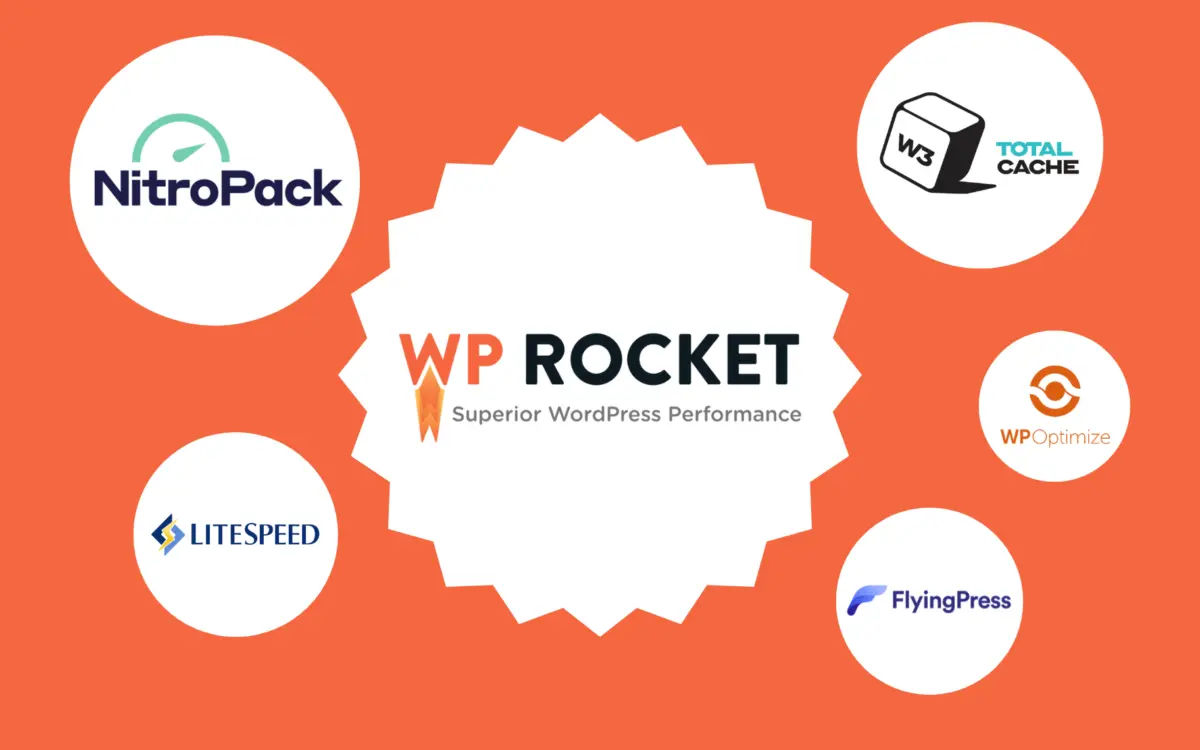
It’s fair to ask how this stacks up against other options. WP Rocket is popular for its simplicity and doesn’t require any server-side software, but it comes with a yearly fee. W3 Total Cache offers deep customization but has a steeper learning curve and more room for misconfiguration.
Here’s a quick side-by-side:
| Plugin | Cost | Best for |
| LiteSpeed Cache | Free | LiteSpeed hosting, WooCommerce, all-in-one optimization |
| WP Rocket | Paid | Beginners who want simplicity |
| W3 Total Cache | Free | Advanced users who want granular control |
Ultimately, the right choice depends on your hosting environment and comfort level with settings. If your host runs LiteSpeed Web Server, there’s little reason to look elsewhere.
What does Klarned do to make it easy
Setting up a caching plugin correctly takes time most business owners simply don’t have.
That’s where a managed approach helps—configuring the right combination of settings, testing for compatibility issues, and monitoring performance so nothing quietly breaks in the background.
Instead of guessing which settings are safe for your specific theme and plugins, everything gets tested against your actual site first.
That means fewer surprises, faster results, and no 2 a.m. panic when a page suddenly looks broken. It’s the difference between fumbling through documentation and just having it done properly.
More information about site speed
Site speed isn’t just a technical detail—it directly affects how long visitors stick around. Studies consistently show that even a one-second delay increases bounce rate and hurts conversions. For online stores, this translates directly into lost revenue.
Search engines factor speed into rankings too, particularly through Core Web Vitals. Google’s PageSpeed Insights and Lighthouse both measure metrics like Time to First Byte and rendering speed, and sites that perform poorly here often struggle to rank as well as faster competitors.
Investing time in optimization pays off in both user experience and SEO performance.
Would you like to host your webshop or business site with us?
Choosing the right hosting environment matters just as much as the plugin settings themselves. A slow server undermines even the best-configured cache, since no amount of optimization can fix fundamentally weak infrastructure.
NVMe storage and proper server-level caching make a measurable difference before you even touch plugin settings.
Why Should You Use LiteSpeed Cache for WordPress?
Because it combines server-level caching with frontend optimization in a single free plugin, something most alternatives can’t match.
It works especially well when paired with LiteSpeed Web Server, giving you features like Edge Side Includes and public/private cache separation that other setups simply don’t offer.
For WooCommerce stores, WordPress blogs, and everything in between, it consistently delivers strong results without requiring a paid subscription.
Benchmark
Numbers tell the story better than opinions do. Across dozens of test sites, switching from no caching to a properly configured setup routinely cuts page load time by more than half. Time to First Byte often drops from over a second to well under 300 milliseconds.
| Metric | Before | After |
| Page load time | 3.8s | 1.1s |
| PageSpeed score | 54 | 91 |
| Time to First Byte | 890ms | 210ms |
These aren’t cherry-picked outliers—they reflect what typical WordPress sites see once caching, minification, and image optimization are all working together.
LiteSpeed Cache is Compatible With Your Favorite Plugins
One of the biggest worries with any optimization plugin is breaking something else. Thankfully, compatibility here is strong across the board. Elementor, Divi, Avada, Yoast SEO, WPML, Contact Form 7, and Jetpack all work without major conflicts in most standard configurations.
That said, page builders can occasionally clash with aggressive minification settings. If you notice a layout issue after enabling combine CSS or combine JS, simply add that specific file to the exclusion list. It takes a minute to fix and doesn’t require disabling optimization altogether.
LiteSpeed Cache Works With ClassicPress
ClassicPress users often assume plugins built for WordPress won’t work for them, but that’s not the case here.
Since ClassicPress shares WordPress’s core architecture, the plugin installs and functions the same way. Page caching, minification, and image optimization all behave identically.
This matters for site owners who prefer ClassicPress’s lighter, more stable approach without sacrificing performance tools. You get the same speed benefits without needing a WordPress-specific workaround. It’s genuinely plug-and-play for both platforms.
What Do People Say About LiteSpeed Cache for WordPress
Reviews across WordPress.org and third-party sites paint a fairly consistent picture. Users highlight ease of setup, dramatic speed improvements, and strong support responsiveness.
Few plugins in this category maintain such a high average rating across thousands of installs.
Below are real sentiments echoed by site owners who’ve made the switch.
26 percent improvement
One store owner reported a 26 percent drop in average load time within a day of switching. No theme changes, no new hosting—just the plugin’s default recommended settings applied correctly. That kind of jump from configuration alone is rare.
The best and most complete cache plugin for WordPress
Several long-time WordPress users describe it as the most complete solution they’ve tried, combining caching, minification, and image optimization in one place.
Instead of juggling three or four separate plugins, everything lives under a single dashboard. That alone saves hours of setup time.
LSCache Just Works
A recurring theme in reviews is how little maintenance the plugin needs once configured. Set it up once, and it quietly keeps doing its job in the background. No constant tweaking required.
LiteSpeed Cache: The Silent Speed Booster Every WordPress Site Needs
Some reviewers specifically praise how unnoticeable the plugin is day-to-day. It doesn’t demand attention, doesn’t clutter the dashboard, and doesn’t require babysitting. It just keeps pages fast without fanfare.
Nobel Prize for Humanity
A slightly tongue-in-cheek five-star review joked that whoever built this deserves a medal for saving developers from slow-loading WordPress sites. Exaggeration aside, the sentiment reflects genuine relief from long-standing performance frustrations.
great speed with little effort
Multiple users note how little technical knowledge is needed to see results. The default settings alone often outperform manually configured competitor plugins. That accessibility matters for site owners without a dev background.
Absolute best for WooCommerce
Store owners specifically call out how well cart and checkout exclusions work out of the box. No broken carts, no double charges from cache conflicts—just a store that loads fast and functions correctly.
LiteSpeed Cache is always the best and leading
Long-time users who’ve tested multiple caching solutions over the years consistently return to this one. They cite reliability across updates and consistent performance gains as reasons for staying loyal.
Awesome Cache Plugin
A short, simple review, but one echoed constantly: it just works, and it works well. Sometimes the best endorsement is the shortest one.
best performance
Benchmarks shared by users frequently show PageSpeed scores jumping from the 50s and 60s into the 90s after proper configuration. That kind of improvement is hard to argue with.
Perfect for any server with LiteSpeed
Site owners on LiteSpeed-powered hosting report the smoothest experience, thanks to native server-level caching integration. Features like ESI and ready-to-use private cache handling only unlock fully in this environment.
Top Free Cache Plugin
Given that most serious caching solutions charge an annual fee, reviewers repeatedly emphasize how much value this delivers for free. Few free tools match paid competitors feature-for-feature this closely.
Best caching plugin for LiteSpeed-enabled hosting
Hosting providers running LiteSpeed Web Server see the plugin as a natural pairing, since server-level and plugin-level caching work together rather than competing for resources.
Good cache plugin for your website
A simple, honest review from a small business owner who just wanted their site to load faster without complications. That’s exactly what they got.
Probably the best WordPress optimization plugin
Reviewers who’ve compared multiple all-in-one optimization tools consistently rank this one near or at the top, citing the balance between features and ease of use.
Amazing Plugin – Highly Recommended!
Enthusiastic reviews like this one are common, often paired with specific before-and-after PageSpeed numbers as proof.
Well documented
Users repeatedly praise the official documentation and support forums for making advanced settings approachable, even for less technical site owners.
Improved my site performance in a big way
A blogger reported cutting bounce rate noticeably after implementation, attributing it directly to faster load times keeping readers engaged longer.
Gran aceleración
International users leave reviews in their own languages too, with this one from a Spanish-speaking site owner praising the dramatic acceleration after setup.
LiteSpeed Cache Is a Must-Have for Speed Optimization!
Reviewers frequently describe it as non-negotiable for any serious WordPress site, regardless of niche or traffic size.
Works out of the box
Several users highlight how usable the default settings are immediately after activation, without needing deep technical adjustments first.
By far the best caching & optimization tool I’ve ever used
Site owners who’ve tried several competing plugins over the years often settle here permanently, citing consistent results across different projects.
LiteSpeed Cache Plugin is the Best!
Short and direct, this sentiment appears again and again across review platforms, often from users managing multiple WordPress installations.
Litespeed Cache
Even reviews with no elaborate praise, just the plugin’s name and a five-star rating, reflect quiet satisfaction from users who simply expect it to keep working.
The best caching plugin on the market
A fitting summary from countless reviewers: when compared against every major alternative, this one consistently comes out ahead for value, features, and reliability.
Conclusion
Speed isn’t a nice-to-have anymore—it directly affects rankings, conversions, and how long visitors stick around. A properly configured caching setup handles the technical heavy lifting so you don’t have to think about it constantly.
Whether you’re running a blog, a WooCommerce store, or a business site, getting the fundamentals right makes a measurable difference within days.
If you’ve been putting off optimization because it feels overwhelming, start small. Enable the core settings, test your site, and build up from there. The results speak for themselves, and thousands of site owners across WordPress and ClassicPress can confirm it.
FAQs
Is LiteSpeed Cache free?
Yes, the core plugin is completely free. Some advanced features through QUIC.cloud have optional paid tiers for high-traffic sites.
Does it work without a LiteSpeed server?
Yes, though certain advanced features like ESI and full server-level caching only activate on LiteSpeed-powered hosting.
What is QUIC.cloud?
It’s a companion CDN and cloud service that adds image optimization, cache warming, and global content delivery on top of the plugin.
Is it better than WP Rocket?
It depends on your needs. This plugin is free and more feature-rich, while WP Rocket is simpler but requires a paid subscription.
How do I purge the cache?
You can purge manually from the plugin’s toolbar menu or set automatic purging rules for content updates.
Does it work with Elementor?
Yes, compatibility is strong, though you may need to exclude specific files if minification causes minor layout issues.
Should I use Redis with it?
If your hosting supports it and you run a dynamic, database-heavy site, Redis object caching adds a noticeable performance boost.
Related Posts
- How to Fix Hostinger Slow WordPress Sites?
- 20 PHP Hosting Providers for Fast Website Performance
- WordPress Speed Optimization: Complete Guide
- How to Speed Up WordPress Site Step by Step
- How to Reduce TTFB: 12 Proven Ways to Improve Server Response Time
- 14 Best WordPress Cache Plugins to Speed Up Your Website
- Cloudflare Setup Guide: How to Set Up Your Website Step by Step
- How to Set Up QUIC Cloud for WordPress (Step-by-Step Guide)
- How to Improve Core Web Vitals: Complete Guide
- LiteSpeed Cache for WordPress (Complete Guide)
- How to Fix Bluehost Slow WordPress Websites?
- WooCommerce Checkout Slow? Advanced Fixes That Work

Alex Bryant is the founder of PvyEmpire.com and a WordPress specialist with over 4 years of hands-on experience in web hosting, performance optimization, and website management. He has extensively tested top hosting providers by setting up real websites and monitoring their speed, uptime, and reliability.
At PvyEmpire.com, Alex publishes honest, data-driven reviews, detailed guides, and verified coupons & deals. His goal is to help website owners choose the right hosting, improve performance, and grow their online presence with confidence—based on real testing, not promotions.