Bluehost Free Domain | Claim Your Free Domain Now
Picking a host is stressful enough without wondering if the “free domain” banner is going to turn into a surprise line item at checkout. It’s a fair worry — plenty of hosts dangle a free domain and then bury the catch in fine print.
The Bluehost Free Domain offer is real, but it comes with a redemption window, a limited list of extensions, and rules about what happens if you cancel early, and those details matter more than the word “free” does.
This guide walks through exactly which Bluehost hosting plans include the free domain, which extensions actually qualify, and the two ways to claim yours before the offer expires.
You’ll also see what the domain costs once year one ends and what happens to it if you cancel — the parts that decide whether this deal is actually worth it for your site.
This post contains affiliate links. If you sign up for Bluehost through one of these links, we may earn a commission at no extra cost to you. This doesn’t affect our reviews or opinions — we only recommend hosts we’d use ourselves.
How Does the Bluehost Free Domain Offer Work?
Bluehost includes one free domain name for the first year when you buy a web hosting plan on a 12-month or 36-month term.
You need to redeem it within 90 days of your purchase date, and it only applies to a brand-new domain registration or a domain transfer into Bluehost — it doesn’t cover renewals on a domain you already own with Bluehost.
According to Bluehost’s own domain pricing documentation, the free domain covers registration up to a value of $17.99, which comfortably covers a standard .com, .net, .org, or .blog domain. Premium domain names are excluded from the offer entirely.
Once the first year ends, the domain renews automatically at the then-current rate shown in your Renewal Center, and you can cancel that renewal at any time.
One detail that trips people up: newly registered domains can’t be moved to another registrar during the first 60 days, a restriction set by ICANN rather than by Bluehost.
Which Bluehost Plans Include a Free Domain?
All three of Bluehost’s shared hosting plans include the free domain for year one, but what’s bundled alongside it — storage, SSL, domain privacy — changes depending on the tier you pick.
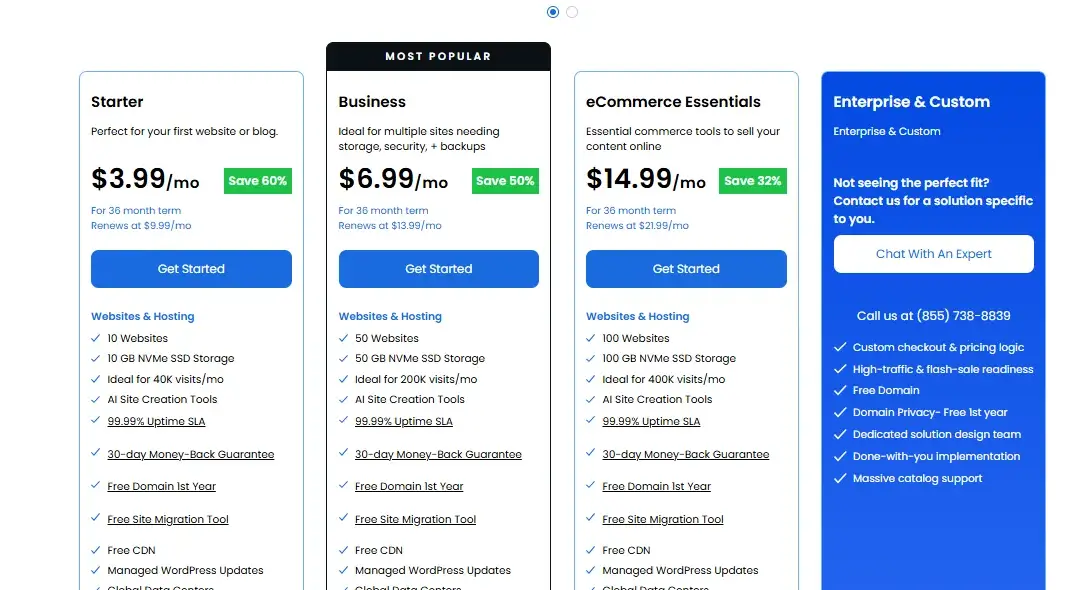
Plan | Price (36-mo term) | Renews at | Storage & Sites | Free Domain Extras |
Starter | $3.99/mo | $9.99/mo | 10 websites, 10GB NVMe storage, ~40k monthly visits | Free domain (1st year) |
Business | $6.99/mo | $13.99/mo | 50 websites, 50GB NVMe storage, ~200k monthly visits | Free domain + SSL + CDN, 1 year domain privacy |
eCommerce Essentials | $14.99/mo | $21.99/mo | 100 websites, 100GB NVMe storage, WooCommerce included | Free domain + SSL + CDN, 1 year domain privacy |
Pricing reflects Bluehost’s published 36-month introductory rate as fetched from bluehost.com/pricing. Confirm current rates before publishing, since Bluehost updates promotional pricing frequently.
- Starter is the pick if price is your main concern — it’s the cheapest way to get the free domain and a working WordPress site, and it includes 24/7 chat support.
- Business wins on security and privacy — it’s the only tier below eCommerce Essentials that throws in a year of free domain privacy protection alongside malware scanning, which matters if you don’t want your name and address sitting in public WHOIS records.
- eCommerce Essentials is the fit if you’re selling anything — it’s the cheapest plan with WooCommerce pre-installed, so you’re not adding it as a paid extra later.
If you’re only running a personal blog or a small brochure site, Starter’s free domain and 10GB of NVMe storage is plenty. If privacy or client sites are a priority, Business is the more sensible baseline.
Which Domain Extensions Are Eligible for a Free Domain?
The free domain offer only applies to a specific list of extensions — pick one outside this list and you’ll pay full price even on a new hosting plan.
Eligible top-level domains: .com, .net, .org, .biz, .info, .uk, .co.uk, .us, .eu, .de, .nl, .co, .space, .website, .blog, .online, .site, .store, and .tech.
Premium domains (short, keyword-rich, or previously-registered names Bluehost prices individually) are excluded no matter which plan you buy.
If the domain you want falls outside that list or carries a premium price tag, you’ll see the full cost added at checkout instead of a $0 line item.
How to Claim Your Bluehost Free Domain
There are two ways to actually get the free domain onto your account, and which one applies depends on whether you pick a domain during signup or add one afterward.
Claim Your Domain During Checkout
- Search for your domain name in the Bluehost signup flow and confirm it’s available.
- Select an eligible extension from the list above.
- Choose a 12-month or 36-month hosting term — monthly plans don’t qualify for the free domain.
- Complete checkout. The domain shows up in your account with a $0 charge, and hosting and domain billing land on the same consolidated dashboard.
Claim Your Domain After Signing Up
- If you skipped the domain step at signup, Bluehost emails a free domain voucher to your registered email address.
- Log into the Bluehost Portal and go to the Domains tab, or the Marketplace section.
- Search for and select your domain, then apply the voucher code at checkout so the price drops to $0.
- Complete the registration or domain transfer within the 90-day redemption window — after that, the voucher expires and can’t be reinstated.
How Much Does a Bluehost Domain Cost After the First Year?
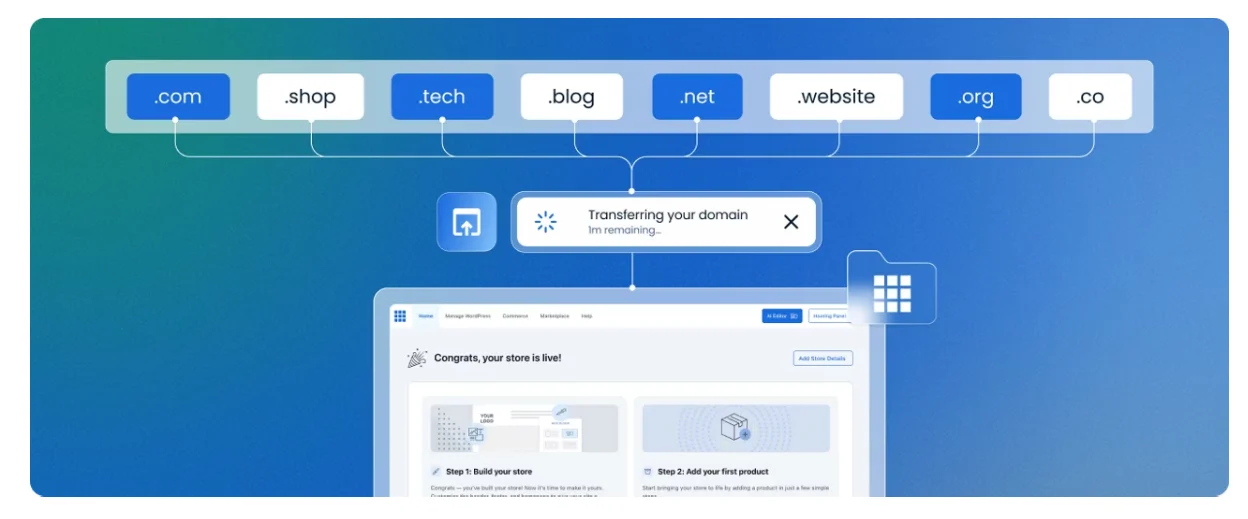
Bluehost’s domain renewal pricing depends entirely on the extension you picked, and renewal rates are almost always higher than the first-year registration price.
| TLD | Registration | Renewal |
|---|---|---|
| .com | $12.99 | $23.99 |
| .net | $18.99 | $19.99 |
| .org | $14.99 | $18.99 |
| .biz | $19.99 | $21.99 |
| .info | $21.99 | $21.99 |
| .co.uk | $11.99 | $11.99 |
| .us | $18.99 | $19.99 |
| .ca | $13.99 | $17.99 |
Source: Bluehost Domain Name Price List. Bluehost itself notes — check the Renewal Center in your account for the exact current rate before you budget around it.
Domain privacy protection, which hides your WHOIS contact details, runs about $15/year per domain on most extensions once any included free year runs out.
If a domain lapses entirely, Bluehost holds it for 30 days as a courtesy, then moves it into a Redemption period that costs $99 to recover — so it’s worth turning on auto-renewal if you plan to keep the site long-term.
What Happens to Your Domain If You Cancel Bluehost Hosting?
Canceling within Bluehost’s 30-day money-back window gets you a full refund on hosting fees, but the domain itself is treated differently.
Per Bluehost’s Domain Registration Agreement, domain registration is non-refundable — if you claimed the free domain and then cancel, Bluehost deducts a non-refundable domain fee (based on the domain’s standard registration cost) from your refund so you can keep ownership of the name.
Cancel after the 30-day window and there’s no hosting refund at all, but you still keep the domain through the end of its current registration period; you’re just responsible for renewing it going forward, either with Bluehost or by transferring it elsewhere once the 60-day transfer lock has passed.
Can You Keep a Bluehost Domain for Life?
No — the “free domain for life” offer isn’t something Bluehost issues to new customers anymore. It was a legacy perk tied to standard accounts opened before February 22, 2011, and multiple independent hosting-review sources confirm Bluehost discontinued it for everyone who signed up afterward.
If you see a site claiming you can currently get a lifetime free domain from Bluehost, that’s outdated information — today’s offer covers year one only, with standard renewal pricing after that.
Conclusion
The Bluehost Free Domain offer holds up to scrutiny: it’s a genuine $0 domain for the first year on any 12-month or 36-month hosting plan, covering the extensions most small sites actually want.
The trade-offs are ones you can plan around — an eligible-TLD list, a 90-day claim window, and standard renewal pricing once year one ends.
If you’re launching a new site and know you’ll stick with hosting for at least a year, claiming it during checkout is the simplest way to shave the domain cost off your first bill.
FAQs
How long is the Bluehost free domain available?
It covers the first year only, and you must redeem the offer within 90 days of purchasing your hosting plan or the voucher expires.
How many free domain names can I get with Bluehost?
One per qualifying hosting account. Any additional domains you register or transfer in are charged at standard pricing.
Can I get a free domain with Bluehost WordPress hosting?
Yes — Bluehost’s WordPress-optimized hosting plans follow the same free-domain policy as its standard shared hosting tiers.
Can I transfer my existing domain to Bluehost?
Yes, and a domain transfer can qualify for the free domain credit just like a new registration, subject to the same eligible-TLD list and 90-day window.
Can I own a domain name forever?
You can keep renewing a domain indefinitely, but “forever” isn’t guaranteed by any registrar — you’re only ever paying for the current registration period, and the domain reverts to the general pool if you stop renewing it.
Is Bluehost or GoDaddy cheaper for a domain?
It depends on the extension and whether you’re comparing first-year promotional pricing or renewal pricing — both hosts run frequent domain promotions, so it’s worth checking current rates for your specific TLD before deciding. [NEEDS: side-by-side current pricing pull for a head-to-head claim]
Is the free domain really free, or are there hidden fees?
The registration itself is genuinely $0 for year one on eligible TLDs. The catch isn’t a hidden fee — it’s that the domain renews at standard pricing after 12 months, and canceling early means Bluehost deducts the domain’s regular cost from any refund.

Alex Bryant is the founder of PvyEmpire.com and a WordPress specialist with over 4 years of hands-on experience in web hosting, performance optimization, and website management. He has extensively tested top hosting providers by setting up real websites and monitoring their speed, uptime, and reliability.
At PvyEmpire.com, Alex publishes honest, data-driven reviews, detailed guides, and verified coupons & deals. His goal is to help website owners choose the right hosting, improve performance, and grow their online presence with confidence—based on real testing, not promotions.