14 Best WordPress Cache Plugins to Speed Up Your Website
A slow website costs you visitors, sales, and search rankings. If your pages take more than a couple of seconds to load, people bounce before they even see what you offer.
That’s where caching comes in, and picking one of the best WordPress cache plugins is the fastest way to fix the problem without touching a single line of code.
Caching plugins store a static version of your pages so your server doesn’t have to rebuild everything from scratch every time someone visits.
Less server work means faster loading times, better Core Web Vitals, and a smoother experience for your readers.
In this guide, we’ve tested and compared the top WordPress caching plugins available today, covering everything from free options to premium all-in-one tools.
Quick Pick – The Best WordPress Caching Plugins
If you’re short on time, here’s the short version. FlyingPress is our top pick overall for raw speed and Core Web Vitals improvements.
If you want something free and dependable, WP Super Cache still holds up well. For WooCommerce stores or high-traffic sites, LiteSpeed Cache and Redis Object Cache bring server-side muscle that basic plugins can’t match.
Every site is different, though. A blog running on shared hosting has different needs than a WooCommerce store pulling thousands of visitors a day.
That’s why we’ve broken this list down by use case rather than just ranking plugins from best to worst. Scroll down and find the one that actually fits your setup.
Why Use the Best WordPress Caching Plugin
Without caching, WordPress rebuilds each page from scratch using PHP and database queries every single time someone visits.
That’s a lot of extra work for your server, and it slows things down fast, especially under traffic spikes. A good caching plugin stores a ready-made version of your pages and serves it instantly instead.
The payoff shows up in real numbers: lower TTFB, better LCP scores, and a Lighthouse score your developer won’t be embarrassed by. It also helps your SEO, since Google factors page speed into search rankings.
In short, caching isn’t optional anymore. It’s one of the easiest wins you can make.
How We Tested and Reviewed WordPress Caching Plugins
We didn’t just install these plugins and eyeball the results. Each one was tested on the same hosting environment, using GTmetrix and Google PageSpeed Insights to measure Core Web Vitals like LCP, CLS, and INP before and after activation.
We also ran stress tests to see how each plugin held up under simulated high traffic, since that’s when caching matters most.
Beyond raw speed, we looked at ease of setup, compatibility with popular tools like WooCommerce and Elementor, and how well each plugin played with CDNs like Cloudflare.
A plugin that shaves milliseconds off load time but breaks your checkout page isn’t actually helping you. We weighed real-world usability just as heavily as the benchmark numbers.
1. Best WordPress Caching Plugin for Maximum Performance: FlyingPress
FlyingPress consistently topped our benchmarks, and it’s not close. It handles full-page caching, critical CSS generation, and JavaScript delay automatically, which means you get advanced-level optimization without digging through dozens of settings. It also removes unused CSS and converts images to WebP on the fly.
The trade-off is price. FlyingPress isn’t free, and there’s a learning curve if you want to fine-tune every setting. But if maximum speed is your priority, it’s hard to beat.
2. Best WordPress Caching Plugin for Free and Reliable Caching: WP Super Cache
WP Super Cache is one of the oldest names in this space, and it still does its core job well. It generates static HTML files from your dynamic WordPress pages, which dramatically cuts server load without costing you a cent. Setup takes just a few minutes.
It won’t give you the deep optimization features you’d find in premium tools, and there’s no built-in image compression or CDN integration. Still, for a simple blog or small business site, it’s a solid, no-fuss choice that just works.
3. Best WordPress Caching Plugin for Security with Added Caching: Sucuri Firewall
Sucuri is primarily known as a security plugin, but its firewall includes caching benefits worth mentioning.
It sits between your visitors and your server, blocking malicious traffic while also serving cached content, which reduces load and adds a layer of DDoS protection at the same time.
If security is as big a concern for you as speed, this two-in-one approach makes a lot of sense. Just don’t expect the granular caching controls you’d get from a dedicated performance plugin.
4. Best WordPress Caching Plugin for CDN and Edge Caching: Cloudflare
Cloudflare isn’t a typical caching plugin, but pairing it with WordPress gives you edge caching across a global CDN.
Static assets get served from servers physically closer to your visitors, which cuts latency no matter where in the world someone’s browsing from. Features like Cloudflare APO and HTTP/3 push things even further.
Setup is a bit more involved since you’re configuring DNS-level caching rather than just installing a plugin. Once it’s running, though, the performance gains are hard to match, especially for sites with a global audience.
5. Best WordPress Caching Plugin for Simple Configuration: WP Fastest Cache
WP Fastest Cache lives up to its name in one specific way: it’s genuinely easy to configure. The interface is clean, options are clearly labeled, and you can enable page caching, minification, and cache exclusions without needing a tutorial.
It’s not the most powerful plugin on this list, but for beginners who want noticeable speed improvements without a steep learning curve, it hits a nice sweet spot between simplicity and results.
6. Best WordPress Caching Plugin for Server-Level Caching: LiteSpeed Cache
If your host runs on the LiteSpeed Web Server, this plugin is close to mandatory. It handles server-side caching directly at the server level, which is significantly faster than typical PHP-based caching plugins.
It also includes image optimization, database cleanup, and object caching support.
The catch is that it only reaches full potential on LiteSpeed-powered hosting. On other server types, you’ll still get decent results, just not the full package.
7. Best WordPress Caching Plugin for Advanced Performance Optimization: W3 Total Cache
W3 Total Cache has been around forever, and it packs in nearly every optimization feature imaginable: opcode caching, database caching, CDN integration, and browser caching, all in one dashboard. Power users love the depth of control it offers.
That depth comes at a cost, though. The settings menu can overwhelm beginners, and misconfiguring it can actually break your site. Approach this one with some patience, or hire someone who already knows it well.
8. Best WordPress Caching Plugin for SiteGround Users: SiteGround Speed Optimizer
If you’re hosted on SiteGround, this plugin is built specifically for their infrastructure, and it shows. It handles dynamic caching, image optimization, and even Core Web Vitals tweaks without needing much manual input from you.
It won’t do much for you if you’re hosted elsewhere, since it relies on SiteGround’s own server-level caching layer. But for existing SiteGround customers, it’s an easy, free performance boost.
9. Best WordPress Caching Plugin for Power Users: Swift Performance
Swift Performance offers granular control that rivals W3 Total Cache, but with a more modern interface. You get advanced caching rules, database optimization, and detailed exclusion settings for logged-in users or WooCommerce carts specifically.
It’s best suited for developers or advanced users who know exactly what they’re tuning. Casual users might find the sheer number of options a bit much for a simple blog.
10. Best WordPress Caching Plugin for Cloudways Users: Breeze
Breeze was built by Cloudways specifically for their hosting environment, and it integrates smoothly with Varnish cache and Redis on that platform. It covers page caching, minification, and basic image lazy loading in a straightforward package.
Outside of Cloudways, it still functions as a decent general caching plugin, though you’ll lose some of the server-level integration that makes it shine on its native platform.
11. Best WordPress Caching Plugin for Database Object Caching: Redis Object Cache
This one solves a different problem than most plugins on this list. Instead of caching full pages, Redis Object Cache stores database query results in memory, which speeds up dynamic content like WooCommerce carts and logged-in user sessions dramatically.
You’ll need a hosting plan that supports Redis, and some technical comfort setting it up. For high-traffic WooCommerce optimization, though, it’s one of the most effective tools available.
12. Best WordPress Caching Plugin for All-in-One Speed Optimization: NitroPack

NitroPack bundles caching, image compression, lazy loading, and CDN delivery into a single service that mostly runs itself. It’s a good pick if you want strong results without manually configuring a dozen separate settings.
Because it processes things off-site, some users notice less granular control over individual optimizations. It’s a trade of flexibility for convenience, and for many site owners, that trade is worth it.
13. Best WordPress Caching Plugin for Lightweight Page Caching: Cache Enabler by KeyCDN
Cache Enabler keeps things refreshingly simple. It generates static HTML caching files with minimal bloat, and it pairs naturally with KeyCDN if you want to add a content delivery network on top. There’s no clutter here, just clean page caching.
It lacks the advanced features of premium tools like FlyingPress or NitroPack, but for developers who want something lean and predictable, that’s actually the appeal.
14. Best WordPress Caching Plugin For SiteGround Users: SG Optimizer
SG Optimizer is SiteGround’s more developer-focused alternative to Speed Optimizer, giving you finer control over dynamic caching, Heartbeat API settings, and database cleanup.
It’s a strong choice if you want SiteGround’s server-level performance with a bit more hands-on tuning.
As with Speed Optimizer, this plugin is tied to SiteGround’s hosting stack, so it won’t offer the same benefits if you migrate elsewhere down the line.
What Is the Best Caching Plugin for WordPress?
There’s no single answer that fits everyone, but if we had to pick one, FlyingPress edges out the competition for overall performance gains.
That said, the best WordPress cache plugin for you depends on your hosting environment, budget, and how much manual configuration you’re willing to do. Match the plugin to your specific setup rather than chasing whatever ranks first on a list.
Tips to Speed Up Your Website

Installing a caching plugin is a great start, but it’s not the whole story. Pair it with image optimization tools that convert files to WebP and compress them before upload.
Enable Gzip or Brotli compression on your server, and consider lazy loading images and iframes so nothing loads until a visitor actually scrolls to it.
A few more habits go a long way too. Minify your CSS and JavaScript, defer non-critical scripts, and self-host your fonts instead of pulling them from external servers.
If you’re still running on shared hosting and getting heavy traffic, it might be time to look at a host with better server response times.
Small changes like these compound, and combined with the right caching plugin, they can transform a sluggish site into a genuinely fast one.
Conclusion
Choosing among the best WordPress caching plugins really comes down to matching the tool to your site’s needs. If you want maximum speed and don’t mind paying for it, FlyingPress is worth the investment.
If you’re on a budget, WP Super Cache or Cache Enabler will still get the job done without costing anything. And if you’re hosted on SiteGround or Cloudways, the platform-specific options tend to squeeze out the best results.
Whatever you choose, don’t stop at installing a plugin and walking away. Pair it with image optimization, compression, and a CDN, and check your Core Web Vitals regularly to make sure everything’s actually working the way it should.
FAQs – Best WordPress Cache Plugins
Do I need more than one caching plugin?
No, running multiple caching plugins together usually causes conflicts. Stick to one primary plugin and add complementary tools like a CDN separately.
Will a caching plugin fix a slow website on its own?
It helps a lot, but it’s not a complete fix. Poor hosting, bloated themes, or unoptimized images can still hold your site back.
Is WP Rocket better than free options like WP Super Cache?
WP Rocket offers more built-in features and easier setup, but free plugins can deliver similar core caching results with more manual configuration.
How often should I clear my WordPress cache?
Clear it whenever you update content, themes, or plugins. Most caching plugins also offer automatic cache purge settings for this.
Does caching help with WooCommerce stores?
Yes, but you’ll want a plugin that handles logged-in user caching and dynamic content correctly, since carts and checkouts can’t be cached like static pages.
Can caching plugins break my website?
It’s possible if settings are misconfigured, especially with advanced tools like W3 Total Cache. Always test changes on a staging site first.
Do I still need a CDN if I use a caching plugin?
Yes, a CDN and a caching plugin solve different problems. Caching speeds up your server response, while a CDN reduces latency for visitors far from your server location.
Related Posts
- WordPress Speed Optimization: Complete Guide
- How to Speed Up WordPress Site Step by Step
- How to Reduce TTFB: 12 Proven Ways to Improve Server Response Time
- Cloudflare Setup Guide: How to Set Up Your Website Step by Step
- How to Set Up QUIC Cloud for WordPress (Step-by-Step Guide)
- How to Improve Core Web Vitals: Complete Guide
- WooCommerce Checkout Slow? Advanced Fixes That Work
- LiteSpeed Cache for WordPress (Complete Guide)
- How to Fix Hostinger Slow WordPress Sites?
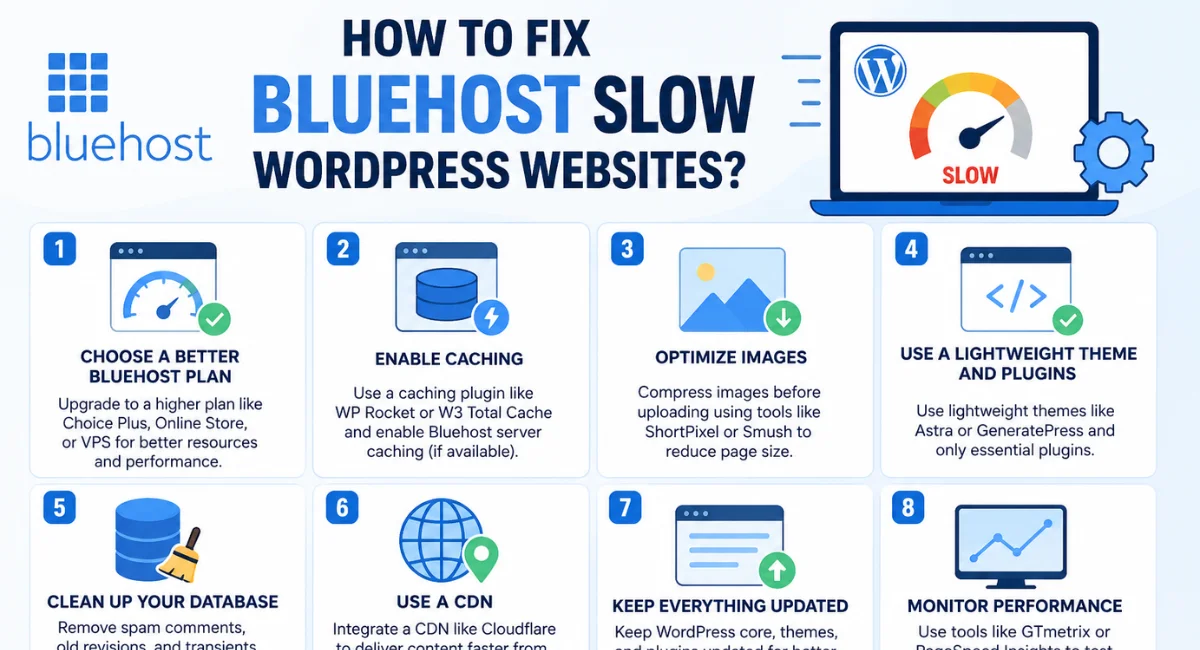
- How to Fix Bluehost Slow WordPress Websites?

Alex Bryant is the founder of PvyEmpire.com and a WordPress specialist with over 4 years of hands-on experience in web hosting, performance optimization, and website management. He has extensively tested top hosting providers by setting up real websites and monitoring their speed, uptime, and reliability.
At PvyEmpire.com, Alex publishes honest, data-driven reviews, detailed guides, and verified coupons & deals. His goal is to help website owners choose the right hosting, improve performance, and grow their online presence with confidence—based on real testing, not promotions.