Bluehost vs DreamHost: Which One Should You Use?
Choosing a web hosting provider isn’t just about price. It’s about finding a host that keeps your site fast, secure, and online when it matters most.
Bluehost and DreamHost are two of the most recognizable names in shared hosting, and both show up on WordPress.org’s recommended list. But they take different approaches to getting you there.
This guide breaks down how these two providers stack up on performance, features, security, pricing, and support, using real test data instead of marketing claims. By the end, you’ll know exactly which one fits your site.
Bluehost vs DreamHost: Quick Overview
Bluehost vs DreamHost comes down to a simple trade-off: Bluehost leans into guided, beginner-friendly WordPress setup, while DreamHost focuses on transparent pricing and stronger built-in security. Neither one is a bad choice. It really depends on what you value more.
| Category | Bluehost | DreamHost |
|---|---|---|
| Starting price | ~$2.99–$3.99/mo (intro) | ~$2.89/mo (intro) |
| Renewal price | Higher, varies by term | ~$10.99/mo |
| Uptime (recent test) | 100% (2-week test) | 100% (2-week test) |
| Average page load | 2.07s | 1.75s |
| Money-back guarantee | 30 days | 97 days |
| Best for | Beginners, WordPress, ecommerce | Value seekers, privacy-conscious users |
| Control panel | cPanel + custom dashboard | Proprietary single-panel interface |
Overall, Bluehost wins on onboarding and WordPress tooling, while DreamHost wins on pricing transparency, security defaults, and raw speed in our tests.
Which host wins overall?
DreamHost edges ahead on raw performance and built-in security, but Bluehost wins for most beginners because of its guided setup and stronger WordPress ecosystem. If you’re launching your first site and want hand-holding, Bluehost is the safer pick.
If you already know your way around hosting and want more value per dollar, DreamHost tends to deliver more without the upsells.
How We Compared Bluehost and DreamHost
We didn’t just read the marketing pages. We ran independent speed tests, monitored uptime over a two-week window, and stress-tested both hosts under simulated traffic spikes. We also priced out real plans, checked renewal rates, and reviewed each provider’s security defaults.
Our evaluation criteria included:
- Website speed (LCP and TTFB)
- Uptime and reliability
- Pricing, including renewal costs
- Feature depth (WordPress tools, storage, backups)
- Security defaults
- Customer support responsiveness
What Are the Biggest Differences?
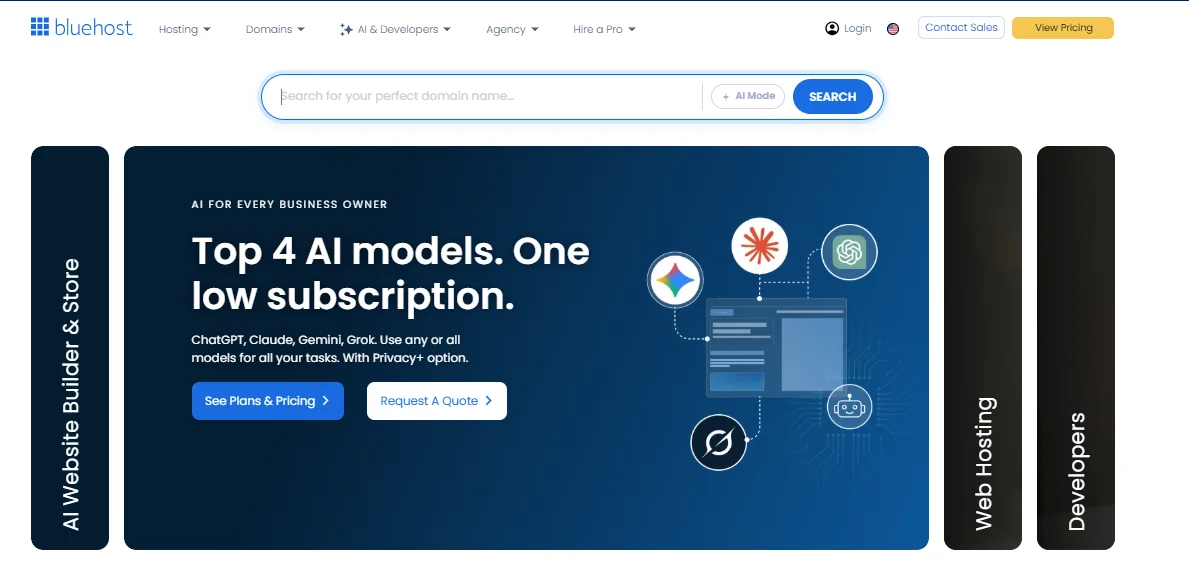
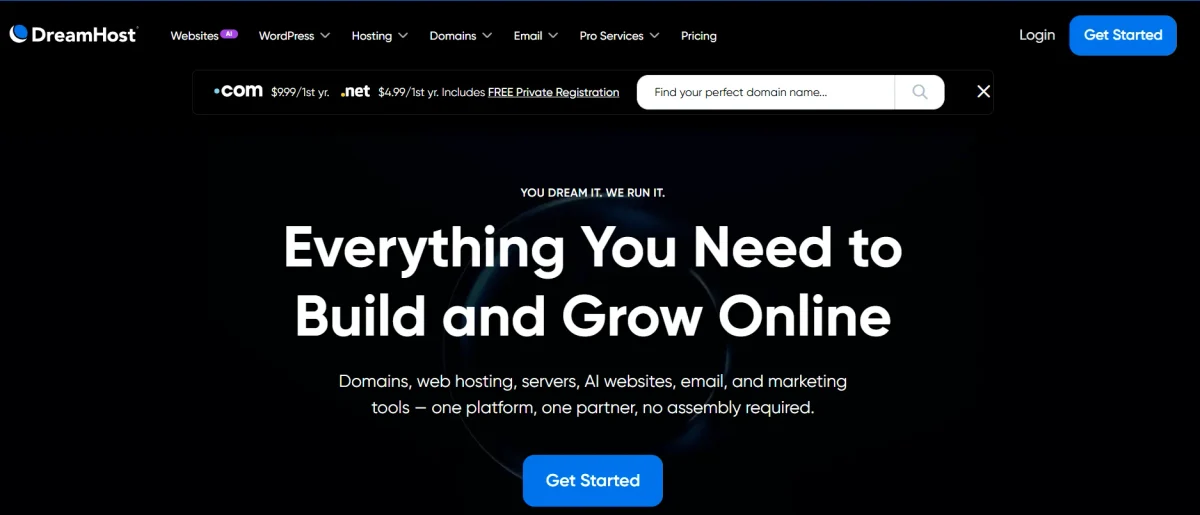
The core difference in Bluehost vs DreamHost is philosophy. Bluehost wraps everything in an AI-assisted, guided setup with more upsells along the way. DreamHost keeps things simpler and cheaper upfront, with fewer prompts trying to sell you extras.
That difference shows up everywhere, from how each host handles WordPress installs to how it prices renewals. Bluehost feels more like a full-service onboarding experience, while DreamHost feels like a no-frills utility that gets out of your way.
Where Bluehost Has the Edge
- AI-guided WordPress setup with WonderSuite (WonderCart and WonderBlocks)
- Deeper WooCommerce and ecommerce tooling
- More consistent 24/7 phone support
- Built-in essential plugins like Jetpack, Akismet, and Google Analytics
- Better performance under heavy simulated traffic load
Where DreamHost Stands Out
- Lower long-term renewal pricing on shared plans
- Stronger built-in security (domain privacy, daily backups, 1-click restore included free)
- Faster average page load times in independent testing
- Cleaner, single-interface control panel
- 97-day money-back guarantee on annual plans, well beyond the industry standard
How Did Bluehost and DreamHost Perform?
Performance is where numbers matter more than opinions. We tested both hosts using webpagetest.org, Grafana Synthetics for uptime monitoring, and Grafana k6 for stress testing.
DreamHost is faster under normal conditions, but Bluehost holds up better once traffic spikes. Neither host went down during our two-week monitoring window, so both delivered on the uptime front.
Speed and Response Times
| Metric | Bluehost | DreamHost | Good benchmark |
|---|---|---|---|
| Largest Contentful Paint (LCP) | 2.095s | 1.592s | Under 2.5s |
| Time to First Byte (TTFB) | 1.361s | 1.087s | Under 800ms |
| Average page load time | 2.07s | 1.75s | Lower is better |
DreamHost came out ahead on every speed metric we tracked, though Bluehost still landed within an acceptable range for most sites.
Uptime and Reliability
Both hosts recorded 100% uptime during our two-week Grafana Synthetics monitoring period, but their long-term track records tell a slightly different story. Historical uptime data from 2020 through 2022 puts Bluehost around 99.95% and DreamHost around 99.83%.
DreamHost backs its uptime with a formal guarantee in its terms of service, while Bluehost doesn’t publish an explicit uptime SLA. Bluehost also showed higher latency (1.96s) during our reachability tests compared to DreamHost’s 306.23ms, though this can vary with CDN configuration.
Server Locations and Load Handling
Bluehost operates data centers in the US (Virginia and Arizona), Germany, France, Brazil, and Australia, giving it a wider global footprint. DreamHost runs primarily out of Ashburn, Virginia and Hillsboro, Oregon, with additional infrastructure in the Netherlands.
That broader spread gives Bluehost an advantage for sites with an international audience. However, DreamHost’s smaller footprint didn’t stop it from handling steady traffic well; it simply relies on fewer regional entry points, so server proximity matters more for far-flung visitors.
During our stress test (50 virtual users over 5 minutes), Bluehost processed roughly 5,800 requests with only one HTTP failure. DreamHost processed about 2,900 requests, and response times stretched to nearly nine times longer under that same load.
Bluehost clearly handles traffic spikes better, even though DreamHost is quicker under normal, everyday conditions.
Which Host Offers Better Features?
Feature sets between Bluehost vs. DreamHost overlap in the basics, both offer one-click WordPress installs, free domains for the first year, and unmetered bandwidth, but diverge once you look at storage limits, migration tools, and backup depth.
Bluehost tends to bundle more WordPress-specific extras into its base plans. DreamHost keeps its core plans leaner but backs them with generous storage and backup allowances.
WordPress and Website Tools
| Feature | Bluehost | DreamHost |
|---|---|---|
| One-click WordPress install | Yes | Yes |
| Managed WordPress option | Bluehost Cloud | DreamPress |
| Visitor capacity (entry managed tier) | 50K–500K/month | Similar tiered scaling |
| Staging environment | Included on higher tiers | Included with DreamPress |
| Site migration | Available, paid on some tiers | Free automated migration plugin |
| AI website builder | WonderSuite | Liftoff AI |
Storage, Bandwidth, and Domains
| Spec | Bluehost | DreamHost |
|---|---|---|
| Entry plan storage | 50 GB | 50 GB (Starter plan) |
| Inode/file limit | ~200,000 (300,000 on Pro) | Unlimited |
| Bandwidth | Unmetered | Unmetered |
| Free domain (first year) | Yes | Yes |
| Domain renewal (.com) | ~$17.99 | ~$15.95 |
DreamHost’s unlimited inode allowance gives it an edge for sites with lots of small files, like large WooCommerce catalogs or media-heavy blogs.
Backups and Site Migration
Bluehost includes a basic backup system on most plans, typically offering a handful of recent restore points, with more frequent backups available as a paid add-on.
DreamHost includes more backup copies by default and lets you download a full backup or restore an on-demand snapshot without extra cost.
For site migration, DreamHost’s automated WordPress migration plugin makes moving an existing site fairly painless. Bluehost supports migration too, but it’s more likely to involve a paid service or manual steps depending on your plan.
Which Control Panel Is Easier to Use?
Bluehost pairs a customized cPanel with its own Bluehost Maestro dashboard, while DreamHost built a proprietary panel from scratch. Beginners often find DreamHost’s single-interface approach less confusing, since there’s nowhere else to jump to.
Bluehost’s approach isn’t harder, exactly, it’s just split across two places. That’s less of an issue once you know your way around, but it can slow down your first few logins.
Bluehost’s Hosting Interface
Bluehost is genuinely easy to use once you get oriented, but the split between its Maestro dashboard and the underlying cPanel adds a small learning curve at first. On the plus side, cPanel is the industry standard, so skills transfer if you ever switch hosts.
- Familiar cPanel environment many users already know
- Site Manager dashboard simplifies day-to-day tasks like backups and plugin updates
- Slightly less intuitive because settings are split across two interfaces
DreamHost’s Custom Control Panel
DreamHost’s custom panel is arguably the more complete, modern option of the two, and it’s all in one place. You won’t need to bounce between a branded dashboard and a separate cPanel screen to manage your site.
- Single interface for domains, email, databases, SSL, and DNS
- Clean, modern layout that feels less cluttered than traditional cPanel
- Slight trade-off: less familiar if you’ve only ever used cPanel before
Which Host Has Better Security?
Security is one of the clearest gaps between these two providers. Both include free SSL certificates and a web application firewall, but DreamHost bundles more protection into its base price without nudging you toward paid add-ons.
Bluehost covers the essentials well but reserves some of its stronger protections, like more frequent backups, for higher-tier plans.
SSL and Account Protection
| Feature | Bluehost | DreamHost |
|---|---|---|
| Free SSL (Let’s Encrypt) | Yes | Yes |
| Domain privacy/WHOIS protection | Paid add-on | Free, included |
| Multi-factor authentication | Available | Available |
| Secure shell (SSH) access | Yes | Yes |
Backups and Malware Protection
| Feature | Bluehost | DreamHost |
|---|---|---|
| Default backup frequency | Weekly | Daily |
| Malware scanning | Included | Included |
| DDoS protection | Included | Included |
| 1-click backup restore | Limited/paid tiers | Included |
DreamHost’s combination of free domain privacy, daily backups, and 1-click restore gives it the stronger security package overall. Bluehost isn’t unsafe by any means, but you’ll likely pay extra to match what DreamHost includes by default.
Which Hosting Plans Offer Better Value?
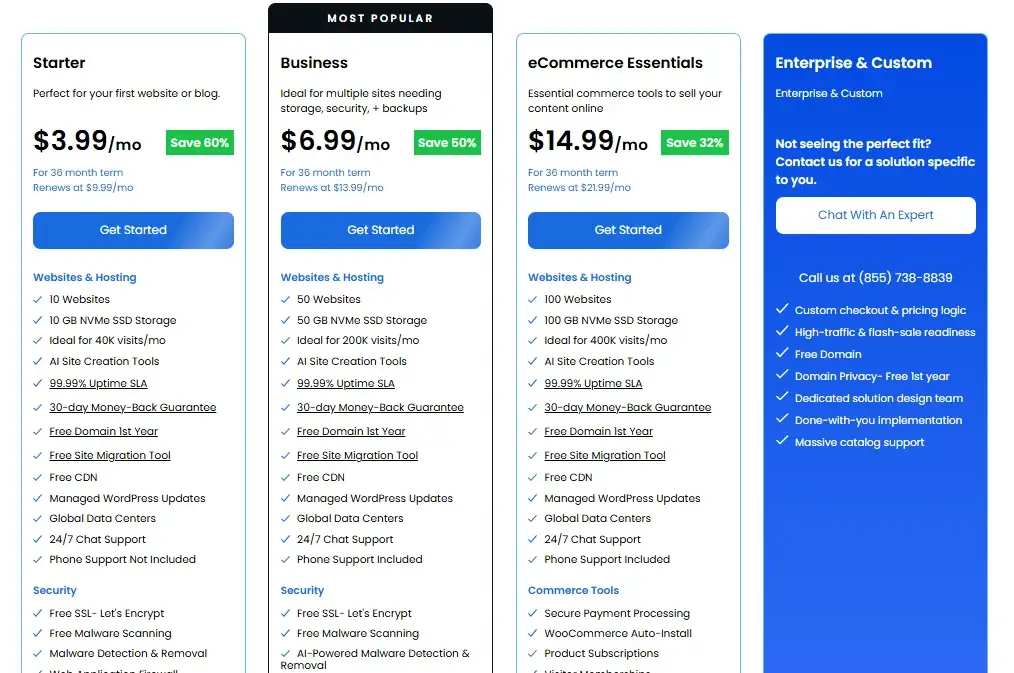
On paper, Bluehost vs DreamHost pricing looks close, but the real story shows up at renewal. DreamHost tends to hold its pricing steadier over time, while Bluehost’s promotional rates jump more sharply once your first term ends.
Neither host is trying to hide this, it’s standard practice across the shared hosting industry, but DreamHost’s smaller jump makes budgeting easier for the long haul.
Introductory vs Renewal Pricing
| Bluehost | DreamHost | |
|---|---|---|
| Intro price | ~$2.99–$3.99/mo | ~$2.89/mo |
| Renewal price | Increases notably, term-dependent | ~$10.99/mo |
| Common term length | 12–36 months | 12 months (or month-to-month available) |
| Add-ons often needed | Domain privacy, backups | Rarely required |
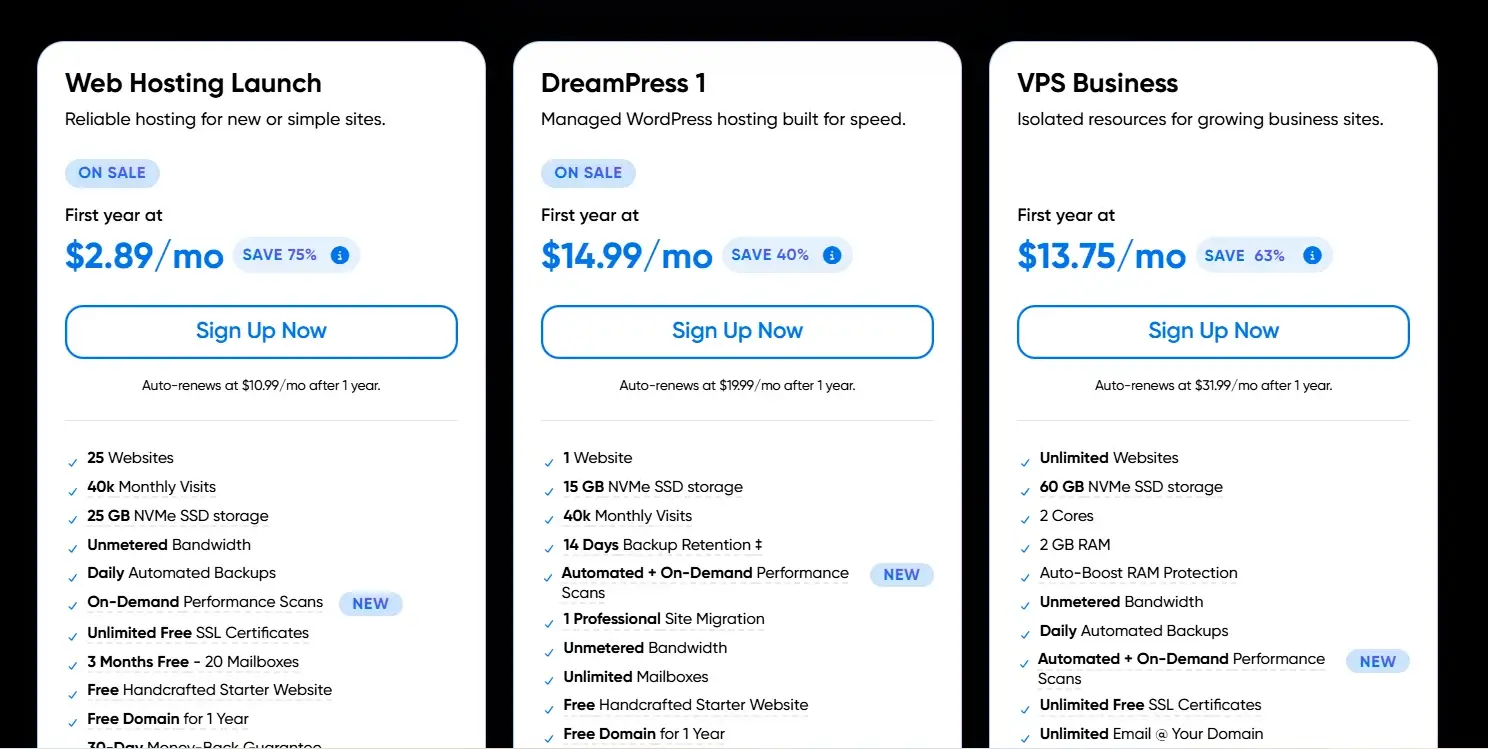
DreamHost also offers true month-to-month billing on some plans, something Bluehost doesn’t really match, which matters if you’d rather avoid locking into a long-term contract.
Money-Back Guarantees
Bluehost offers a standard 30-day money-back guarantee, which is typical across the hosting industry. DreamHost goes further with a 97-day guarantee on annual plans, giving you roughly three months to decide if it’s the right fit.
Monthly plans on both hosts typically carry a shorter refund window, so it’s worth checking your exact plan terms before signing up.
Is Bluehost or DreamHost Better for Support?
Bluehost generally offers a more consistent support experience thanks to 24/7 phone support alongside live chat and tickets. DreamHost’s support is solid too, but live chat is limited to business hours, and phone support usually requires a paid callback.
If you want to talk to someone at 2 a.m. during a site emergency, Bluehost is the more dependable option.
Support Channels and Availability
| Channel | Bluehost | DreamHost |
|---|---|---|
| Live chat | 24/7 | Business hours only |
| Phone support | 24/7 | Callback (fee-based) |
| Support tickets | Yes | Yes, 24/7 |
| Knowledge base | Extensive | Extensive |
Real-World Customer Feedback
Feedback on both hosts is mixed, which is common in the hosting industry. Bluehost users often praise the accessibility of phone support but sometimes complain about upsells during checkout.
DreamHost users tend to appreciate the straightforward pricing but occasionally note slower response times outside business hours.
Which Host Is Easier to Scale?
For sites that outgrow shared hosting, Bluehost vs DreamHost scalability comes down to how much control you want. Bluehost offers a smoother, more automated scaling path with managed WordPress cloud options.
DreamHost gives you more raw infrastructure control through VPS and DreamCompute, its OpenStack-based cloud platform.
If you’d rather not touch server settings yourself, Bluehost’s managed options feel more approachable. If you’re comfortable with some sysadmin work, DreamHost’s DreamCompute platform offers more granular control at a competitive price.
Upgrading as Your Site Grows
Bluehost’s upgrade path moves fairly seamlessly from shared hosting into managed WordPress cloud plans, with auto-scaling CPU and RAM resources designed to reduce downtime risk during traffic spikes.
DreamHost’s upgrade path runs through VPS or dedicated hosting, both of which require a bit more hands-on configuration.
Resource and Hosting Options
| Option | Bluehost | DreamHost |
|---|---|---|
| Shared hosting | Yes | Yes |
| VPS hosting | Yes | Yes, developer-friendly |
| Dedicated servers | Yes | Yes |
| Cloud/managed WordPress | Bluehost Cloud | DreamPress, DreamCompute |
What Do Customers Say About Each Host?
Across independent review sites, both hosts land in similar overall satisfaction ranges, but the specific praise and complaints differ.
Bluehost reviewers tend to focus on ease of use and WordPress integration, while DreamHost reviewers highlight pricing transparency and security defaults.
Neither provider has an outsized reputation problem; most criticism centers on renewal pricing and support wait times, which is common across the shared hosting industry as a whole.
Bluehost User Reviews
- Praised for beginner-friendly setup and WordPress tooling
- Phone support is frequently cited as a strong point
- Common complaints involve checkout upsells and prechecked add-ons
- Some users note cancellation can be a slower process than sign-up
DreamHost User Reviews
- Praised for transparent, no-frills pricing
- Security defaults (domain privacy, daily backups) draw consistent positive mentions
- Common complaints involve limited live chat hours
- Some users find the AI website builder less polished than competitors
What Are the Pros and Cons?
Every host has trade-offs, and Bluehost vs DreamHost is no exception. Here’s the short version of what each one does well and where it falls short.
Bluehost Pros and Cons
Pros
- Strong WordPress integration with AI-guided setup
- Reliable 24/7 phone and live chat support
- Handles traffic spikes well
- Broad global server footprint
Cons
- Checkout page includes prechecked upsells
- Domain privacy costs extra
DreamHost Pros and Cons
Pros
- Transparent, steadier renewal pricing
- Strong built-in security (free domain privacy, daily backups)
- Faster average page speeds in testing
- 97-day money-back guarantee
Cons
- Live chat limited to business hours
- Weaker performance under heavy simulated traffic load
Who Should Use Bluehost?
Bluehost is the better fit if you’re new to hosting and want a guided experience with reliable phone support on standby. It also makes sense for anyone planning to run a WooCommerce store, since its ecommerce tooling is more developed out of the box.
- First-time website owners who want step-by-step guidance
- WordPress bloggers who want built-in plugins and themes ready to go
- Small ecommerce stores that need WooCommerce support
- Anyone who values 24/7 phone support during setup
Who Should Use DreamHost?
DreamHost suits people who already know roughly what they want and don’t need much hand-holding. It’s a strong pick if you care about predictable pricing, built-in privacy, and don’t mind a smaller support window.
- Budget-conscious users who want fewer surprise renewal costs
- Developers who want SSH access and more infrastructure control
- Privacy-focused users who want free domain privacy by default
- Anyone comfortable troubleshooting without 24/7 live chat
Which Alternatives Should You Consider?
If neither Bluehost nor DreamHost feels like the right match, a few other providers are worth a look. Hostinger is generally considered the best all-around budget option, while HostGator offers a similar shared-hosting experience to Bluehost, since both are part of the same parent hosting group.
| Alternative | Best for | Notable strength |
|---|---|---|
| Hostinger | Best overall value | Low entry-level shared plan pricing |
| HostGator | Bluehost-style beginners | Similar cPanel-based ecosystem |
| SiteGround | Performance-focused users | Strong caching and support reputation |
Conclusion
After testing both providers on speed, uptime, security, and pricing, neither Bluehost nor DreamHost comes out ahead in every category, and that’s the honest takeaway here.
Bluehost wins on onboarding, WordPress tooling, and support availability, while DreamHost wins on renewal pricing, built-in security, and everyday speed.
If you’re building your first WordPress site and want support just a phone call away, Bluehost is the safer bet. If you’d rather avoid upsells and get stronger security without paying extra, DreamHost is worth the switch in habits it might require.
Frequently Asked Questions
Is Bluehost or DreamHost better?
Bluehost is better for beginners who want guided setup and 24/7 phone support. DreamHost is better for users who want transparent pricing and stronger built-in security. Neither wins outright; it depends on your priorities.
Is Bluehost faster than DreamHost?
No, DreamHost was faster in our testing, with a lower LCP (1.592s vs. 2.095s) and TTFB (1.087s vs. 1.361s). Bluehost did perform better under heavy simulated traffic load, though.
Is DreamHost cheaper than Bluehost?
DreamHost is generally cheaper at renewal, holding closer to $10.99/month compared to Bluehost’s steeper renewal jump. Bluehost’s introductory pricing can look similar, but the long-term cost favors DreamHost.
Which is better for WordPress?
Bluehost is the stronger overall pick for WordPress thanks to its AI-guided setup, built-in plugins, and deeper WooCommerce tooling. DreamHost still offers solid WordPress support through DreamPress, especially for developers.
Which is easier for beginners?
Bluehost is easier for total beginners because of its guided onboarding and always-available phone support. DreamHost’s single-panel interface is clean, but its smaller support window can leave new users waiting for help.
Do Bluehost and DreamHost offer money-back guarantees?
Yes, both offer money-back guarantees. Bluehost’s standard window is 30 days, while DreamHost extends its annual-plan guarantee to 97 days.
Is Bluehost and DreamHost the same company?
No, they’re entirely separate companies. Bluehost is part of Newfold Digital, headquartered in Orem, Utah, while DreamHost is a privately owned company based in Los Angeles, California.

Alex Bryant is the founder of PvyEmpire.com and a WordPress specialist with over 4 years of hands-on experience in web hosting, performance optimization, and website management. He has extensively tested top hosting providers by setting up real websites and monitoring their speed, uptime, and reliability.
At PvyEmpire.com, Alex publishes honest, data-driven reviews, detailed guides, and verified coupons & deals. His goal is to help website owners choose the right hosting, improve performance, and grow their online presence with confidence—based on real testing, not promotions.