Easywp Review: Pricing, Features, & Alternatives
Searching for a reliable WordPress hosting platform can feel confusing, especially when every provider claims to be the fastest and easiest. If you’ve been looking for an honest EasyWP review, you’re probably wondering whether it’s actually good for beginners, worth the price, or just another overhyped hosting service.
In this EasyWP review, you’ll learn what the platform offers, how it performs, its main features, pricing, pros and cons, and whether it’s the right choice for your website. Whether you’re starting a blog, small business site, or personal project, this guide will help you make a smarter decision before buying.

EasyWP review (Overview)
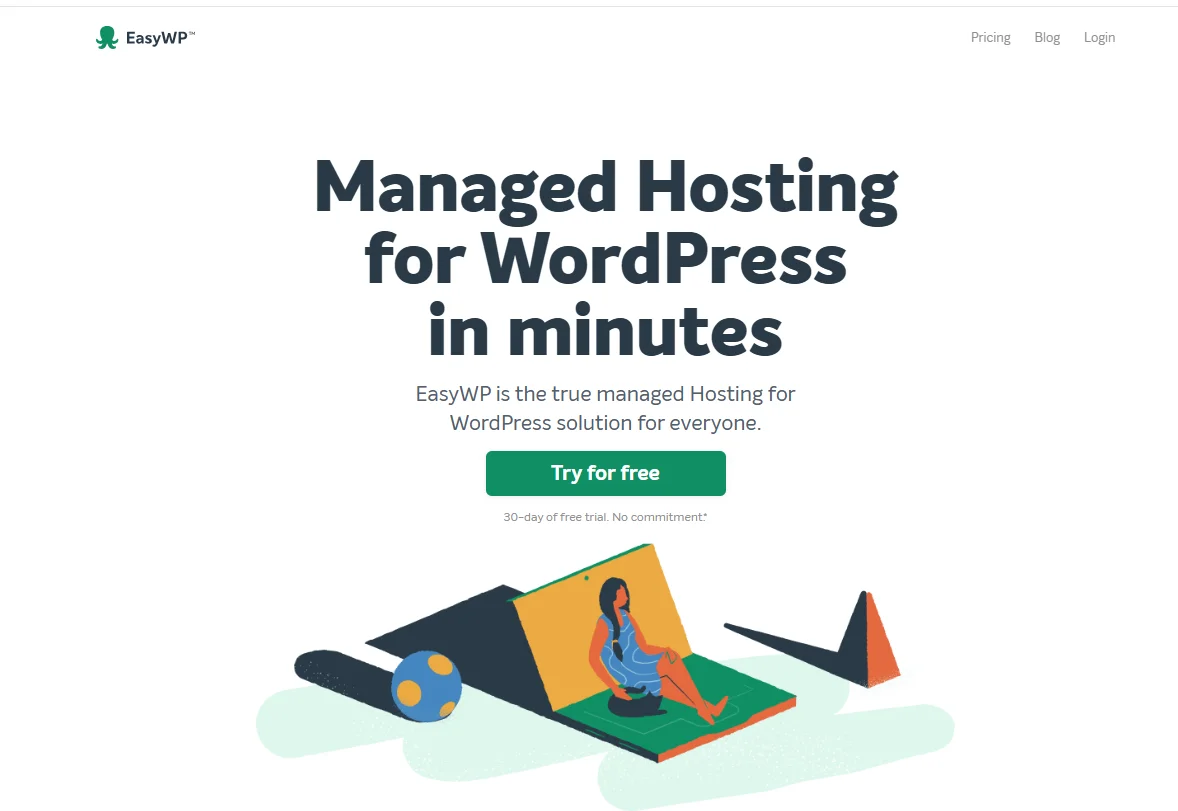
EasyWP is a managed WordPress hosting platform created by Namecheap. It focuses on simplicity, affordability, and beginner-friendly website management. Unlike traditional shared hosting, EasyWP uses a cloud hosting infrastructure designed specifically for WordPress websites. That means you get optimized resources, faster deployment, and easier maintenance without having to deal with complex server settings.
One reason many beginners choose EasyWP is its low starting price and quick setup process. You can launch a WordPress site within minutes, even if you’ve never managed hosting before. However, while the platform works well for small blogs and business sites, some WordPress benchmark tests show limitations during high traffic spikes and heavy load testing hosting scenarios.
What is EasyWP?
EasyWP is a managed WordPress hosting service offered through Namecheap hosting services. Instead of sharing one crowded server with hundreds of websites, EasyWP uses isolated cloud-based resources to improve hosting reliability and performance. The platform automatically handles updates, backups, caching, and server optimization for WordPress users.
Think of it like renting a fully furnished apartment instead of building a house yourself. Traditional hosting often requires manual setup and maintenance, while EasyWP simplifies the process so you can focus on your content. This approach makes EasyWP beginner-friendly hosting for bloggers, freelancers, portfolio websites, and small businesses.
Manage your WordPress sites with a dedicated service
Managed WordPress hosting removes many technical responsibilities from your plate. With EasyWP, you don’t need to configure caching plugins, manage server updates, or troubleshoot complex backend settings. The platform handles those tasks automatically, which saves time and reduces frustration for beginners.
Compared to shared hosting, managed WordPress hosting usually delivers better server response time and stronger uptime monitoring. EasyWP also includes automatic backups, free SSL integration, and an easy dashboard for handling websites. However, advanced users may notice fewer customization options compared to premium cloud hosting providers.
Pricing and plans
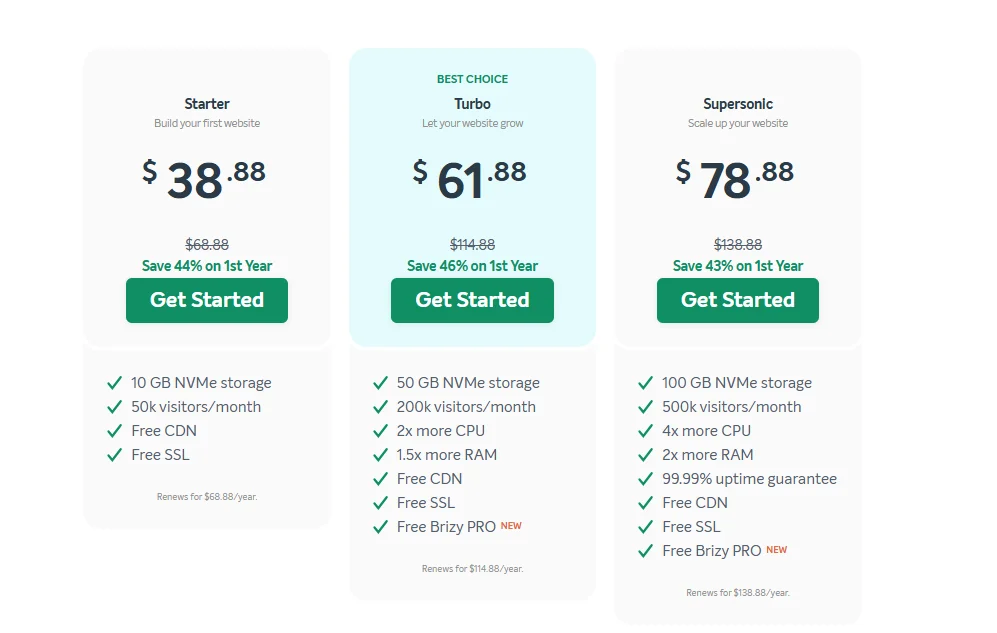
EasyWP keeps its pricing structure simple, which helps beginners avoid confusion. The platform offers three primary plans with different storage limits, visitor capacity, and resource allocation.
| Plan | Price (1st Year) | Renewal Price | Storage | Visitors / Month | Free CDN | Free SSL |
| Starter | $38.88 | $68.88/year | 10 GB NVMe | 50k visitors/month | Yes | Yes |
| Turbo | $61.88 | $114.88/year | 50 GB NVMe | 200k visitors/month | Yes | Yes |
| Supersonic | $78.88 | $138.88/year | 100 GB NVMe | 500k visitors/month | Yes | Yes |
The Starter plan works well for low-traffic websites and beginners testing WordPress for the first time. However, larger projects may require the Turbo or Supersonic plan because traffic handling becomes more important as websites grow. If you expect traffic spikes or WooCommerce activity, cheaper plans can struggle during load testing hosting scenarios.
Another important factor is value for money. EasyWP is considered cheap managed WordPress hosting compared to providers like SiteGround or Kinsta. Still, lower pricing often comes with trade-offs in performance consistency, global TTFB performance, and scalability.
Easy Of Use
EasyWP shines when it comes to simplicity. The dashboard feels clean and uncluttered, which makes it easier for beginners to manage domains, backups, SSL settings, and WordPress installations. Even users with zero technical experience can launch a website quickly.
The onboarding process also feels smooth compared to many traditional hosting providers. You won’t spend hours configuring databases or adjusting complicated server settings. In fact, EasyWP removes much of the technical friction that usually scares new WordPress users.
Another reason beginners like EasyWP is the straightforward interface. Tasks like restoring backups, enabling SSL, or checking website performance only take a few clicks. That simplicity makes it one of the better options for users searching for affordable managed WordPress hosting.
EasyWP Hosting Feature
EasyWP includes several features designed to simplify WordPress hosting and improve everyday website management. While it may not compete with enterprise-level hosting providers, it offers enough tools for most small and medium-sized websites.
Key EasyWP Features
- Managed WordPress hosting environment
- Free SSL certificates
- Automatic WordPress installation
- Cloud hosting infrastructure
- Built-in backup system
- Temporary domain support
- Easy dashboard management
- Fast deployment process
- SFTP access
- Automatic caching system
- Simple DNS configuration
- Malware protection tools
- Integrated CDN support
- One-click backup restoration
- Beginner-friendly setup
- Decent uptime monitoring
- Website staging support on higher plans
- Optimized WordPress performance
- Affordable entry-level pricing
- Easy scaling between plans
These features help reduce technical workload for website owners. For bloggers or freelancers who simply want their website online without constant maintenance, EasyWP delivers a fairly convenient experience.
However, advanced users may find limitations in customization, server control, and developer-focused tools. That’s where premium managed WordPress hosting providers usually offer more flexibility and power.
Who Should Use EasyWP
EasyWP works best for beginners, bloggers, freelancers, and small business owners who want an easy way to launch a WordPress website. If your main goal is simplicity and affordability, the platform offers solid value.
It’s also useful for personal blogs, portfolio sites, and lightweight business pages that don’t expect massive traffic volumes. Many users searching for the best hosting for beginner WordPress websites appreciate EasyWP because the setup takes only a few minutes.
Another good use case involves website owners who dislike technical server management. EasyWP handles many backend tasks automatically, so you can focus more on writing content, building pages, and growing your business.
Who Shouldn’t Use EasyWP
EasyWP may not be the best choice for high-traffic websites or resource-heavy online stores. Some users report slower performance during intense load testing in hosting situations, especially when websites receive sudden traffic spikes.
If you run a WooCommerce store with thousands of products or a content-heavy media website, you may need more reliable hosting and better server optimization. Premium providers often handle global TTFB performance more consistently under stress.
Developers who need advanced server customization may also feel limited. While EasyWP simplifies hosting for beginners, power users sometimes prefer VPS hosting or advanced cloud platforms for greater control and scalability.
Customer support and knowledge base
Customer support can make or break a hosting experience, especially for beginners. EasyWP provides live chat support and a fairly large knowledge base filled with tutorials and setup guides. Most common WordPress issues are covered through documentation.
Response times are usually decent for basic problems like SSL activation or DNS setup. However, some users report slower support experiences during technical issues or peak hours. That’s not unusual for affordable hosting providers, but it’s worth considering if support quality matters heavily to you.
The knowledge base remains helpful for beginners because it explains many technical topics in simpler language. Instead of overwhelming users with complex terminology, the platform keeps instructions straightforward and practical.
Usage scenarios and recommendations
EasyWP performs well in several everyday hosting situations. If you’re starting a blog, personal website, or freelance portfolio, the platform offers enough speed and reliability for typical usage. Small business owners also benefit from its simple management system.
For example, a travel blogger with moderate monthly traffic will probably find EasyWP more than sufficient. The same applies to local businesses, consultants, or small agencies needing affordable managed WordPress hosting.
However, websites expecting rapid growth should evaluate scalability carefully. If you anticipate viral traffic, high WooCommerce sales, or international visitors, stronger hosting providers may offer better WordPress hosting performance and CDN performance optimization.
EasyWP Pros and Cons
Like every hosting provider, EasyWP comes with strengths and weaknesses. Understanding both sides helps you make a smarter decision instead of relying purely on marketing claims.
Pros
| Pros | Details |
| Beginner friendly | Very easy setup and dashboard |
| Affordable pricing | Lower entry cost than many competitors |
| Fast WordPress installation | Launch websites within minutes |
| Managed environment | Automatic updates and optimization |
| Free SSL | Helps improve security and trust |
| Cloud infrastructure | Better than traditional shared hosting |
| Simple interface | Easy for non-technical users |
| Automatic backups | Helpful for restoring websites |
| Decent uptime | Reliable enough for small websites |
| Scalable plans | Upgrade resources when needed |
Cons
| Cons | Details |
| Limited advanced controls | Developers may feel restricted |
| Performance under heavy load | Can struggle with traffic spikes |
| Fewer premium tools | Missing some enterprise-level features |
| Support inconsistency | Response quality varies sometimes |
| Not ideal for huge WooCommerce stores | Better options exist for large e-commerce |
| Global speed inconsistency | Some regions show slower TTFB |
| Limited customization | Less flexibility than VPS hosting |
| Basic staging options | More advanced platforms handle this better |
Overall, Namecheap EasyWP review pros and cons discussions often highlight one clear point: EasyWP delivers strong value for beginners but becomes less competitive for demanding projects.
Methodology
This EasyWP review analysis uses multiple testing categories to evaluate hosting reliability and real-world performance. Instead of relying only on marketing claims, the review considers uptime monitoring, server response time, WordPress benchmark test data, and overall usability.
Testing Areas Used
| Testing Factor | Purpose |
| Uptime Monitoring | Measures reliability |
| TTFB Testing | Checks the initial server speed |
| Load Testing | Measures traffic handling |
| CDN Performance | Tests global delivery speeds |
| Dashboard Usability | Evaluates beginner experience |
| Support Quality | Measures response effectiveness |
The review also compares EasyWP against major competitors using realistic usage scenarios. For example, testing includes blog websites, business pages, and moderate traffic simulations to determine how the platform performs under different conditions.
Some tests show decent hosting speed test results for small websites. However, heavy load situations reveal weaker scalability compared to premium managed WordPress hosting providers.
EasyWP vs Competitors
EasyWP competes mainly with beginner-friendly managed WordPress hosting providers like Hostinger, SiteGround, and Bluehost. Each platform offers different strengths depending on your priorities.
| Hosting Provider | Best For | Strength |
| EasyWP | Beginners | Affordability |
| Hostinger | Balanced performance | Better speed-to-price ratio |
| SiteGround | Premium users | Excellent support |
| Bluehost | WordPress beginners | Official WordPress recommendation |
EasyWP vs Hostinger comparison discussions usually focus on performance and pricing. Hostinger often delivers stronger speed optimization and scalability while keeping prices competitive. Meanwhile, SiteGround targets users wanting premium support and advanced performance features.
If your priority is simple website management at a lower price, EasyWP remains attractive. However, users needing stronger uptime consistency, advanced caching, and higher traffic handling may find better alternatives elsewhere.
EasyWP vs Hostinger
EasyWP is simpler and more beginner-focused, especially for users who want a quick WordPress setup with minimal configuration. However, Hostinger usually offers better performance, stronger uptime, and more features for the price. If you expect traffic growth or need better speed optimization, Hostinger is often the stronger long-term choice.
EasyWP vs SiteGround
EasyWP is more affordable and easier on the budget, while SiteGround delivers better premium performance and customer support. SiteGround also handles traffic spikes and advanced WordPress optimization more effectively. For beginners on a tight budget, EasyWP works well, but SiteGround is better for serious business websites.
EasyWP vs Bluehost
EasyWP provides a cleaner managed WordPress experience with faster setup and fewer technical headaches. Bluehost offers broader hosting flexibility and is officially recommended by WordPress, but performance can vary on lower plans. If simplicity matters most, EasyWP feels easier to manage for beginners.
EasyWP vs Kinsta
EasyWP is much cheaper and better suited for beginners or small websites, while Kinsta focuses on premium managed WordPress hosting with high-end performance. Kinsta delivers stronger uptime, faster global TTFB performance, and better handling of traffic spikes. If budget matters most, EasyWP is attractive, but Kinsta is the stronger choice for serious business or high-traffic websites.
EasyWP vs WP Engine
EasyWP keeps things simple and affordable, whereas WP Engine targets professional users needing advanced WordPress optimization and enterprise-level security. WP Engine performs better in load testing and offers stronger developer tools, staging environments, and scalability. However, EasyWP is easier on the wallet and works well for beginners or smaller projects.
EasyWP vs GoDaddy
EasyWP generally offers a cleaner managed WordPress experience compared to GoDaddy’s standard hosting setup. It’s easier to use, includes better WordPress-focused optimization, and often provides more consistent performance for smaller sites. GoDaddy may offer broader hosting services, but many users prefer EasyWP for simpler WordPress management and affordability.
Conclusion
EasyWP remains a solid option for beginners searching for affordable managed WordPress hosting. It simplifies website management, offers decent performance for smaller projects, and removes much of the technical complexity that comes with traditional hosting. For bloggers, freelancers, and small business owners, that convenience alone can make a big difference.
However, EasyWP isn’t perfect. Performance limitations under heavy traffic and fewer advanced features make it less suitable for large-scale websites or demanding WooCommerce stores. If your project needs stronger scalability and premium optimization, alternatives like Hostinger or SiteGround may deliver better long-term value. Still, for users wanting a simple and budget-friendly hosting solution, EasyWP remains a practical starting point.
FAQs
Is EasyWP good for beginners?
Yes, EasyWP is beginner-friendly hosting because it simplifies WordPress setup, backups, SSL management, and website maintenance.
Does EasyWP include free SSL?
Yes, EasyWP includes free SSL certificates to improve website security and visitor trust.
Is EasyWP faster than shared hosting?
In most cases, yes. EasyWP uses cloud hosting infrastructure, which usually performs better than traditional shared hosting.
Can EasyWP handle high traffic?
EasyWP can manage moderate traffic, but heavy spikes may affect performance on lower-tier plans.
Is EasyWP good for WooCommerce?
It works for small WooCommerce stores, but larger e-commerce websites may need stronger hosting resources.
EasyWP vs Hostinger: Which is better?
Hostinger generally offers better performance and scalability, while EasyWP focuses more on simplicity and affordability.
Is EasyWP worth it in 2026?
For beginners and smaller websites, EasyWP still provides decent value in 2026 due to its low pricing and ease of use.
Related Posts
- 14 Best WordPress Hosting for Agencies Compared
- Cloudways Increase PHP Memory Limit Easily
- HostGator Review
- WPX Hosting Review
- What Are the 36 Different Types of Web Hosting?

Alex Bryant is the founder of PvyEmpire.com and a WordPress specialist with over 4 years of hands-on experience in web hosting, performance optimization, and website management. He has extensively tested top hosting providers by setting up real websites and monitoring their speed, uptime, and reliability.
At PvyEmpire.com, Alex publishes honest, data-driven reviews, detailed guides, and verified coupons & deals. His goal is to help website owners choose the right hosting, improve performance, and grow their online presence with confidence—based on real testing, not promotions.